

Security groups and IP sets
A security group is a named set of firewall rules you attach to instances, load balancers or managed databases. An IP set is a reusable named list of IP ranges (CIDRs) that rules can reference, handy for things like “office IPs” you reuse across many rules.
Before you begin
Section titled “Before you begin”- Nothing. The pages are available to every account. Attach groups to resources from the resource’s own page.
Where to find it
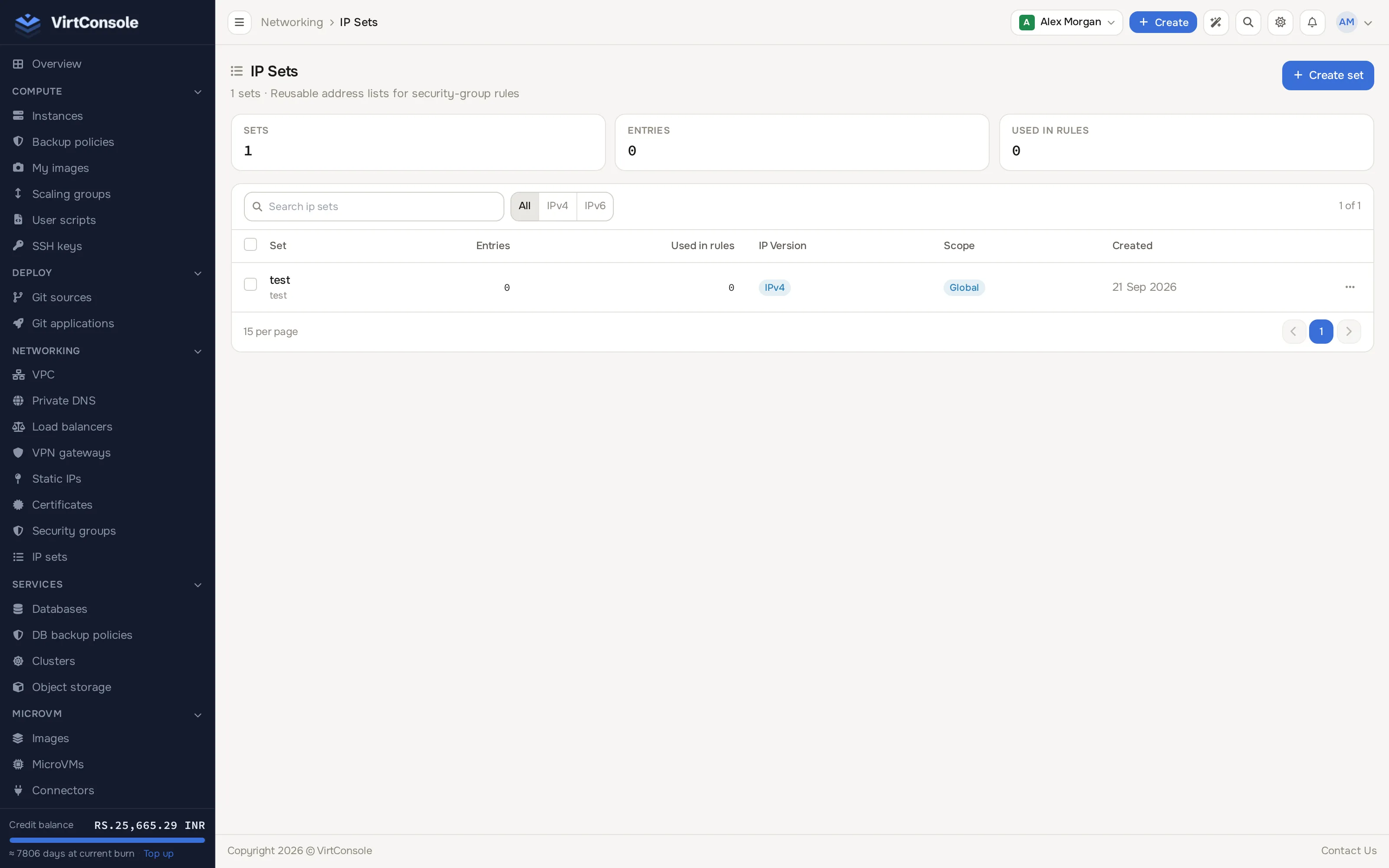
Section titled “Where to find it”In the user panel go to Networking > Security groups and Networking > IP sets.
The security groups list.
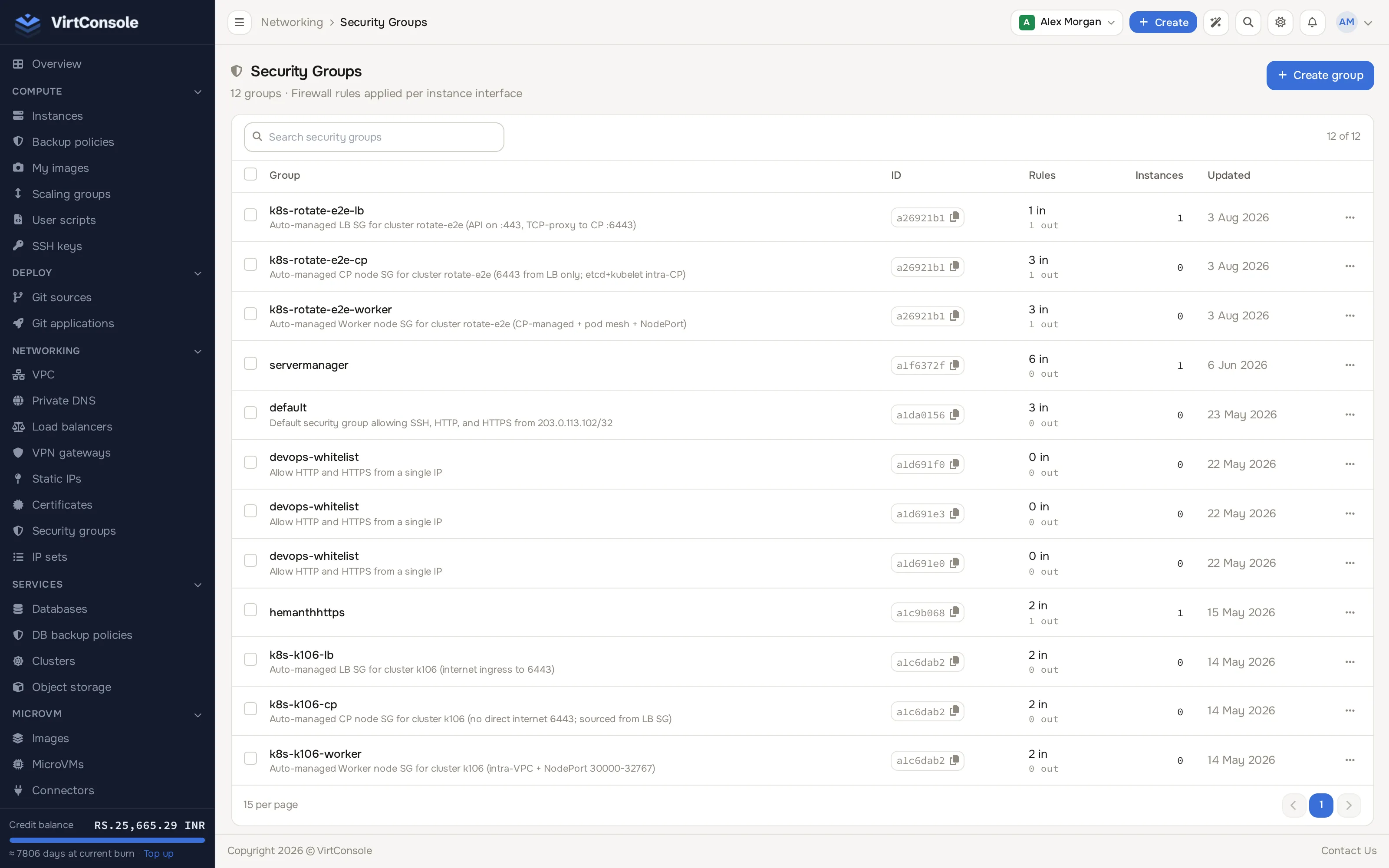
Create a security group
Section titled “Create a security group”-
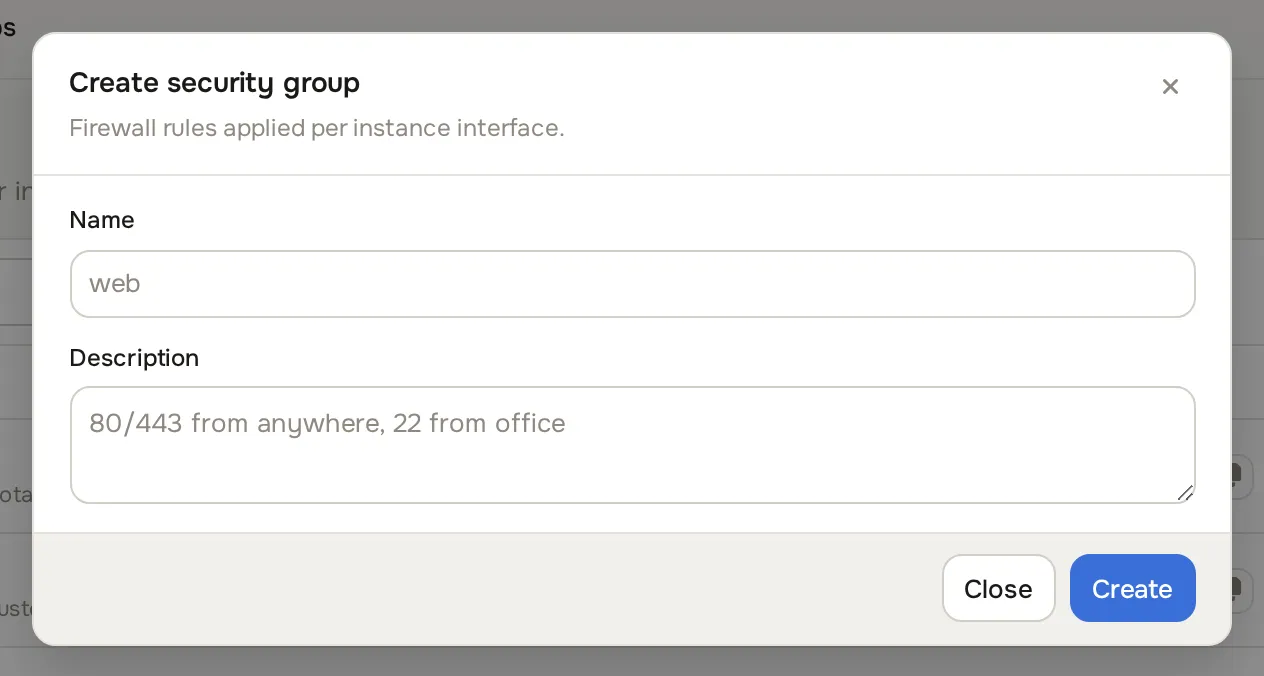
Click Create group. The Create security group dialog opens.
-
Enter a Name and optional Description.
-
Click Create.
Groups you create are visible only to your account. Your provider may also publish global groups (for example “Allow Web Traffic”); you can attach those but not edit them.
Add a rule
Section titled “Add a rule”Open the group from the list. Inbound (ingress) and outbound (egress) rules are listed separately; each has its own Add Rule button.
- Click Add Rule in the direction you want.
- Fill in:
Fields
| Field | Values | What it means |
|---|---|---|
| Direction | Ingress, Egress | Inbound or outbound (fixed by which Add Rule you clicked). |
| Protocol | TCP, UDP, ICMP, ICMPv6, All | The network protocol to match. Port fields do not apply to ICMP or All. |
| Port Range | 1-65535 | Start and end port (TCP/UDP only). For one port, set both to the same number. |
| IP Version | IPv4, IPv6 | Which address family the rule matches. |
| Source Type | CIDR, Remote Group, or IP Set | How to match the other end (see below). |
| Description | Free text | Optional. |
- Click Add Rule.
Duplicate rules (same direction, protocol, ports, IP version and source) are rejected. Delete a rule with the trash button next to it; changes reach your resources within about a minute.
Source types
Section titled “Source types”- CIDR: a specific address or range, for example
0.0.0.0/0(all IPv4),203.0.113.0/24,192.0.2.10/32(one IP) or::/0(all IPv6). The CIDR must match the rule’s IP version. - Remote Group: another security group. The rule matches the IPs of every resource that has that group attached, and follows along as they join or leave. Classic pattern: an ingress rule on a “Database Servers” group referencing a “Web Servers” group allows TCP 3306 from all your web servers without hardcoding IPs.
- IP Set: one of your named CIDR lists. Only IP sets whose IP version matches the rule appear in the dropdown.
Common examples
Section titled “Common examples”Allow SSH from anywhere (IPv4):
| Direction | Protocol | Ports | Source |
|---|---|---|---|
| Ingress | TCP | 22-22 | 0.0.0.0/0 |
Allow web traffic:
| Direction | Protocol | Ports | Source |
|---|---|---|---|
| Ingress | TCP | 80-80 | 0.0.0.0/0 |
| Ingress | TCP | 443-443 | 0.0.0.0/0 |
Allow ping:
| Direction | Protocol | Ports | Source |
|---|---|---|---|
| Ingress | ICMP | - | 0.0.0.0/0 |
How the rules behave
Section titled “How the rules behave”- A resource with no groups attached allows all traffic, except outbound SMTP (TCP 25), which stays blocked unless your provider enables SMTP for your account.
- Once an attached group has at least one ingress rule, inbound traffic matching no rule is dropped. Same for egress, independently.
- The firewall is stateful: replies to allowed outbound connections are let back in.
- Multiple attached groups combine; anything allowed by any group is allowed.
- Guest VNC console ports are never reachable directly from the internet; the console is only available through the panel.
Attach groups to resources
Section titled “Attach groups to resources”- Instances: from the instance manage page, Security Groups section. See Instance firewall.
- Security group page: the group’s detail page has an Instances section with Attach Instance and per-row detach.
- Load balancers and databases: from the resource’s own firewall or security section.
A resource can have up to 10 groups attached.
IP sets
Section titled “IP sets”Go to Networking > IP sets to see every set you own.
-
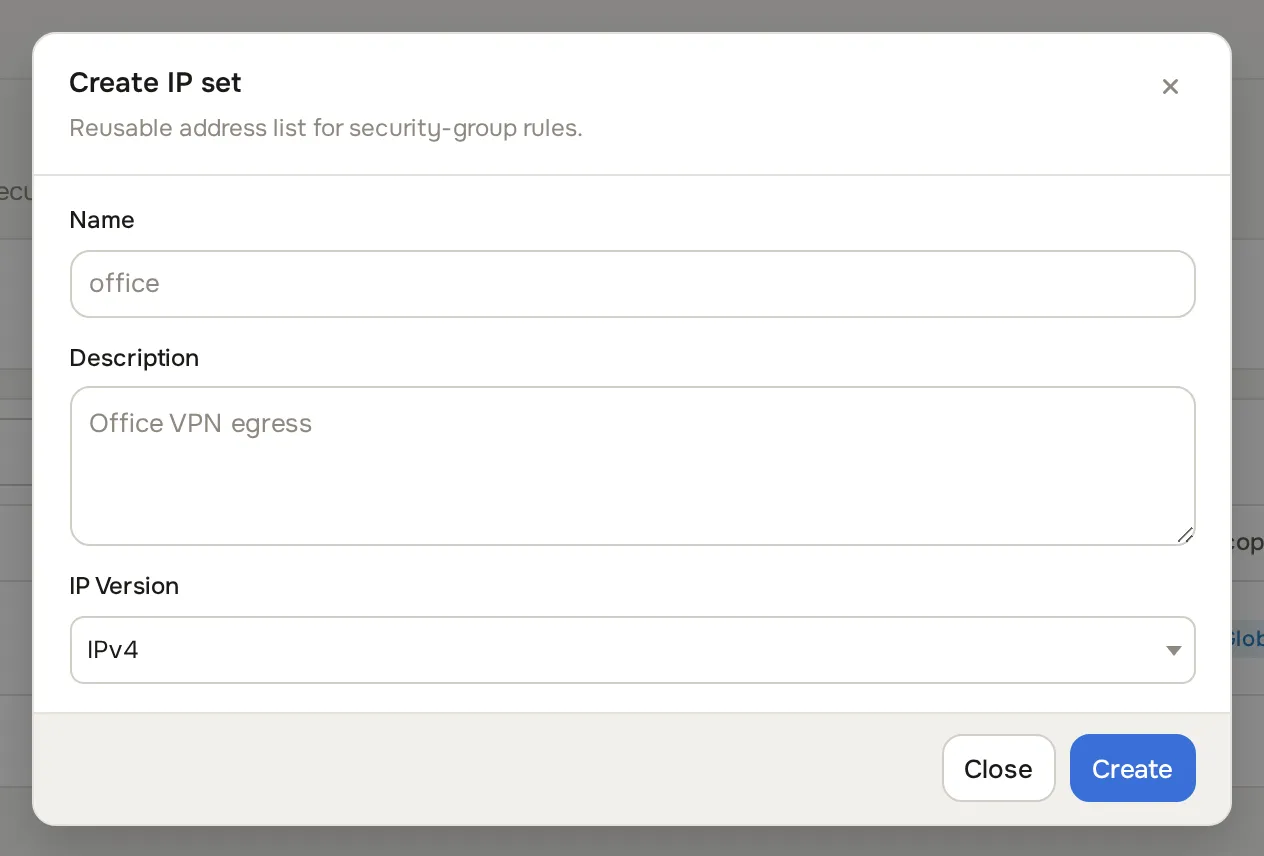
Click Create set. The Create IP set dialog opens.
-
Enter a Name, optional Description, and pick the IP Version.
-
Click Create.
Add entries on the set’s detail page:
- Add Entry: one IP or CIDR at a time, with an optional description. Bare IPs are normalised (
/32for IPv4,/128for IPv6). - Bulk Add: paste many CIDRs, one per line. Duplicates are skipped; invalid lines are reported.
Rules of the road: the IP version is locked once entries exist, and a set cannot be deleted while a security group rule references it.
Common problems
Section titled “Common problems”- A rule is not taking effect. Wait about a minute, confirm the group is attached to the resource, and confirm the rule’s IP version matches the traffic you are testing.
- Everything is still allowed. The attached groups have no rules in that direction. Zero rules in a direction means allow-all for that direction.
- Cannot delete an IP set. A rule still references it. Remove or change the referencing rules first.