

Scheduler
VirtConsole runs a set of recurring jobs behind the scenes: billing runs, backup scheduling, metrics collection, bandwidth accounting, and the cleanup jobs that keep the logs and queues tidy. The Scheduler page is a health view over all of them. It does not let you edit schedules; it tells you whether the platform’s clockwork is actually running.
Where to find it
Section titled “Where to find it”In the admin panel go to System > Scheduler.
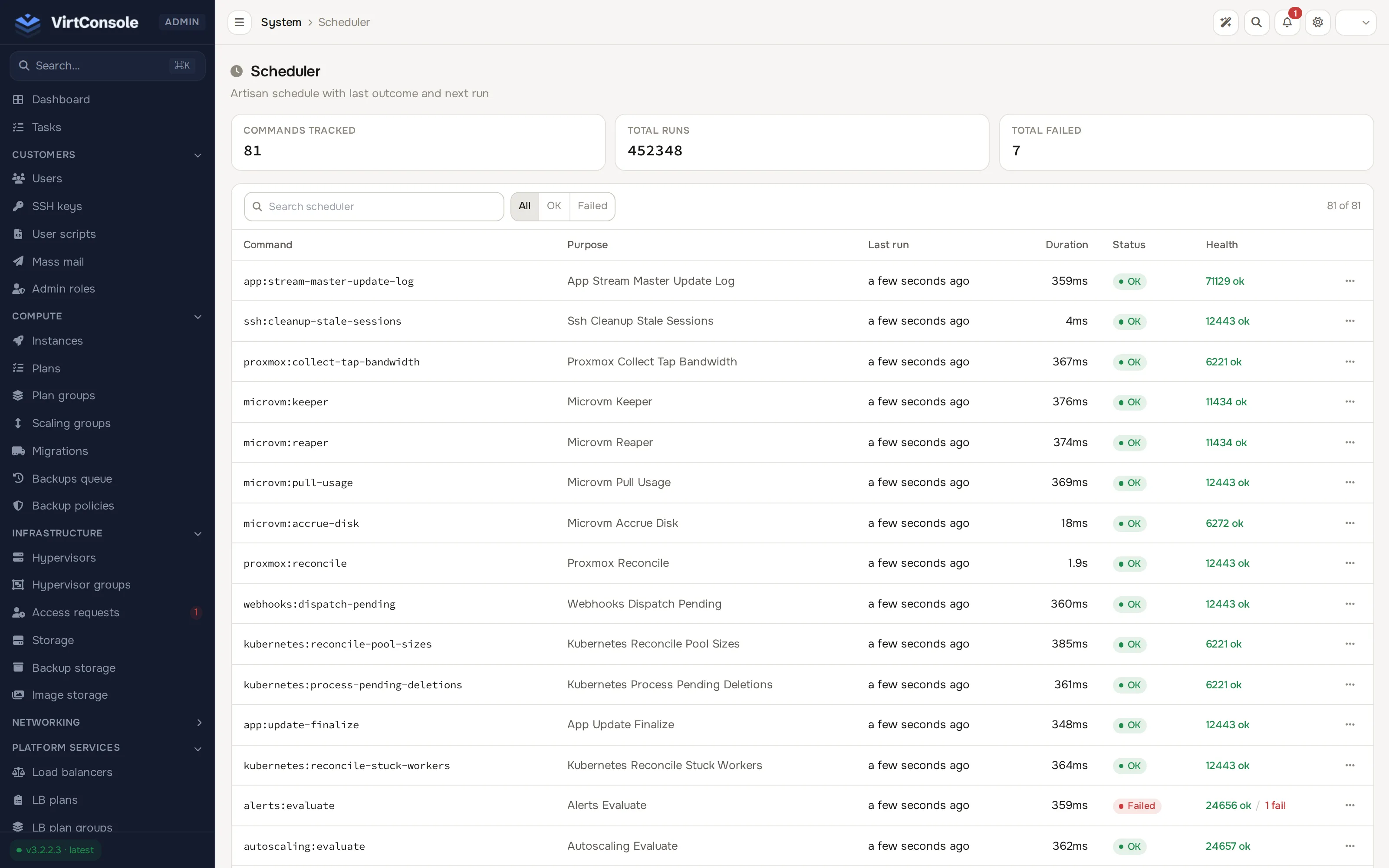
The summary tiles at the top show Commands Tracked, Total Runs and Total Failed. Below them, a search box and an All / OK / Failed filter, then one row per job:
| Column | What it means |
|---|---|
| Command | The internal command name. |
| Purpose | A human-readable name for the job. |
| Last run | How long ago the job last ran. |
| Duration | How long the last run took. |
| Status | OK or Failed for the last run. |
| Health | The all-time OK/failed run counts for the job. |
Inspect a job’s run history
Section titled “Inspect a job’s run history”Click a row. A panel opens with the job’s recent runs, each with when it ran, its status and its duration. This is the view to use when a daily job has been quietly failing: the history shows exactly when the failures started.
How to read the page
Section titled “How to read the page”- One job failing, the rest healthy. The job itself has a problem. Read its recent runs, then check the area it covers (for example Compute > Backups queue for a backup job, or Billing > Billing dashboard for a billing job).
- Every job’s Last run is stale. The scheduler on the management server is not running at all. Nothing is being executed. Check the panel’s service health on the management server; the page repopulates within a few minutes once the scheduler runs again.
- No runs recorded yet. On a fresh install the page stays empty until the first scheduled passes complete.
Common problems
Section titled “Common problems”- A billing job shows failures. Check the job’s run history for the affected window and fix the underlying error, then reconcile the affected customers’ balances under Billing > User credits if usage went unmetered. See Cloud Service.
- A job’s average duration is climbing. Something it depends on is getting slower, often a hypervisor agent or a growing dataset. Cross-check with Tasks for slow operations in the same window.