

Static IPs
A static IP is a public IPv4 address a customer reserves to their account. Unlike a normal instance IP, it stays reserved when the instance it was attached to is destroyed, and it can move between instances in the same hypervisor group (location).
How it works
Section titled “How it works”- The customer allocates an IP from a location’s free pool, attaches it to an instance, detaches it, and deallocates it.
- Billing starts at allocation and runs hourly for as long as the IP is reserved, attached or not.
- You control availability and price per hypervisor group.
Enable static IPs on a location
Section titled “Enable static IPs on a location”-
In the admin panel go to Infrastructure > Hypervisor groups, open the group, and click the Networking tab.
-
In the Static IP addresses section, turn on its Enabled toggle.
-
Set Monthly Credit Per IP, the cost in credits per IP per month. The panel derives the hourly rate from it.
-
Click Save group.
Only locations with this toggle on offer static IPs to customers.
View all static IPs
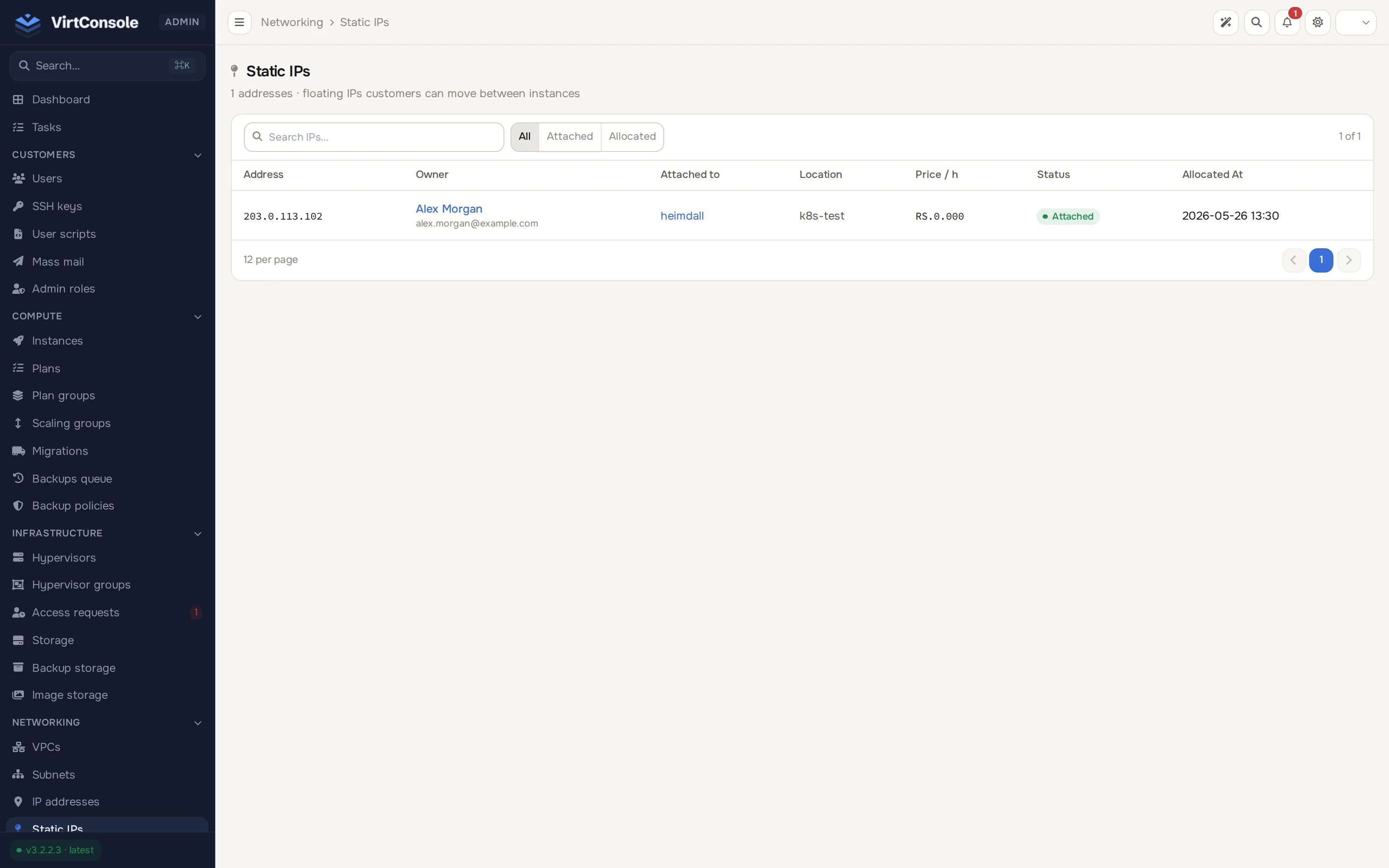
Section titled “View all static IPs”In the admin panel go to Networking > Static IPs. The read-only list shows every reserved IP across all customers. Search by IP address, owner, or instance hostname, or filter by All / Attached / Allocated.
| Column | Meaning |
|---|---|
| Address | The reserved IPv4. |
| Owner | The customer who owns it. |
| Attached to | The instance using the IP, if any. |
| Location | The hypervisor group the IP lives in. |
| Price / h | The hourly charge, derived from the location’s Monthly Credit Per IP. |
| Status | Allocated (reserved, not attached) or Attached (in use on an instance). |
| Allocated At | When the reservation started. |
What customers do
Section titled “What customers do”Customers allocate, attach, detach, and deallocate their static IPs from the user panel. Allocation needs enough credit to cover at least one hour. Deallocation is permanent: the IP returns to the shared pool and another customer may claim it. See Static IPs (user guide).