

Backup policies
A backup policy is the schedule, retention and disk selection that drive automated instance backups. There are two kinds, both on one unified list at Compute > Backup policies - there is no longer a separate Customer/Provider tab:
- Customer policies: per-instance, customer-owned. Customers create and attach them in the user panel under Compute > Backup policies. On this admin list they are read-only cross-customer rows for support, plus delete and failure-reset.
- Provider policies: operator-owned defaults with no customer owner, shown with a Provider badge in the User column. You create, edit and delete them from this same list, then pick one as a hypervisor group’s Provider default policy. They apply through the group’s backup mode; instances are never attached to them directly.
Backups produced by either kind are written to the backup storage assigned to the instance’s hypervisor.
Where to find it
Section titled “Where to find it”In the admin panel go to Compute > Backup policies.
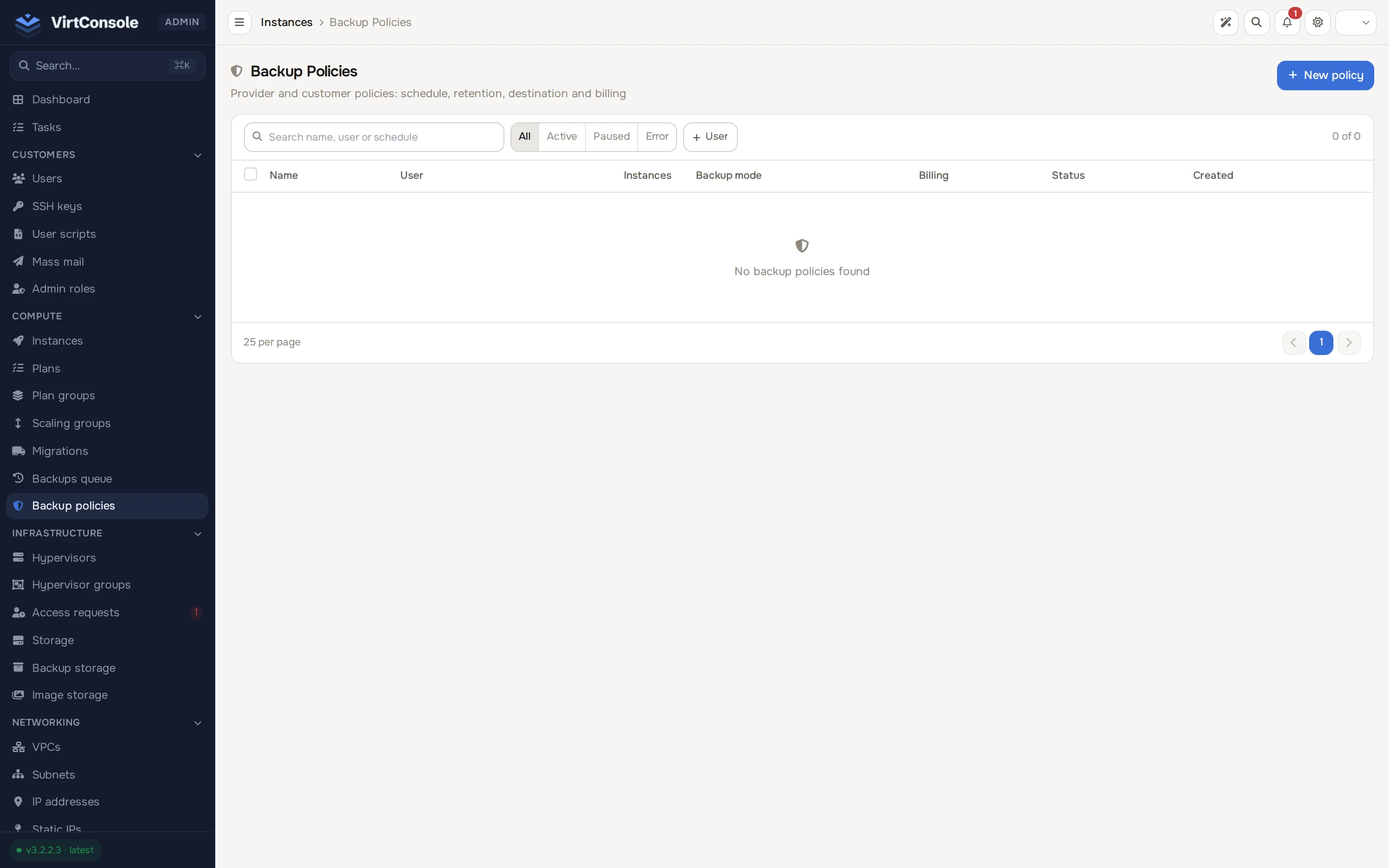
A search box, a status filter (All, Active, Paused, Error) and a User filter sit above the table. Click New policy to create a provider policy.
| Column | What it shows |
|---|---|
| Name | Policy name. Click to open the detail page. |
| User | The customer who owns the policy, or a Provider badge for an operator-owned policy. |
| Instances | How many instances are attached. |
| Backup mode | Summary of the policy’s schedule shape. |
| Billing | How the policy’s storage is charged. |
| Status | active, paused or error. |
| Created | Age of the policy. |
Create a provider policy
Section titled “Create a provider policy”Click New policy. The New provider policy dialog opens with the same fields as a customer policy (times are entered in your admin timezone and stored in UTC):
| Field | What to enter |
|---|---|
| Name | A label you recognise, for example Nightly full, 7 chains. |
| Full backup frequency | Daily or Weekly. |
| Full backup time | Hour of day, in your timezone. |
| Day of week | Weekly schedules only. |
| Max incremental chain | How many incremental backups sit between two full backups. 0 means every run is a full backup. |
| Retention type | Keep a number of backups or Keep by age (daily, weekly, monthly, yearly). See Retention modes. |
| Retention count | With a number-based policy: how many chains (one full plus its incrementals) to keep per disk. The oldest chain is deleted when you exceed this. On a Proxmox Backup Server destination it is the number of snapshots to keep. |
| Backup device | Primary disk or All disks. |
A provider policy may be the default of many groups. The detail page lists those groups, their backup mode, and whether provider-managed backups are billed to customers or included.
You cannot delete a provider policy while any group still references it. Detach it from every group’s Backups card first. See Instance backups for backup mode, billing, and a worked example.
The policy detail page
Section titled “The policy detail page”Click a policy name (or View) to open it.
For a customer policy the page is read-only except for Reset Failures and Delete:
- Owner: the customer, with a link to their account.
- Schedule: full backup frequency and time, and the Backup Device (
primaryorall). - Retention: Max Incremental Chain and Retention Count.
- Timestamps: created and last updated.
- Attached Instances: every instance on the policy, with its status.
For a provider policy the owner reads Provider (system policy, not owned by a customer), an Edit button opens the same form as create, and Default for hypervisor groups replaces the idea of attached instances. Instances are never attached to a provider policy directly.
A chain is one full backup plus all the incrementals that depend on it. Setting the chain length to 0 disables incrementals: every run is a full backup.
Retention modes
Section titled “Retention modes”A policy keeps backups in one of two ways, chosen with Retention type.
- Keep a number of backups (the default) keeps the newest Retention count chains, or that many snapshots per destination on a Proxmox Backup Server destination.
- Keep by age (daily, weekly, monthly, yearly) keeps a backup when any rule selects it. Rules run in order, as Proxmox Backup Server prunes: Keep last, then Keep daily, Keep weekly, Keep monthly and Keep yearly. Each calendar rule keeps the newest backup of each of the most recent periods that have one, and a period already covered by a kept backup is skipped, so each rule reaches further back. Keep within (days) keeps every backup newer than that many days, on top of the others. Days, ISO weeks, months and years follow the policy owner’s timezone (UTC for provider policies). Leave a rule empty or 0 to turn it off; at least one rule must be above 0. The caps are 365 (last, daily), 3650 (within days), 520 (weekly), 120 (monthly) and 30 (yearly). The number of manual backups a customer may keep is described under Manual backups and the cap.
Protected backups are always kept and do not use up a slot. A policy with age-based retention must have at least one rule above 0; a policy without one deletes nothing.
What retention removes
Section titled “What retention removes”Where backups are stored decides what a prune removes.
- File based destinations (local, S3, rclone) keep one chain at a time per disk, so each disk is handled on its own. A chain is a full backup plus the incrementals that depend on it.
- With Keep a number of backups, the newest Retention count chains of each disk are kept and older chains are deleted whole, never partly. With All disks the count applies to each disk, so each disk keeps that many chains.
- With Keep by age, the rules choose individual backups. A kept backup also keeps its full backup and every incremental before it, so a chain with no kept backup is deleted whole, and a chain with a kept backup is trimmed: only the incrementals after the newest kept one are removed, last one first. The newest chain of each disk is never removed.
- A chain that contains a protected backup is left alone as a whole.
- Proxmox Backup Server destinations have no chains: every snapshot stands on its own. Retention works on snapshots, per instance and per destination. With Keep a number of backups the newest Retention count snapshots are kept, and with Keep by age the rules choose the snapshots to keep. Only completed snapshots take part. A snapshot that reconciliation has confirmed missing on the server no longer takes a slot, and its entry is removed seven days after that confirmation. A destination with PBS-managed retention turned on (see Proxmox Backup Server) is never pruned by the Master.
Pruning for an instance waits while a restore, migration or Forge operation is running on it, and while one of its backups is queued or running.
Manual backups and the cap
Section titled “Manual backups and the cap”A customer can take manual backups only while the instance holds fewer backups than the policy’s cap, and at least 30 minutes apart. Admins are not limited.
| Retention type | Manual backup cap |
|---|---|
| Keep a number of backups | The Retention count. |
| Keep by age | The sum of Keep last, Keep daily, Keep weekly, Keep monthly and Keep yearly (rules left empty or at 0 count as 0), at most 365. A policy that sets only Keep within (days) has a cap of 365. |
| No policy attached | 10. |
Retention notice email
Section titled “Retention notice email”When an age-based policy removes backups, the customer gets a Backups Pruned email. The number in it counts whole chains on file based storage and single snapshots on Proxmox Backup Server. Incrementals trimmed from the end of a kept chain are not counted. Edit the wording under System > Email templates (instance.backup.retention_pruned).
Handle a failing policy
Section titled “Handle a failing policy”When a backup run fails, the policy detail page shows a warning banner with the consecutive failure count and the last error message. After repeated failures the policy pauses (error).
- Read the error in the banner.
- Fix the cause (see Common problems below).
- Click Reset Failures. The counter clears and the policy returns to
active.
A customer policy mails the customer when it pauses. A provider policy mails every admin instead.
Delete a policy
Section titled “Delete a policy”Click Delete on the detail page or the trash icon in the list, then confirm.
Deleting a customer policy detaches its instances and stops future runs. Existing backups are not deleted; they stay until retention removes them or they are deleted manually.
Deleting a provider policy is refused while any hypervisor group still uses it as its default.
Constraints
Section titled “Constraints”- An instance has one effective policy at a time: its own customer policy, or the group’s provider default, depending on the group’s backup mode.
- Instances in a Provider managed group cannot be attached to a customer policy. The attach dropdown hides them; the service rejects the rest with
Backups for this instance are managed by your provider. - Only instances in a deployed state are backed up.
- Detaching an instance from a customer policy stops new backups from that policy; existing backups remain. In a Hybrid group the instance then falls back to the provider default.
Common problems
Section titled “Common problems”- Policy status is
error. A backup failed. Open the policy and read the banner. Typical causes: the instance is suspended, the hypervisor’s backup storage is full or unreachable, or the disk is locked by another operation. - Backups do not run at the expected time. The admin view shows UTC. Check the timezone assumption first, then confirm the policy status is
active. The scheduler runs every few minutes, so a short delay after the scheduled time is normal. Also check the hypervisor’s backup window: policy and provider-managed jobs wait outside it. - A customer cannot attach an instance. It is already attached to another policy, or its hypervisor group is in Provider managed mode.
- Delete is disabled on a provider policy. One or more groups still use it as their default. Change those groups first.
- Every backup is large. Either the policy copies all disks, or the incremental chain length is
0, which forces full backups every run.