

KYC approvals
KYC (Know Your Customer) is an identity verification step for customers, required in some regulated markets before they can transact. When verification is required, the customer is guided to complete it before their first top-up; their submission then waits for your review.
Where the requirement comes from
Section titled “Where the requirement comes from”Two settings decide which customers must verify:
- KYC required by default under Billing > Billing settings, Tax tab (in the Defaults card) sets the platform-wide baseline. See Payments and account credit.
- The KYC Required column under Billing > Country rules overrides the baseline per country with Yes, No or the global default. See Tax rules.
Where to find it
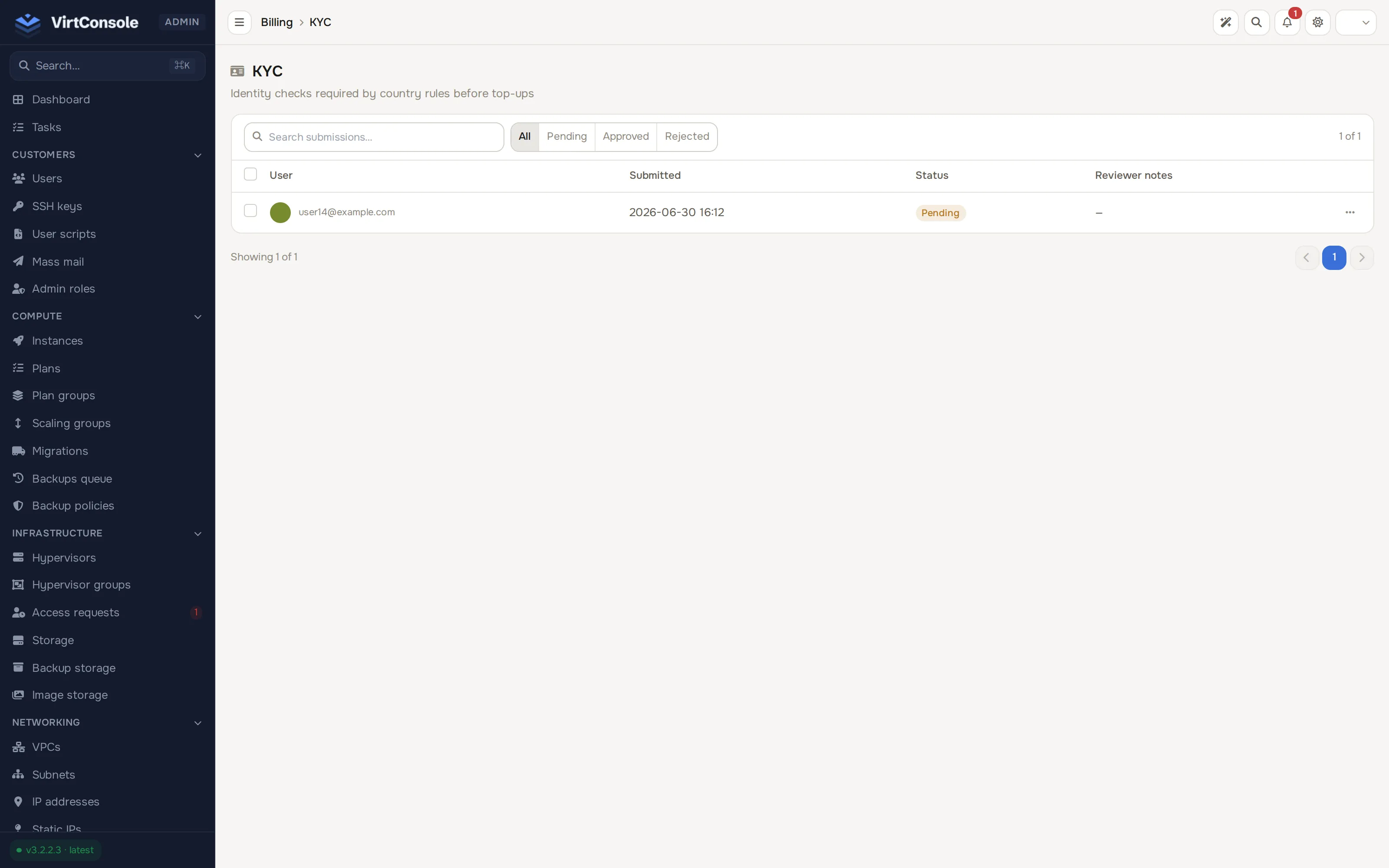
Section titled “Where to find it”In the admin panel go to Billing > KYC. The list shows every submission with User, Submitted, Status and Reviewer notes, plus a filter bar (All / Pending / Approved / Rejected) and a search box.
Review a submission
Section titled “Review a submission”Open the row’s ⋯ menu on a pending submission and decide:
- Click Approve to accept the submission. The customer can now add funds.
- Click Reject, enter a reason, and confirm with Yes, reject. The reason is recorded and the customer can submit again.
The submission’s status on the list is Pending, Approved or Rejected. The same Approve and Reject controls appear on the customer’s user page (Customers > Users, click the customer’s row, Cloud Service tab) when the account has a pending submission. See Manage users.
What happens next
Section titled “What happens next”An approved customer can top up normally. A rejected customer is blocked from transacting until they submit again and you approve. Every decision is recorded with the reviewer and their note, so the audit trail answers who verified whom and why.
Common problems
Section titled “Common problems”- A customer cannot top up and has no KYC row. KYC is not the blocker. Check whether their country is blocked or the amount breaks a limit under Billing > Country rules. See Tax rules.
- You approved a submission but the customer is still blocked. Confirm the row now shows Approved, and check the customer’s country row for a KYC Required override of Yes that expects a newer submission.