

Database backup policies
A database backup policy automates offsite backups for managed databases. It bundles the S3 destination, schedule, retention and encryption settings into one reusable object. Attach one or more databases to a policy and the panel runs full backups, optional incremental backups, and optional continuous transaction log archiving (point-in-time recovery, PITR) on that schedule.
It is the database equivalent of an instance backup policy.
Before you begin
Section titled “Before you begin”- An S3-compatible bucket exists, with an access key and secret that have read, write, delete and list rights on it. The in-platform object storage service works, as does AWS S3, RustFS or Wasabi.
- At least one managed database is in
Activestatus. - The database server can reach the S3 endpoint over HTTPS.
Where to find it
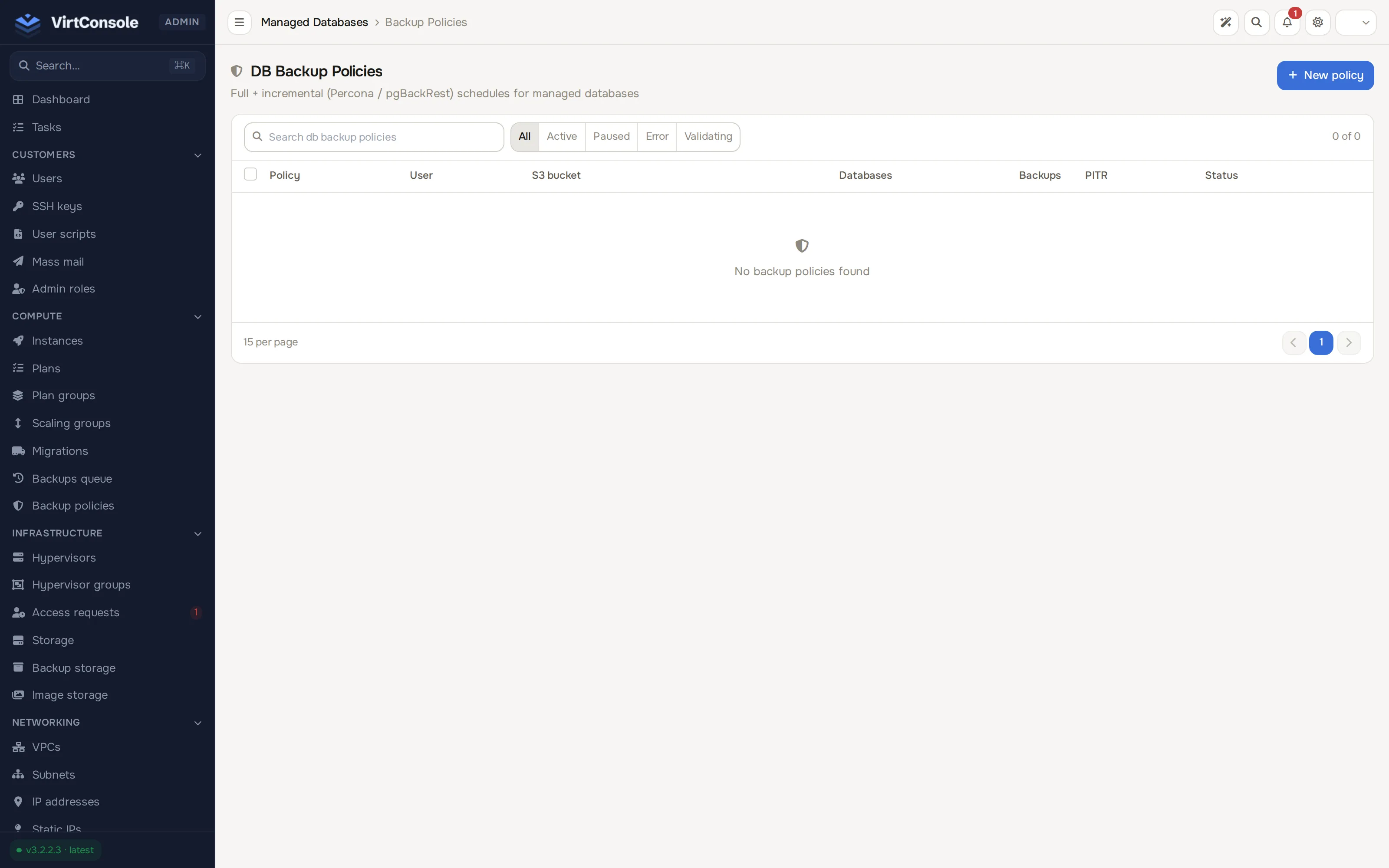
Section titled “Where to find it”In the admin panel go to Platform services > DB backup policies.
Create a policy
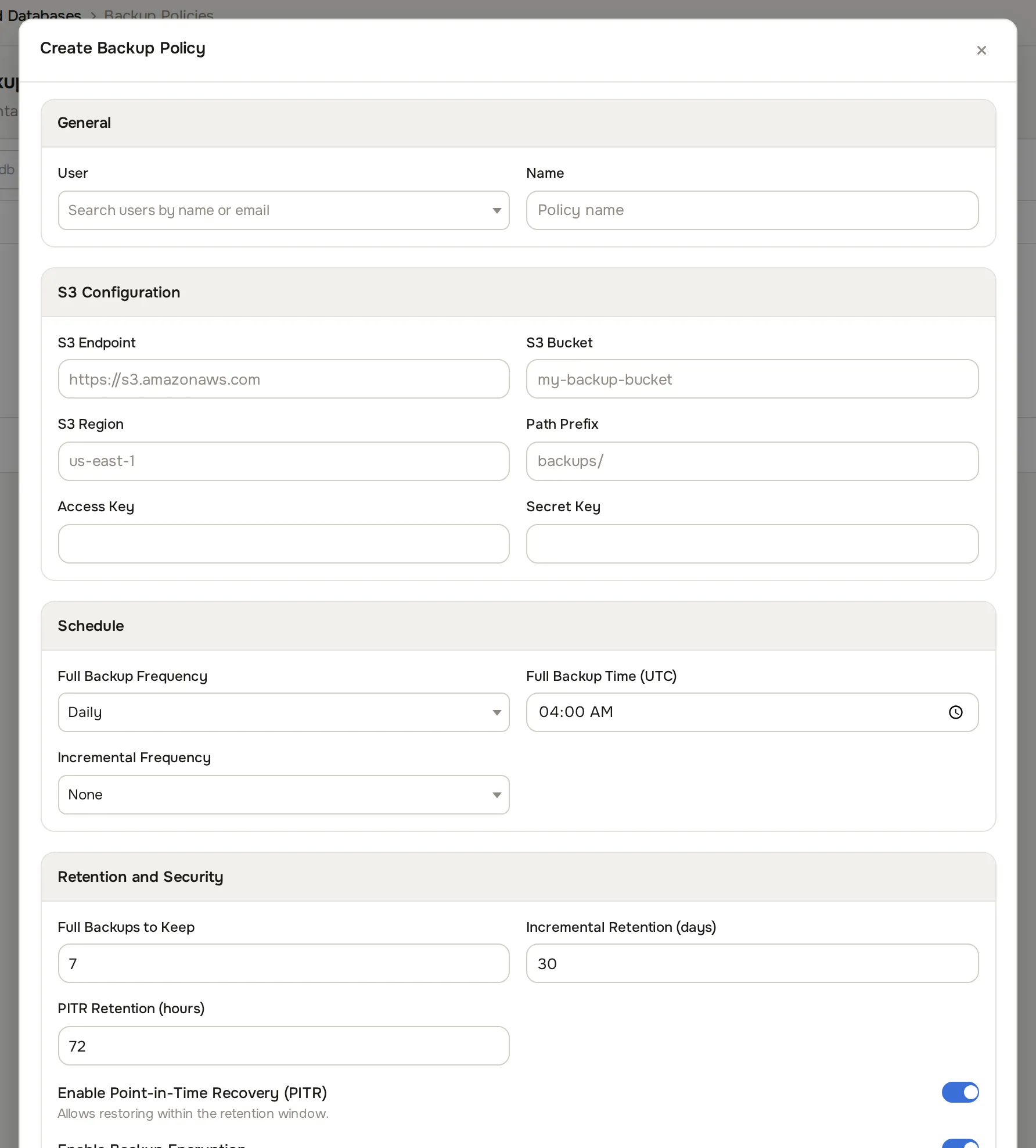
Section titled “Create a policy”- Click Create. The Create Backup Policy dialog opens.
- Fill in the General section:
General
| Field | What to enter |
|---|---|
| User | The customer who owns the policy. Attached databases must belong to the same customer. |
| Name | A label, for example Production daily. |
- Fill in the S3 Configuration section:
S3 Configuration
| Field | What to enter | Example |
|---|---|---|
| S3 Endpoint | Hostname or URL of the endpoint. | https://s3.amazonaws.com |
| S3 Bucket | Target bucket. | acme-db-backups |
| S3 Region | Bucket region. | us-east-1 |
| Path Prefix (optional) | Folder inside the bucket. | backups/ |
| Access Key | Key with write rights on the bucket. | |
| Secret Key | Matching secret. |
Click Test Connection to verify the credentials before saving.
- Fill in the Schedule section:
Schedule
| Field | Values | What it means |
|---|---|---|
| Full Backup Frequency | Daily or Weekly |
How often a full backup runs. |
| Full Backup Time (UTC) | Time of day | Start time, in UTC. |
| Day of Week | Sunday to Saturday | Weekly schedules only. |
| Incremental Frequency | None, every 1, 2, 4, 6 or 12 hours |
How often incrementals run between full backups. |
-
In Point-in-Time Recovery, switch Enable Point-in-Time Recovery (PITR) on to stream transaction log archives (binary logs for MySQL and MariaDB, WAL for PostgreSQL). This allows restores to any second inside the retention window.
-
Fill in the Retention section:
Retention
| Field | Default | What it means |
|---|---|---|
| Full Backups to Keep | 7 |
How many full backups are kept. |
| Incremental Retention (days) | 30 |
How long incrementals are kept. |
| PITR Retention (hours) | 72 |
How long transaction log archives are kept. |
-
In Encryption, leave Enable Backup Encryption on to encrypt backups with AES-256 before upload. The panel generates and stores the key.
-
Click Create Policy. The policy appears in the list with status
validatingwhile the S3 credentials are checked, thenactive.
Attach databases
Section titled “Attach databases”A database can be attached to exactly one policy, and only primary databases in Active status are eligible.
- Open the policy from the list.
- Under Attached Databases, pick one or more databases in the Attach Database field.
- Click Attach.
On attach, the panel installs the backup tooling on the database server, configures PITR if the policy has it enabled, and runs an initial full backup as a baseline. This can take a few minutes.
Backup admission conservatively serializes a primary and all its replicas while any family member has a pending or in_progress backup. Another member’s retained backup answers 409 database_busy, even if its source Task is missing or terminal. The backup record does not store its historical source VM, so current replica health cannot release the hold; distinct sibling VMs wait too. The authoritative terminal backup state releases it, with no age-based expiry. Unrelated database families remain independent.
Detaching a database stops future backups and turns PITR off. Backups already in the bucket are kept.
The policy detail page
Section titled “The policy detail page”The detail page shows the owner, the S3 destination with the last successful credential check, the schedule and retention, and two more sections:
- Attached Databases: engine, plan, instance, last full and incremental backup times, and PITR status per database, with a Detach action.
- Recent Backups: every backup the policy produced, with type (
Full,Incremental,PITR Binlog,PITR WAL), status, size, checksum and date. The trash icon deletes a backup record and its S3 data.
Edit opens the same form as creation. In edit mode, leave Access Key and Secret Key blank to keep the stored credentials.
Failure handling
Section titled “Failure handling”| Event | What happens |
|---|---|
| One backup fails | Marked failed, the failure counter increments, and the customer is emailed. |
| 3 consecutive failures | The policy pauses and stops scheduling new backups. |
| A backup succeeds | The counter resets and a paused policy returns to active. |
| A PITR gap is detected | PITR status flips to error and the customer is emailed. |
When failures exist, the detail page shows a warning banner with the count and the last error. Fix the cause, then click Reset & Reactivate to clear the counter and resume the policy.
Retention and cleanup
Section titled “Retention and cleanup”Cleanup runs daily: it keeps the newest configured number of full backups, deletes incrementals and PITR archives older than their retention windows, and removes orphaned incrementals whose parent full backup no longer exists. Deleting a full backup also deletes every incremental and PITR archive in its chain.
Restores happen from the database’s own page, not the policy: customers use the Backups tab for a full or incremental restore, or Restore PITR to pick an exact timestamp. See Managed databases.
Common problems
Section titled “Common problems”- Policy is paused in
errorstatus. Read the banner, click Test Connection in the edit dialog to re-check the S3 credentials, confirm the database is running, then click Reset & Reactivate. - “S3 upload failed”. The key was rotated or lacks permissions, the bucket is gone, or the endpoint is unreachable from the database server.
- “Database is already attached to another backup policy.” Detach it from the current policy first.
- An incremental run produced a full backup. The parent full was removed by retention; the panel falls back to a full so the chain stays consistent.