

Node pools
A node pool is a group of worker nodes inside a Kubernetes cluster where every node uses the same instance plan, the same Kubernetes labels and the same taints. Every cluster has at least one pool (the default pool, created with the cluster) and can have any number of extra pools.
Pools are how a cluster mixes node shapes: one small general-purpose pool for system pods, plus specialty pools (memory-heavy, GPU) that only run specific workloads. The Kubernetes scheduler places pods using the labels and taints described below.
Where to find it
Section titled “Where to find it”There is no separate index page for pools. Pool management lives on each cluster’s detail page under the Node pools tab, with the same capabilities in both panels:
- User panel: Services > Clusters, open the cluster, Node pools tab.
- Admin panel: Platform services > Kubernetes clusters, open a cluster, Node pools tab.
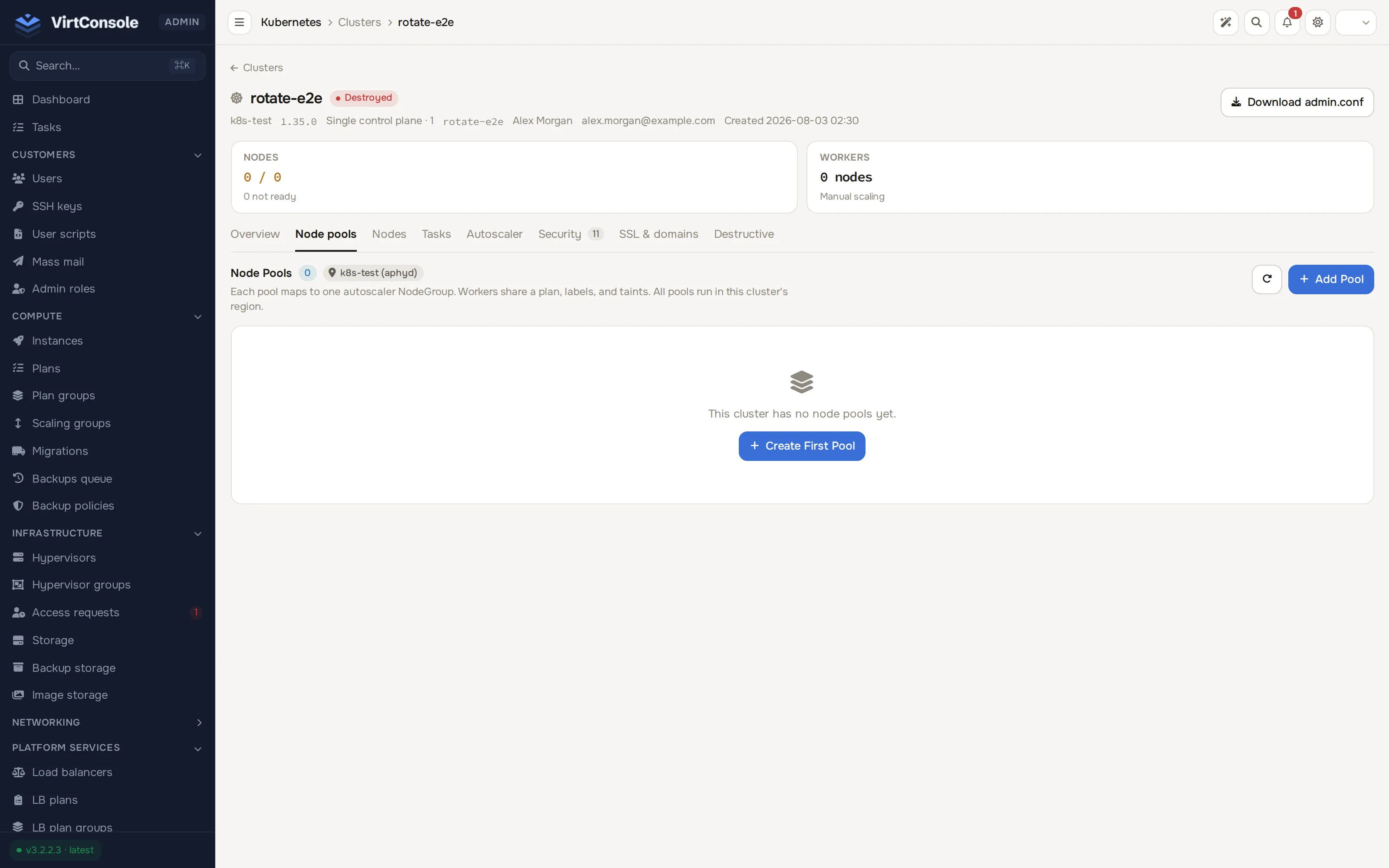
All pools run in the cluster’s region; a pool cannot span to another hypervisor group.
Key rules
Section titled “Key rules”- Labels are
key=valuetags. Pods request them withnodeSelector. Labels are descriptive; they do not keep other pods off the node. - Taints are
key=value:effectmarks that block pods unless they tolerate the taint. Effects:NoSchedule(block new pods),PreferNoSchedule(avoid if possible),NoExecute(also evict existing pods). - Every node automatically carries the pool name, the pool ID and the region as labels, on top of the ones you set.
- One
cluster-autoscalerdeployment manages every autoscaling pool in the cluster. Each pool appears as its own node group with its own bounds. See Autoscaling.
Add or edit a pool
Section titled “Add or edit a pool”On the Node pools tab, click Add Pool (or the pencil icon on a row; the empty state shows Create First Pool instead when the cluster has no pools yet). The form has five sections.
Basics
| Field | What to enter |
|---|---|
| Name | kebab-case label (lowercase letters, numbers, dashes). Used as a label and in node hostnames. Immutable after creation. |
| Instance Plan | CPU, RAM, storage and price for every node in the pool. Only plans offered in the cluster’s region are listed. |
| Desired Size | Initial and minimum size. Min and target are kept in lockstep; the autoscaler may grow up to max and scale back to this floor. Set 0 to allow full drain. |
| Max Size | Ceiling the autoscaler never crosses. |
| Enable autoscaling | Off means the pool stays at the size you set manually. |
| Mark as default pool | The pool that receives unassigned workers. Exactly one default exists at a time. |
Labels & Taints: rows of key=value labels and key=value:effect taints applied to every node in the pool.
Drain Configuration (collapsed): how nodes are emptied before removal.
| Field | What it does |
|---|---|
| Drain before removal | Move pods off the node before destroying it. Recommended. |
| Drain timeout (s) | How long to wait for a drain before giving up. 30-3600. |
| Grace period (s) | How long each pod gets to shut down cleanly. 0-600. |
| Force | Override unsafe pods: drain even when pods declare themselves unsafe to evict. |
| Ignore DaemonSets | Skip DaemonSet pods when deciding a node is empty. Usually on. |
| Delete emptyDir data | Allow draining pods that use emptyDir volumes. Off by default, because draining deletes that data. |
| Disable eviction | Bypass PodDisruptionBudgets: ignore them during the drain. |
Scaling Rate Limits (collapsed): Max surge / period and Max unavailable / period cap how many nodes can be created or removed inside one rolling window, Period length (s) sets that window, and the two cooldowns (Scale-up cooldown (s), Scale-down cooldown (s)) set the idle gap after each scale-up or scale-down. The limits prevent stampedes and capacity flapping; when hit, the autoscaler queues the rest of the request for its next cycle.
Autoscaler Overrides (collapsed): per-pool Utilization threshold, Unneeded time (s) and Max provision time (s). Leave Use cluster autoscaler defaults on unless this pool needs different behaviour.
The default pool
Section titled “The default pool”The default pool is marked with a star and a Default badge. You can rename it and edit it like any other pool. To move the flag, click the star action on another pool, or tick Mark as default pool when editing it. The default pool cannot be deleted directly, and the last remaining pool can never be deleted; reassign the flag first.
Change a pool’s plan
Section titled “Change a pool’s plan”Saving a plan change does not resize existing workers. New workers use the new plan, and the pool shows a drift badge counting workers still on the old plan. The badge is clickable and acts as Rotate now; rotation replaces the old workers in waves. The mechanics, including interruption recovery and the extra confirmation for downsizing, are on Upgrades and rotation.
Delete a pool
Section titled “Delete a pool”Click the trash icon on a pool row. For a pool with workers, the dialog offers two modes:
- Schedule deletion (recommended): the pool is marked for deletion and workers are drained using the pool’s drain config, then removed. Workers waiting for removal appear in the Pending Deletions panel at the top of the tab, where Cancel keeps them running.
- Delete now: synchronous drain and delete in the foreground. Faster, but it locks the cluster’s operation slot and workloads with PodDisruptionBudgets may block.
While deletion is in progress the pool stays visible with a deleting state, and new pods that would have scheduled there go to other pools.
Common problems
Section titled “Common problems”- Pods stuck
Pendingwhile the pool is below max. The pod’snodeSelectoror tolerations match no pool, or the pool’s plan cannot fit the pod’s requests.kubectl describe pod <name>shows the scheduler’s reason. - The pool never shrinks below its floor.
minis a hard floor. Set Desired Size to0to allow scale-to-zero. - Scale-down stalls on one node. A strict PodDisruptionBudget or a
safe-to-evict: falseannotation pins a pod there. Relax it, or raise the pool’s drain timeout. - Cannot delete the pool. It is the default. Reassign the default flag to another pool first.
More symptoms, including cluster-wide ones, are on Troubleshooting.