

Private DNS zones
A private DNS zone gives instances inside a VPC short internal hostnames like web.prod or mysql.db. Records resolve only inside attached VPCs, never on the public internet. Zones come with VPC networking at no extra cost.
Features
Section titled “Features”- Record types. A, AAAA, CNAME, TXT, SRV.
- Routing policies. Simple, Weighted, Multivalue Answer, and Failover.
- Health checks. HTTP, HTTPS, TCP, and ICMP. Unhealthy records drop out of answers automatically.
- Multi-VPC. One zone can attach to several VPCs at once.
Where to find it
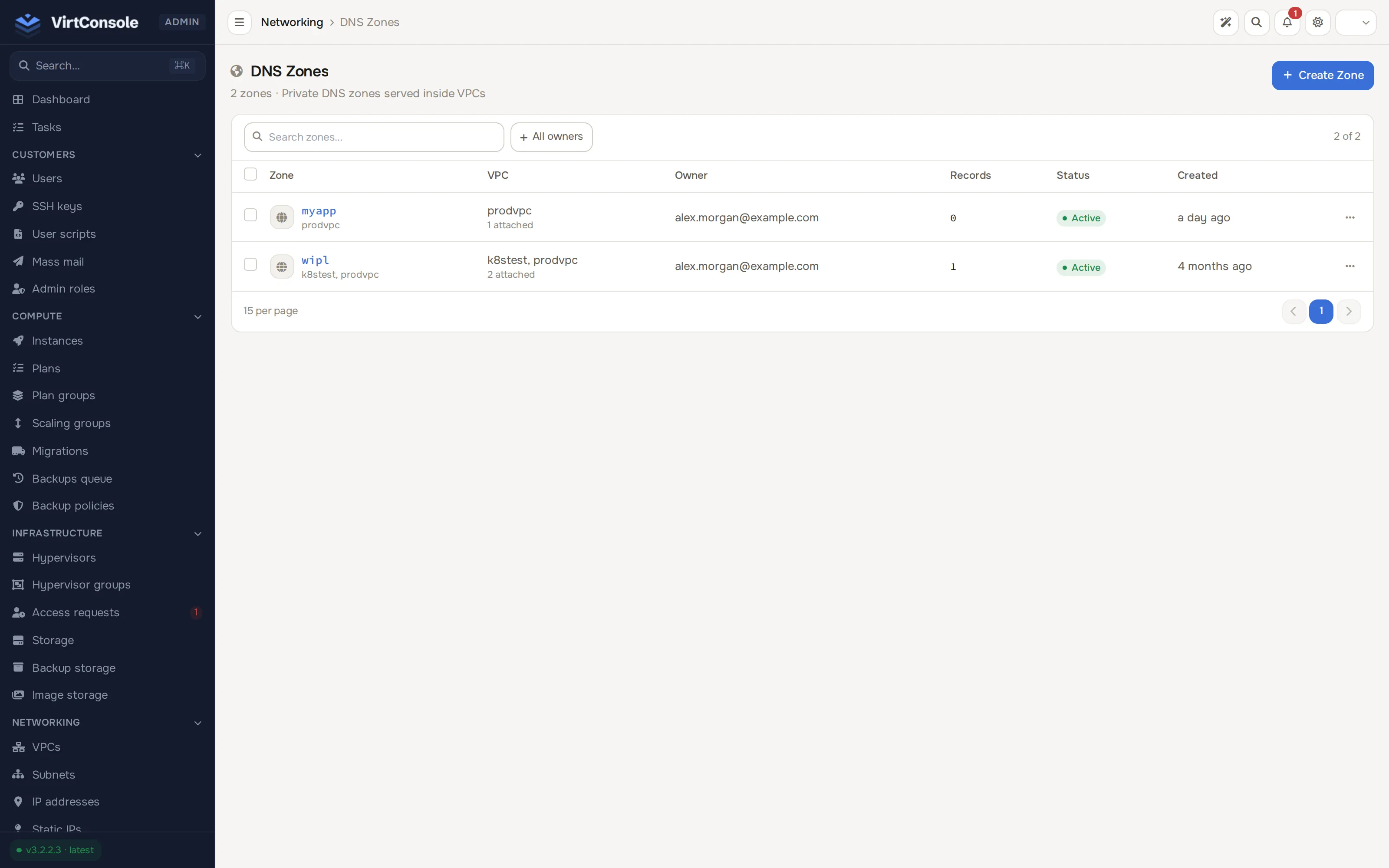
Section titled “Where to find it”In the admin panel go to Networking > DNS zones. The menu item appears once VPC is enabled on at least one hypervisor group. The list shows every zone across all customers: name, user, attached VPCs, record set count, status, and created date.
Create a zone for a customer
Section titled “Create a zone for a customer”- Click Create Zone. The Create private DNS zone dialog opens.
- Fill in the fields:
Fields
| Field | What to enter |
|---|---|
| Zone name | The internal domain, for example prod or app.internal. Lowercase letters, numbers, dots, and hyphens. |
| Description | Optional. |
| User | The customer who owns the zone. |
| Attach VPCs (optional) | One or more of that customer’s VPCs. Select the user first. |
- Click Create zone.
The zone is active immediately. Instances in attached VPCs resolve its records within seconds.
Manage zones
Section titled “Manage zones”Open a zone to see its record sets and attached VPCs. Day-to-day record management (adding records, routing policies, health checks) is a customer workflow. See Private DNS (user guide). As an admin you can also attach or detach VPCs and delete zones.
The zone name cannot change after creation. Deleting a zone removes all its record sets, records, and health checks, and detaches it from every VPC. The deletion runs in the background.
Limits
Section titled “Limits”| Resource | Limit |
|---|---|
| Zones per account | 5 by default (max_dns_zones on the customer profile) |
| Record sets per zone | 100 |
| Records per set | 1 (Simple), 2 (Failover), 10 (Weighted, Multivalue) |