

Object storage
Object storage is the panel’s S3-compatible service, backed by RustFS (an open-source S3-compatible storage server). Customers create buckets, generate access keys, and read and write objects with any standard S3 client (aws s3, s3cmd, mc, or an SDK).
The service has four pieces:
- Server: a RustFS cluster registered in the panel, plus a VictoriaMetrics stack that stores per-bucket bandwidth metrics.
- Plan: the offer a customer picks: storage quota, bandwidth quota and price.
- Bucket: a customer-owned namespace on a server.
- Access key: the HMAC credential pair (access key ID plus secret) a customer uses in their S3 client.
Before you begin
Section titled “Before you begin”-
A RustFS cluster is installed and reachable from the management server.
-
The MinIO client (
mc) is installed on the management server:Terminal window curl https://dl.min.io/client/mc/release/linux-amd64/mc -o /usr/local/bin/mcchmod +x /usr/local/bin/mc
Where to find it
Section titled “Where to find it”Servers live at Storage > Object storage servers, plans at Storage > Object storage plans, buckets at Storage > Buckets, and keys at Storage > Access keys.
Step 1: Install VictoriaMetrics
Section titled “Step 1: Install VictoriaMetrics”The panel reads per-bucket bandwidth from VictoriaMetrics. Install it on a host reachable from the management server, then front it with the vmauth proxy (VictoriaMetrics itself has no authentication).
-
Download
victoria-metricsandvmutilsfrom the VictoriaMetrics releases page and install the binaries:Terminal window tar -zxvf victoria-metrics-linux-amd64-v1.126.0.tar.gzcp victoria-metrics-prod /usr/local/bin/tar -zxvf vmutils-linux-amd64-v1.126.0.tar.gzcp vmauth-prod vmagent-prod /usr/local/bin/ -
Create the VictoriaMetrics service:
/etc/systemd/system/victoriametrics.service [Unit]Description=Time series database for Prometheus metricsAfter=network.target[Service]Type=simpleRestart=on-failureRestartSec=5ExecStart=/usr/local/bin/victoria-metrics-prod -storageDataPath=/mnt/victoria_metrics -httpListenAddr=127.0.0.1:8429 -retentionPeriod=3ExecStop=/bin/kill -s SIGTERMLimitNOFILE=65536[Install]WantedBy=multi-user.target-retentionPeriodis in months. Pick a value that matches how far back you need to query. -
Create the vmauth service and its config:
/etc/systemd/system/vmauth.service [Unit]Description=Auth proxy for VictoriaMetricsAfter=network.target[Service]Restart=on-failureRestartSec=5ExecStart=/usr/local/bin/vmauth-prod -auth.config=/etc/vmauth.yaml -httpListenAddr=0.0.0.0:8428ExecStop=/bin/kill -s SIGTERM $MAINPID[Install]WantedBy=multi-user.target/etc/vmauth.yaml users:- username: 'metrics-write'password: 'change-me-to-a-long-random-string'url_prefix: 'http://127.0.0.1:8429' -
Enable and start both services with
systemctl enable --now victoriametrics vmauth.
Step 2: Scrape RustFS metrics
Section titled “Step 2: Scrape RustFS metrics”vmagent scrapes Prometheus metrics from RustFS and ships them to VictoriaMetrics through vmauth. Run it on any host that can reach both.
-
Generate the scrape token on the RustFS cluster:
Terminal window mc admin prometheus generate <ALIAS> bucket --json<ALIAS>is the alias you set withmc alias set. Save the bearer token from the JSON output. -
Write the scrape config:
/etc/scrape.yaml scrape_configs:- job_name: rustfs-jobbearer_token: <token-from-step-1>metrics_path: /minio/v2/metrics/clusterscheme: httpstatic_configs:- targets: ['203.0.113.20:9000']relabel_configs:- source_labels: [__address__]target_label: __param_target- source_labels: [__param_target]target_label: instance -
Run vmagent:
/etc/systemd/system/vmagent.service [Unit]Description=Prometheus-style scraperAfter=network.target[Service]Restart=alwaysRestartSec=5ExecStart=/usr/local/bin/vmagent-prod -httpListenAddr=127.0.0.1:8430 \-promscrape.config=/etc/scrape.yaml \-remoteWrite.url=http://203.0.113.21:8428/api/v1/write \-httpAuth.username "metrics-write" \-httpAuth.password "change-me-to-a-long-random-string"ExecStop=/bin/kill -s SIGTERM $MAINPID[Install]WantedBy=multi-user.target
Step 3: Register the server in the panel
Section titled “Step 3: Register the server in the panel”Go to Storage > Object storage servers to see every registered server.
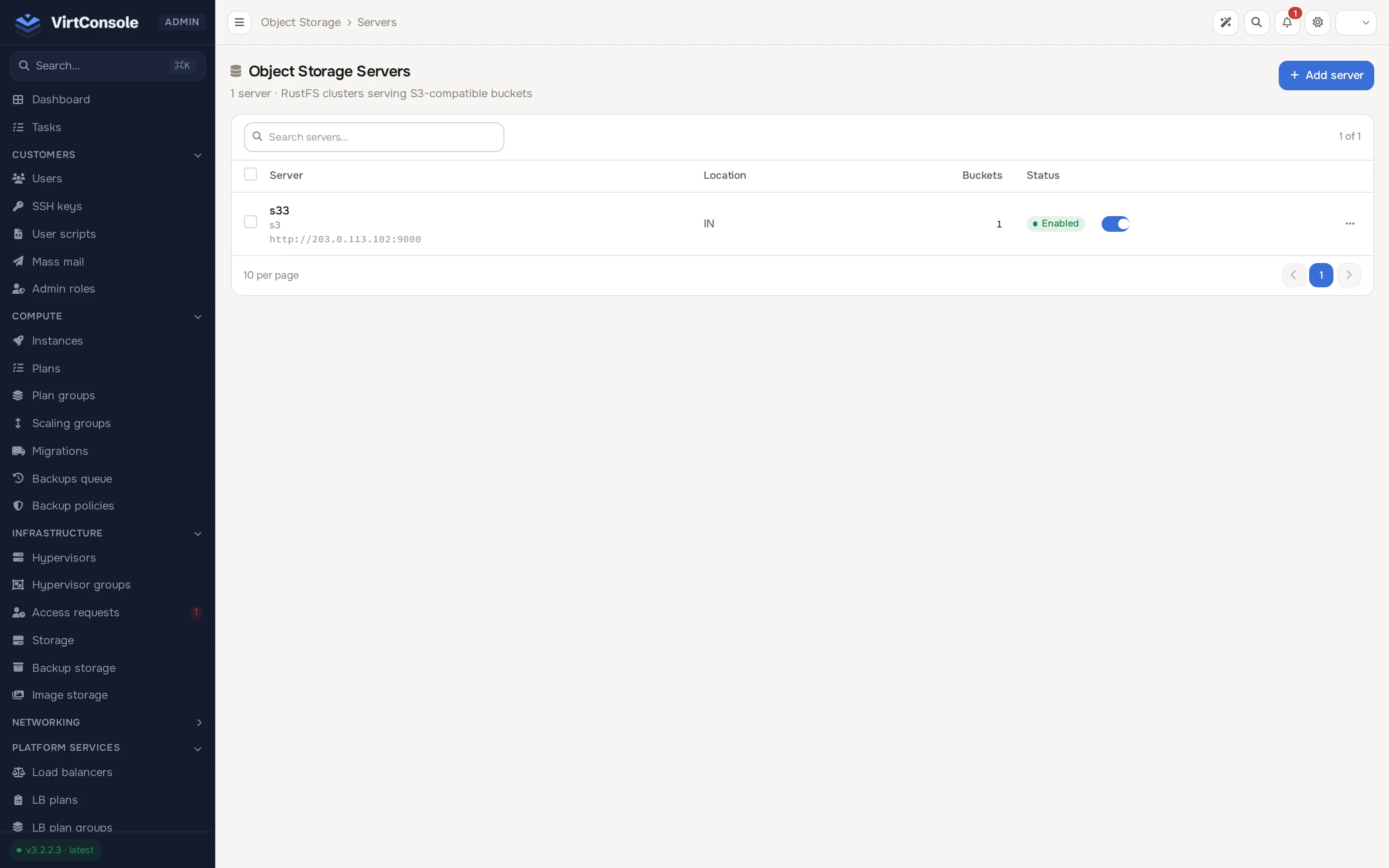
- Click Add Server. The Add Server dialog opens.
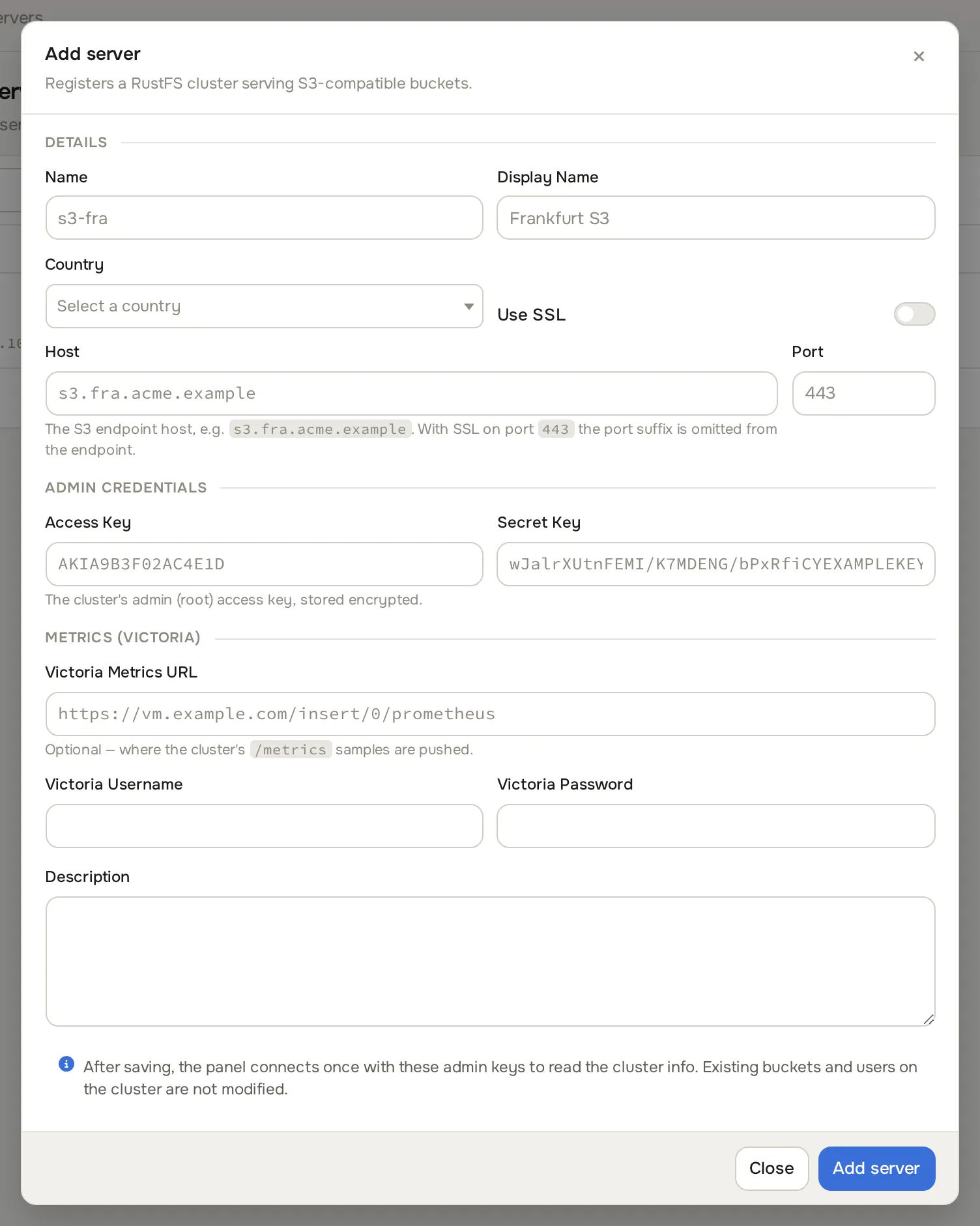
- Fill in the fields:
Fields
| Field | What to enter | Example |
|---|---|---|
| Name | Internal label. | rustfs-eu-1 |
| Display Name | Label customers see when picking a server. | EU Object Storage |
| Host | Hostname or IP of the RustFS endpoint. | 203.0.113.20 |
| Port | 443 behind a TLS reverse proxy, otherwise the direct RustFS port. |
9000 |
| Access Key | Admin user on the RustFS cluster. | |
| Secret Key | Matching password. | |
| Country | Shown to customers as a flag. | |
| Use SSL | On when the endpoint serves HTTPS. | |
| Victoria Metrics URL | The vmauth address from step 1. | http://203.0.113.21:8428/ |
| Victoria Username | The username from /etc/vmauth.yaml. |
metrics-write |
| Victoria Password | The matching password. | |
| Description | Free-form notes. |
- Click Add Server. The server can be toggled off later with the switch in the list.
Step 4: Create plans
Section titled “Step 4: Create plans”A plan defines what a customer gets. Plans are platform-wide; the customer picks both a server and a plan when creating a bucket.
Go to Storage > Object storage plans to see every plan.
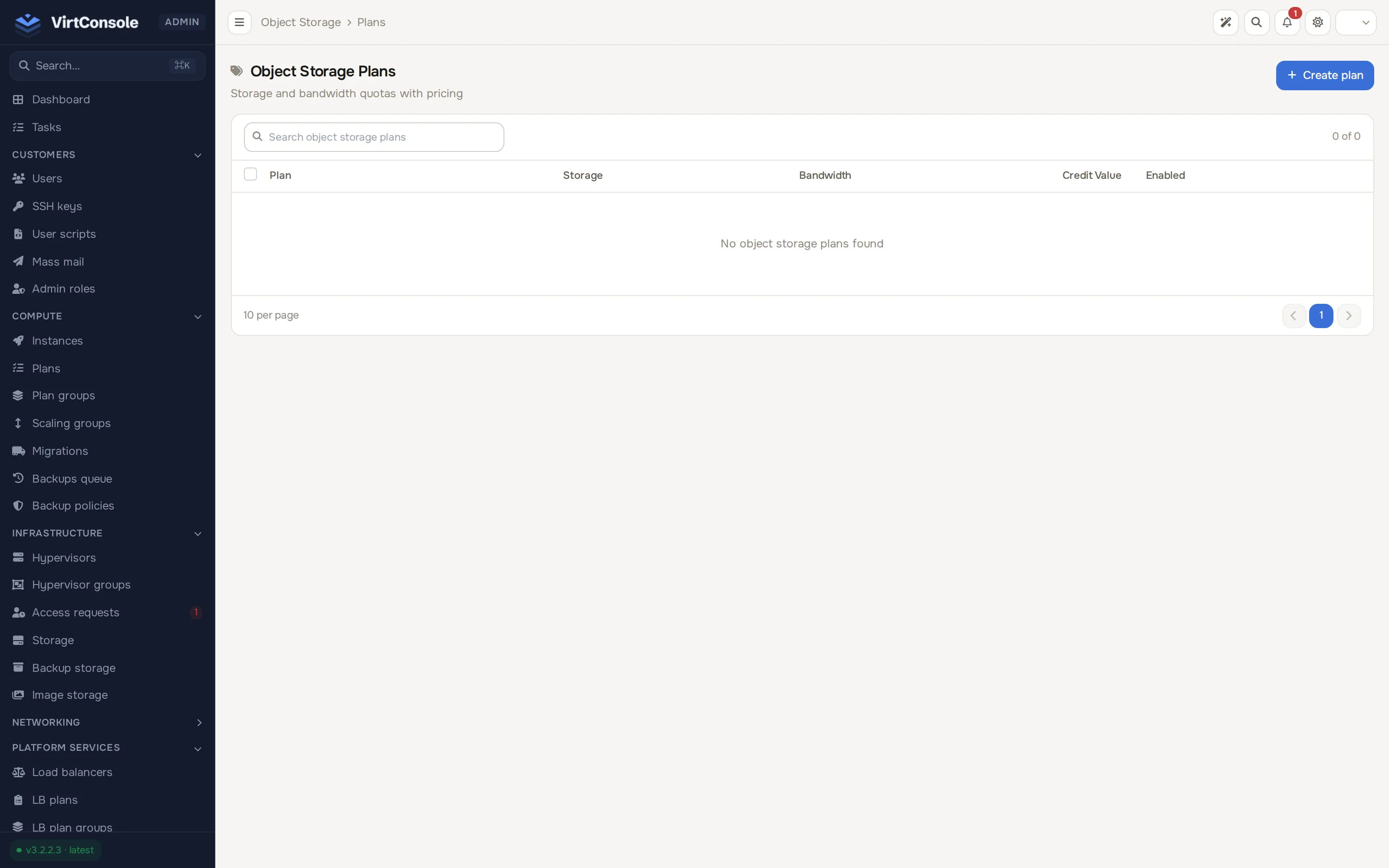
- Click Add Plan. The Add Plan dialog opens.
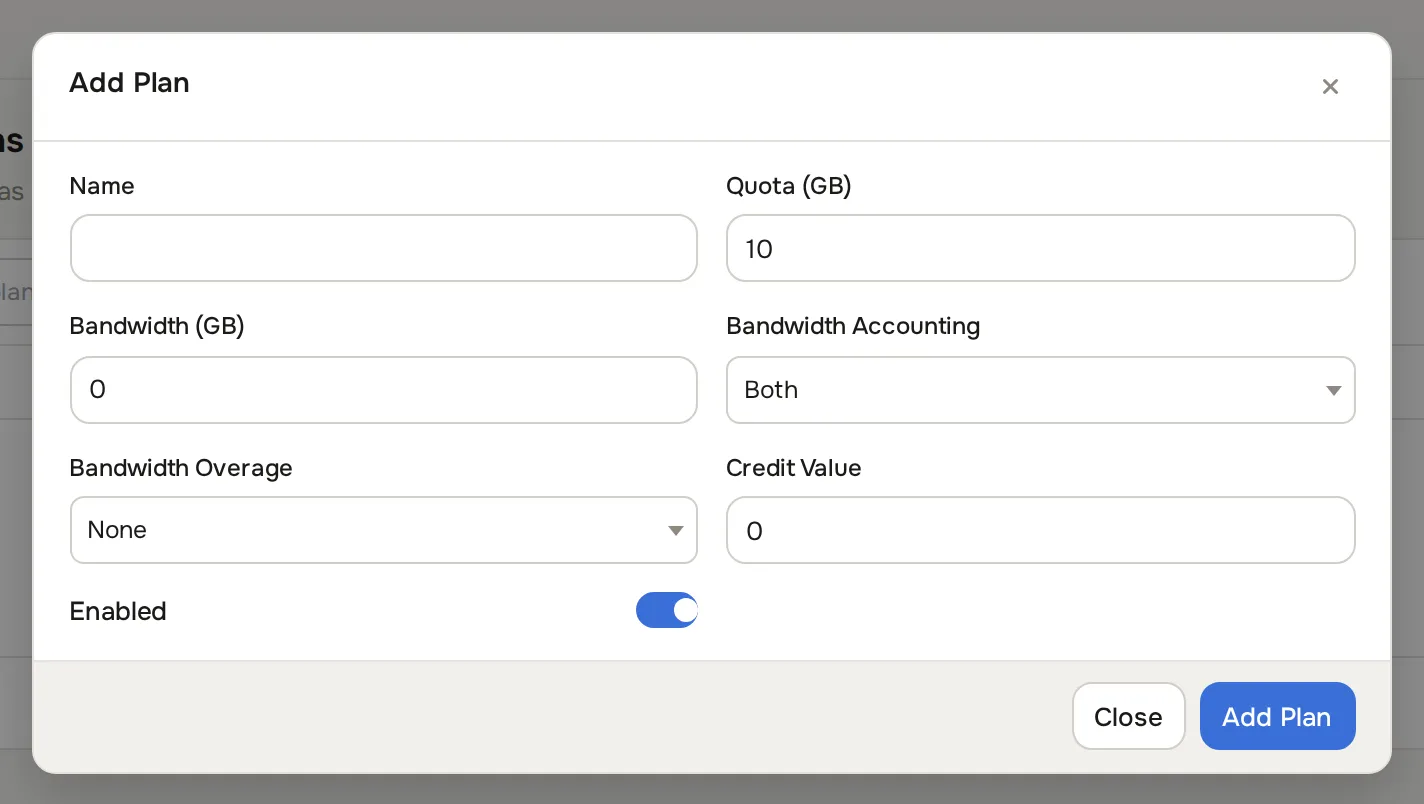
- Fill in the fields:
Fields
| Field | What to enter |
|---|---|
| Name | Customer-facing label, for example 100 GB Standard. |
| Quota (GB) | Storage cap per bucket. |
| Bandwidth (GB) | Monthly traffic cap. 0 means unlimited. |
| Bandwidth Accounting | Which direction counts: Both, Uploads Only or Downloads Only. |
| Bandwidth Overage | What happens past the cap: None or Revoke Access. |
| Credit Value | Monthly price in credits. |
| Enabled | Off hides the plan from customers. |
- Click Add Plan.
Monitor buckets and access keys
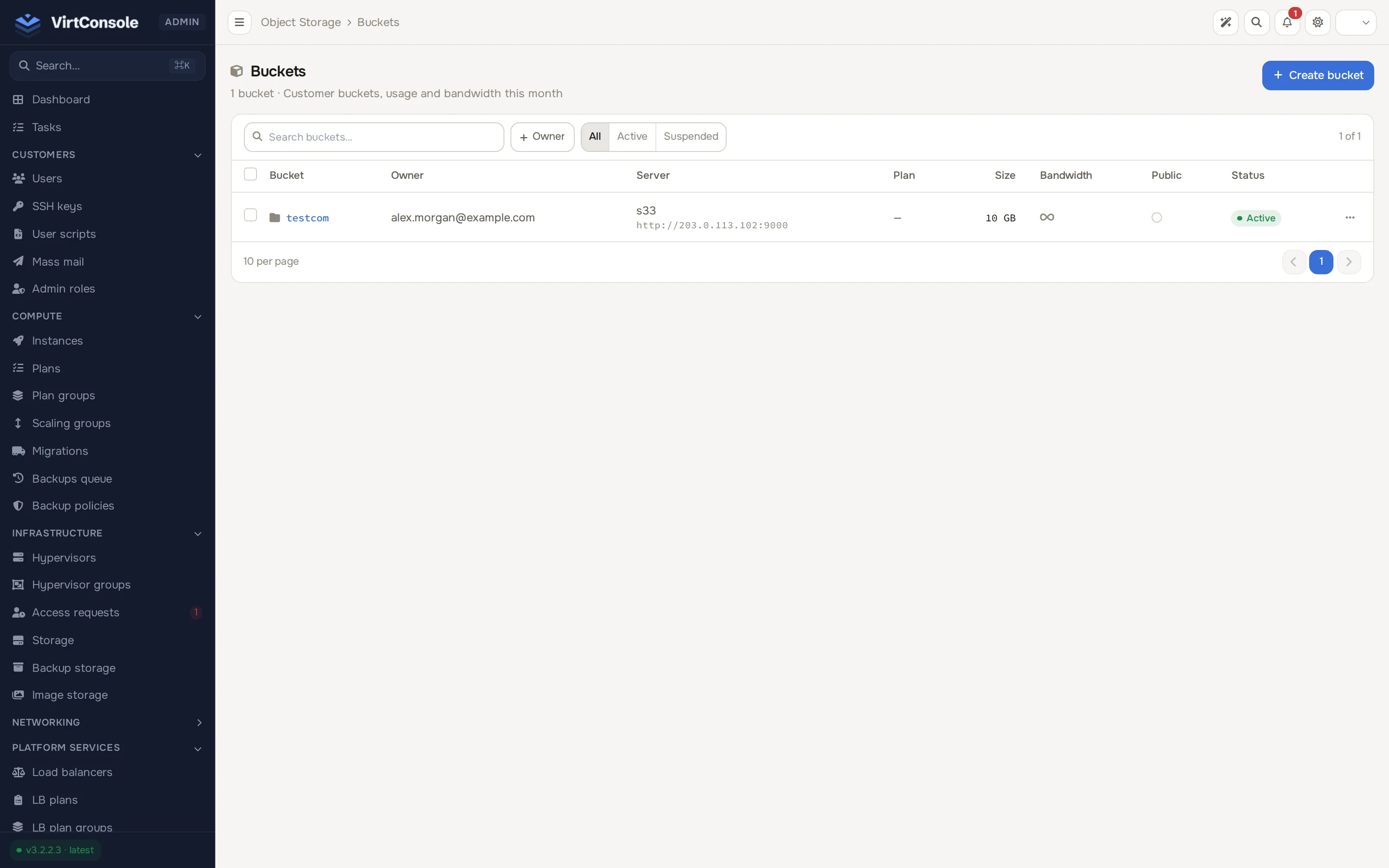
Section titled “Monitor buckets and access keys”Storage > Buckets lists every bucket with its owner, endpoint, size, bandwidth quota and usage, and status. You can create a bucket on behalf of a customer with Add Bucket (name, quota, bandwidth, user, server, accounting and overage), open one with Manage, or remove it.
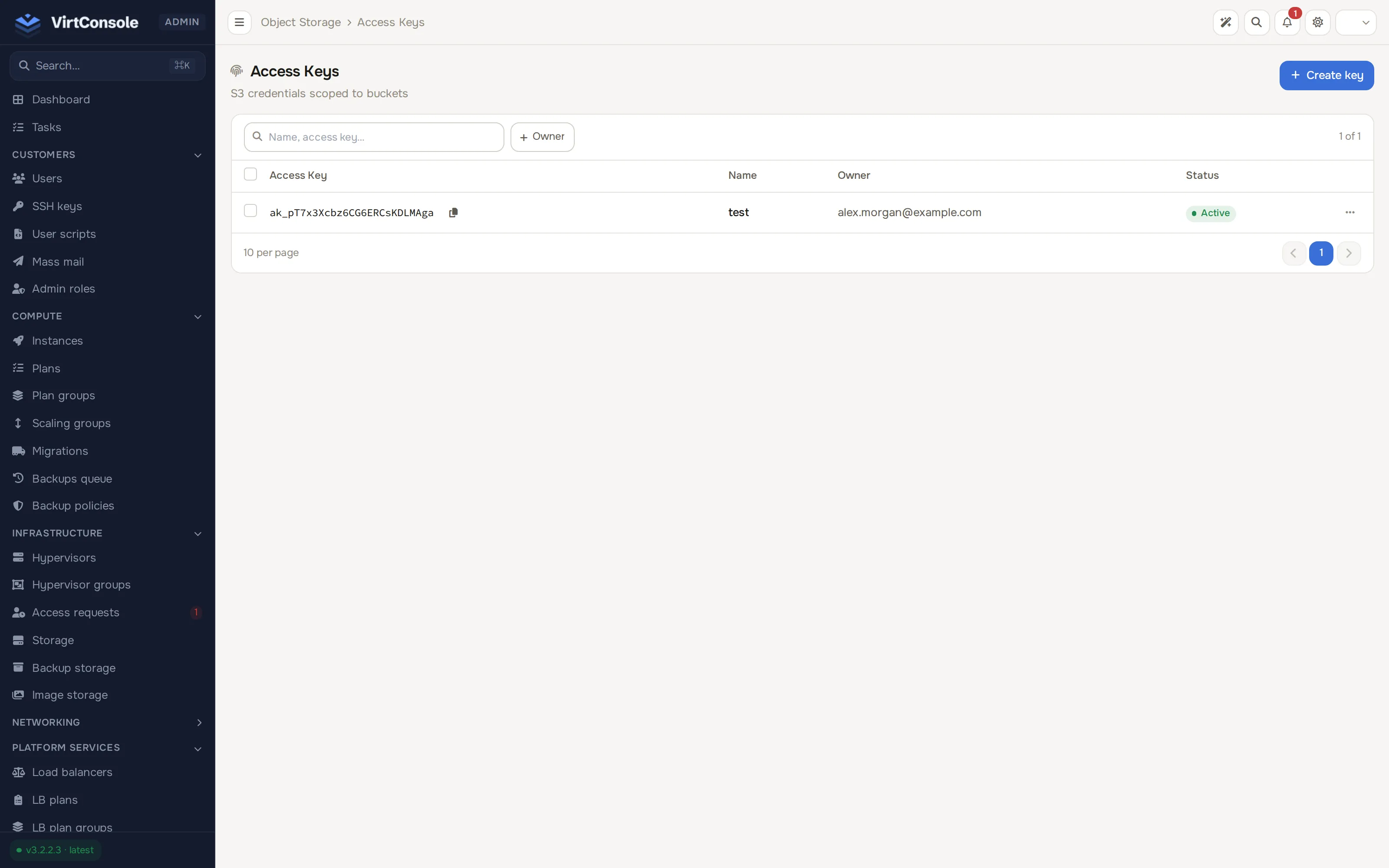
Storage > Access keys lists every issued credential. Generate Key creates a key for a customer (name plus owner); the secret is shown once, so copy or download it before closing the dialog. Keys can be edited (suspended) or deleted from this page.
Customers work in their own panel; see Object storage (user guide).
Common problems
Section titled “Common problems”- “Cannot reach VictoriaMetrics” when saving a server. The Victoria Metrics URL must match the vmauth listen address, and the username and password must match
/etc/vmauth.yaml. - Bandwidth values do not update. Confirm
vmagentis running, the bearer token in/etc/scrape.yamlis still valid (regenerate it if RustFS was reinstalled), and the vmagent host can reach the RustFS port. - Customers cannot create buckets. At least one plan must be enabled, and the chosen server must be enabled and reachable.