

Support tickets
The Support page is your direct line to your provider’s team: open a ticket, reply on the thread, and track it to resolution, all inside the panel.
Where to find it
Section titled “Where to find it”Click Support in the sidebar (it sits on its own, below the main navigation groups). Filter pills (All, Open, Awaiting you, Resolved, Closed) sit above the list, which shows your tickets with their number, subject, status, priority and last-updated time.
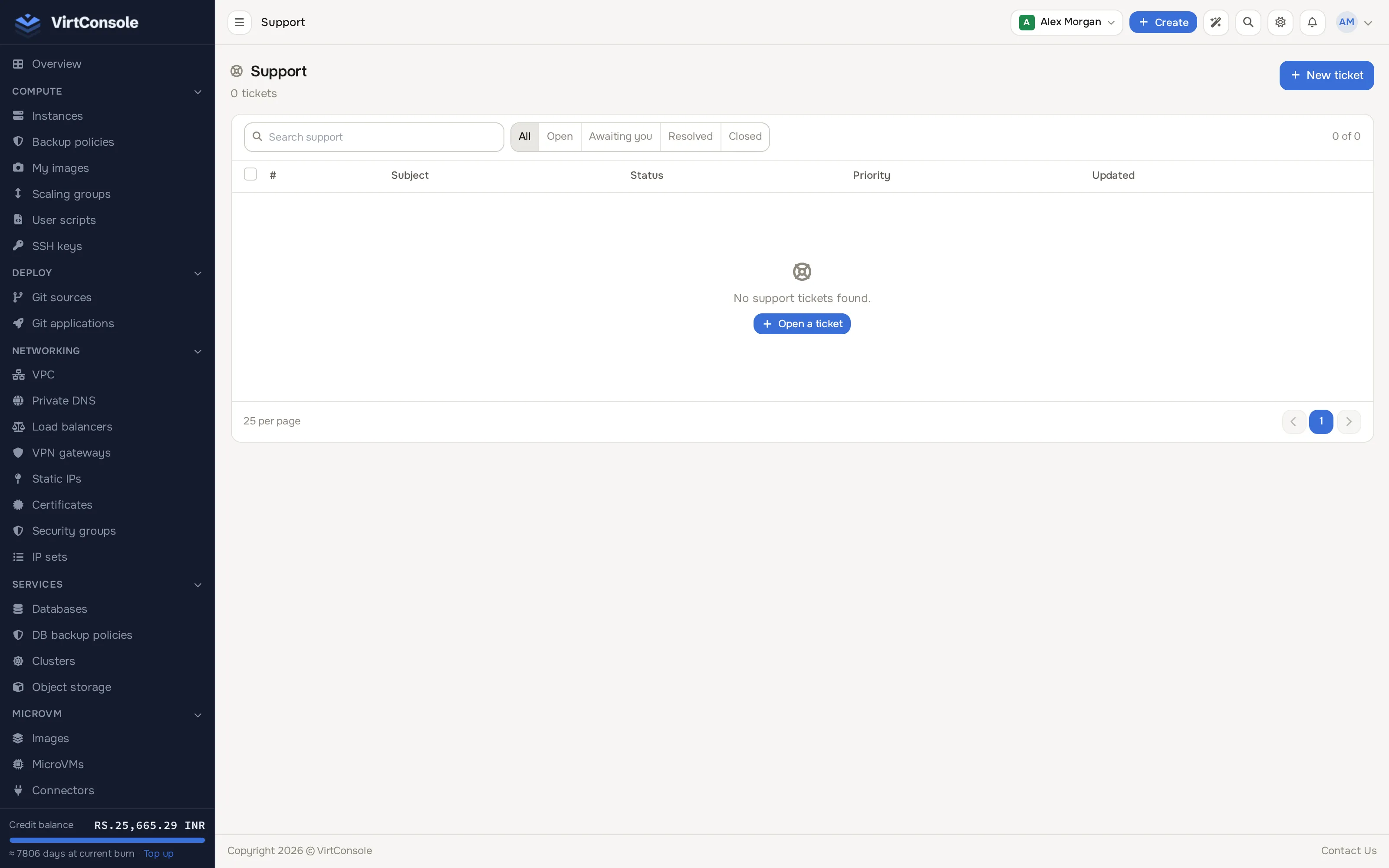
Support stays reachable even if your account is suspended or out of credit; it is how you dispute a bill or ask about a suspension.
Open a ticket
Section titled “Open a ticket”-
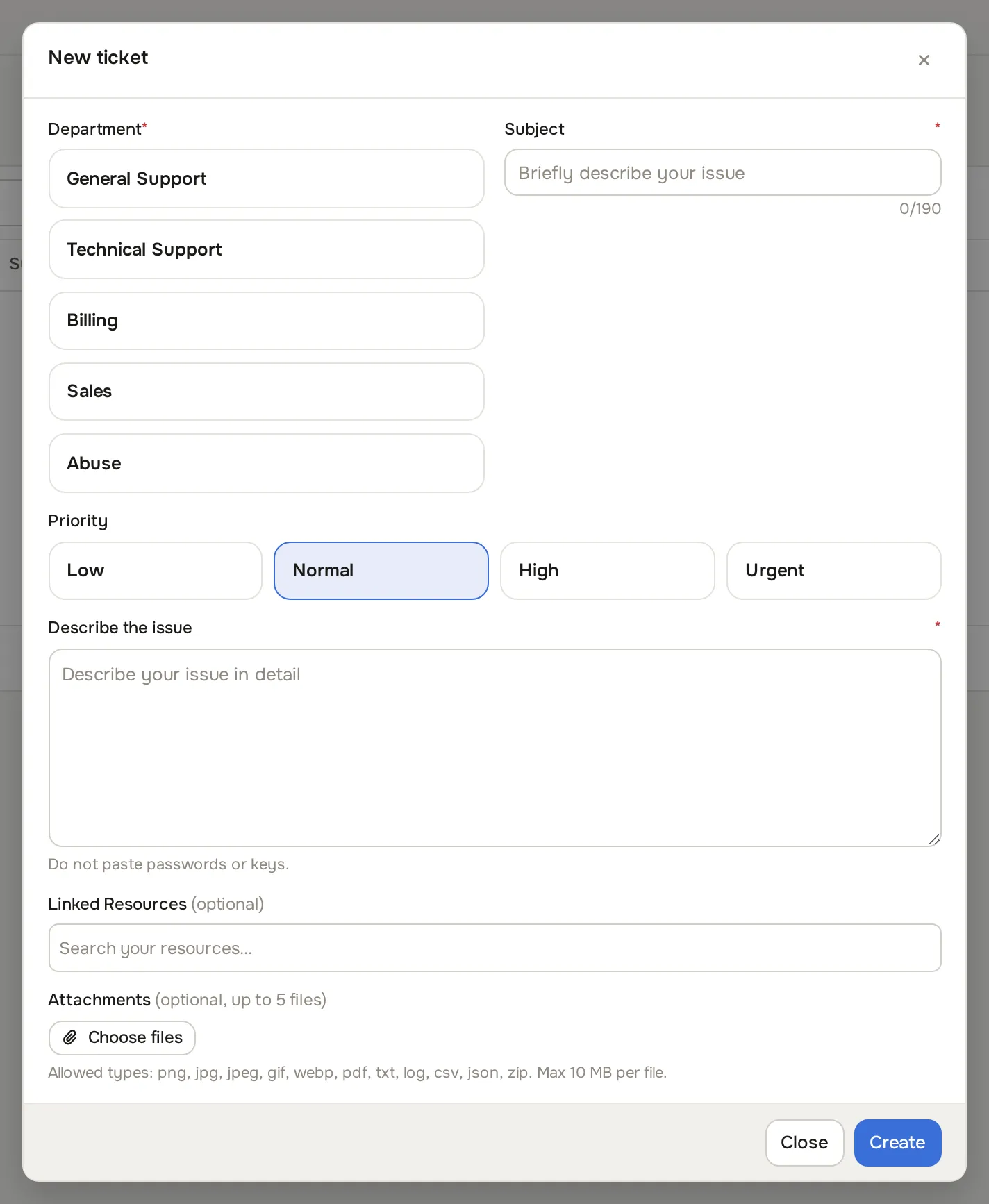
Click New ticket. The new ticket form opens.
-
Pick the Department (General Support, Technical Support, Billing, Sales or Abuse) and a Priority (Low, Normal, High or Urgent).
-
Write a clear Subject and describe the problem in Describe the issue: what you did, what you expected, what happened instead, and any error text. Do not paste passwords or keys.
-
Optionally search and attach the affected resource under Linked Resources.
-
Optionally attach up to 5 files under Attachments (png, jpg, jpeg, gif, webp, pdf, txt, log, csv, json or zip, up to 10 MB each).
-
Click Create.
The ticket detail page is a conversation: your messages and the team’s replies in one thread, with a reply box at the bottom. New replies and status changes appear live without a refresh.
The lifecycle
Section titled “The lifecycle”A ticket moves through:
Open → Awaiting customer (the team asked you something) → Resolved → Closed
- A resolved ticket closes itself after a waiting period (your provider sets it, commonly 72 hours).
- For a while after closing, a new reply from you reopens the ticket automatically.
- If your issue is fixed, you can close the ticket yourself from its page.
The rail on the ticket page shows its properties and any resources you linked.
Common problems
Section titled “Common problems”- There is no Support section in my sidebar. Your provider has disabled the built-in helpdesk. Use whatever contact channel they publish instead.
- My attachment was rejected. Files above the provider’s size limit are refused. Attach a smaller file or paste the relevant excerpt into the reply.
- My ticket is in Awaiting customer. The team is waiting on your reply. Answer on the thread to move it forward.