

Private DNS zones
A private DNS zone gives instances in your VPCs a custom internal domain such as prod or db, so they can reach each other by name (web.prod, mysql.db) instead of by IP. Records resolve only inside the VPCs you attach; they are never visible on the public internet. Public names like google.com keep resolving as normal.
Record types: A, AAAA, CNAME, TXT and SRV. There is no extra cost; private DNS is included with VPC networking.
Before you begin
Section titled “Before you begin”- At least one VPC. See VPC networks.
- Zones count against your account’s zone limit (default 5). Ask your provider to raise it if needed.
Where to find it
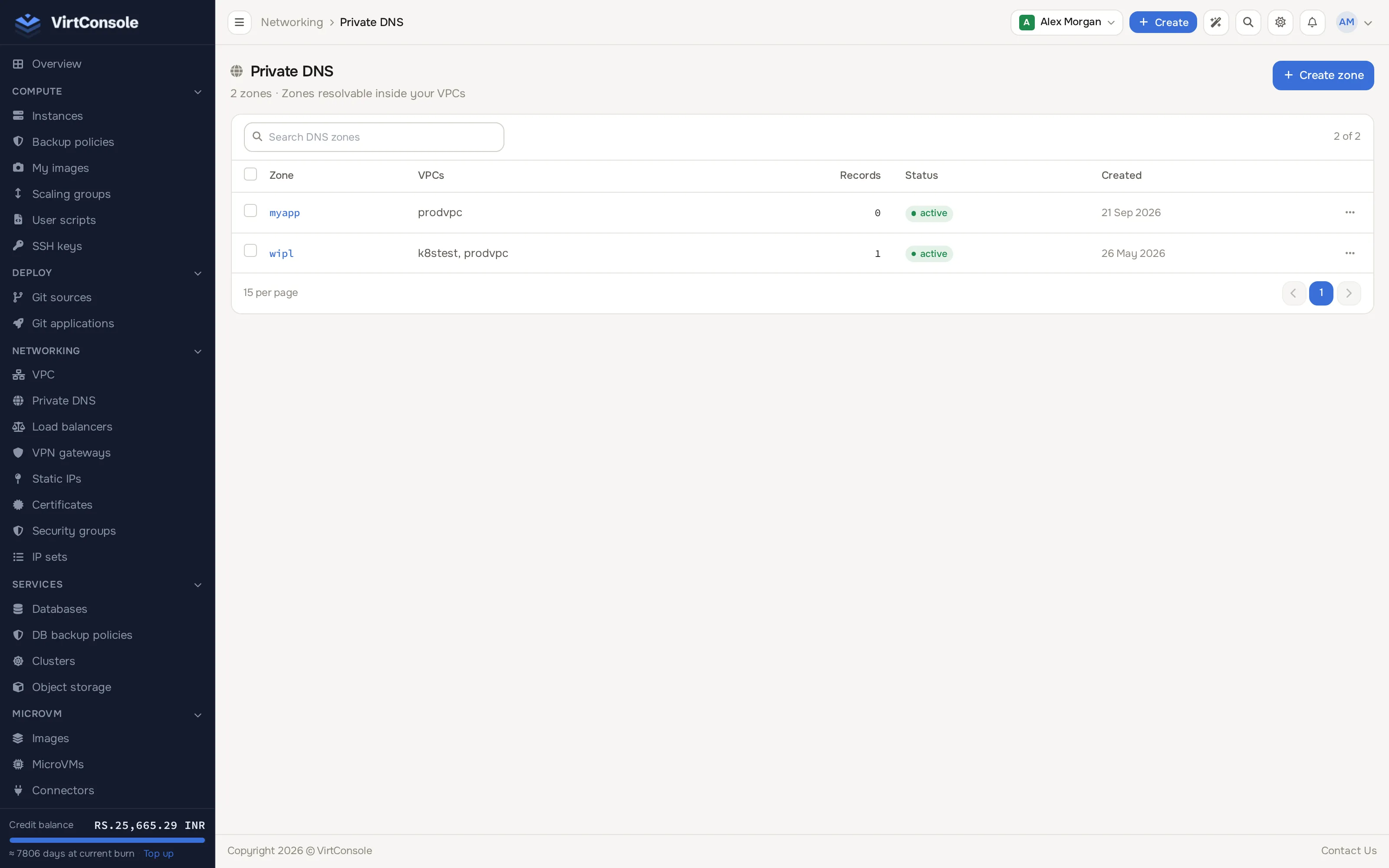
Section titled “Where to find it”In the user panel go to Networking > Private DNS.
Create a zone
Section titled “Create a zone”-
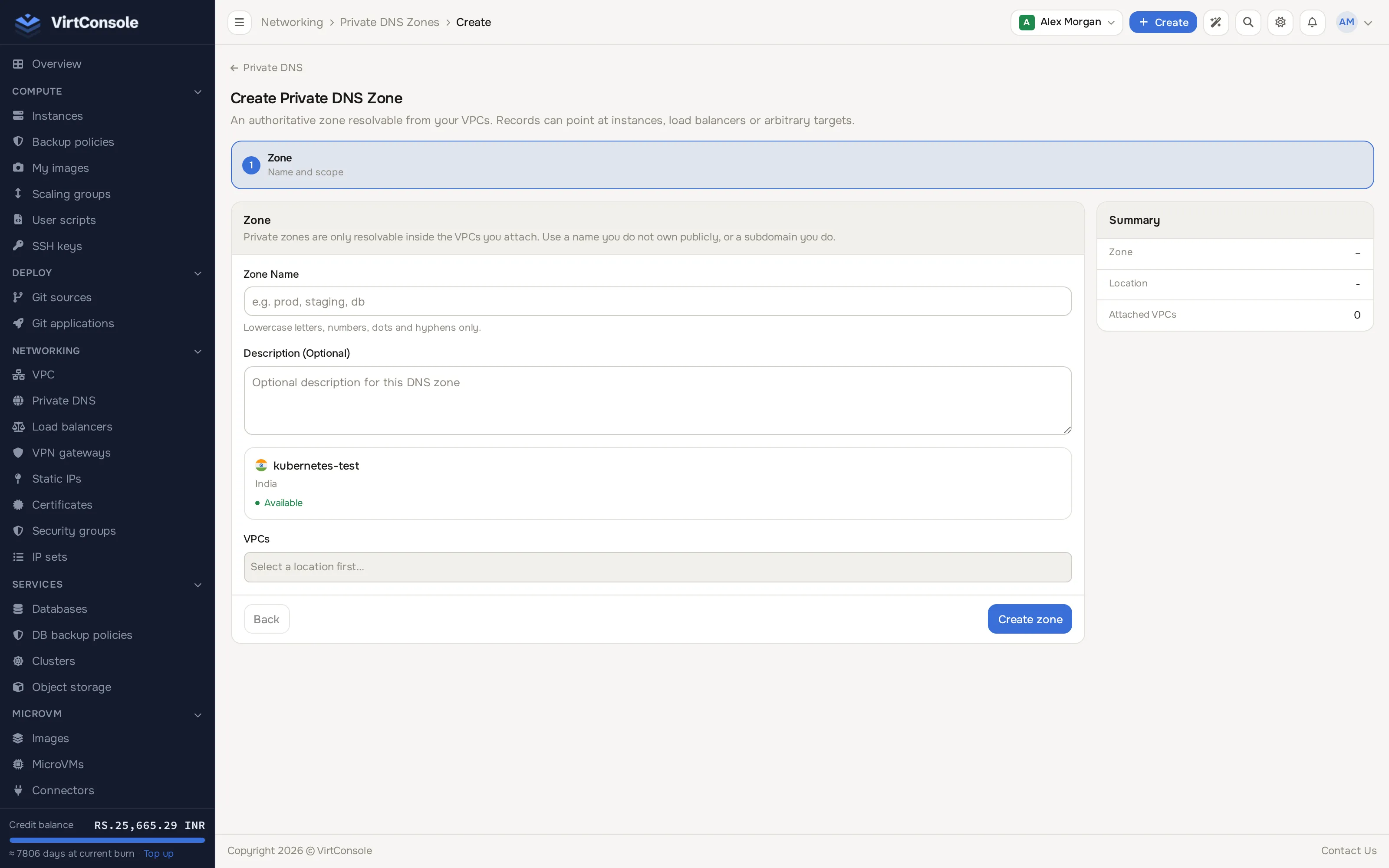
Click Create zone. The create page opens (one page, no separate steps).
-
Enter:
Fields
| Field | What to enter | Example |
|---|---|---|
| Zone Name | The internal domain. Lowercase letters, digits, dots and hyphens. | prod |
| Description (Optional) | Optional. |
-
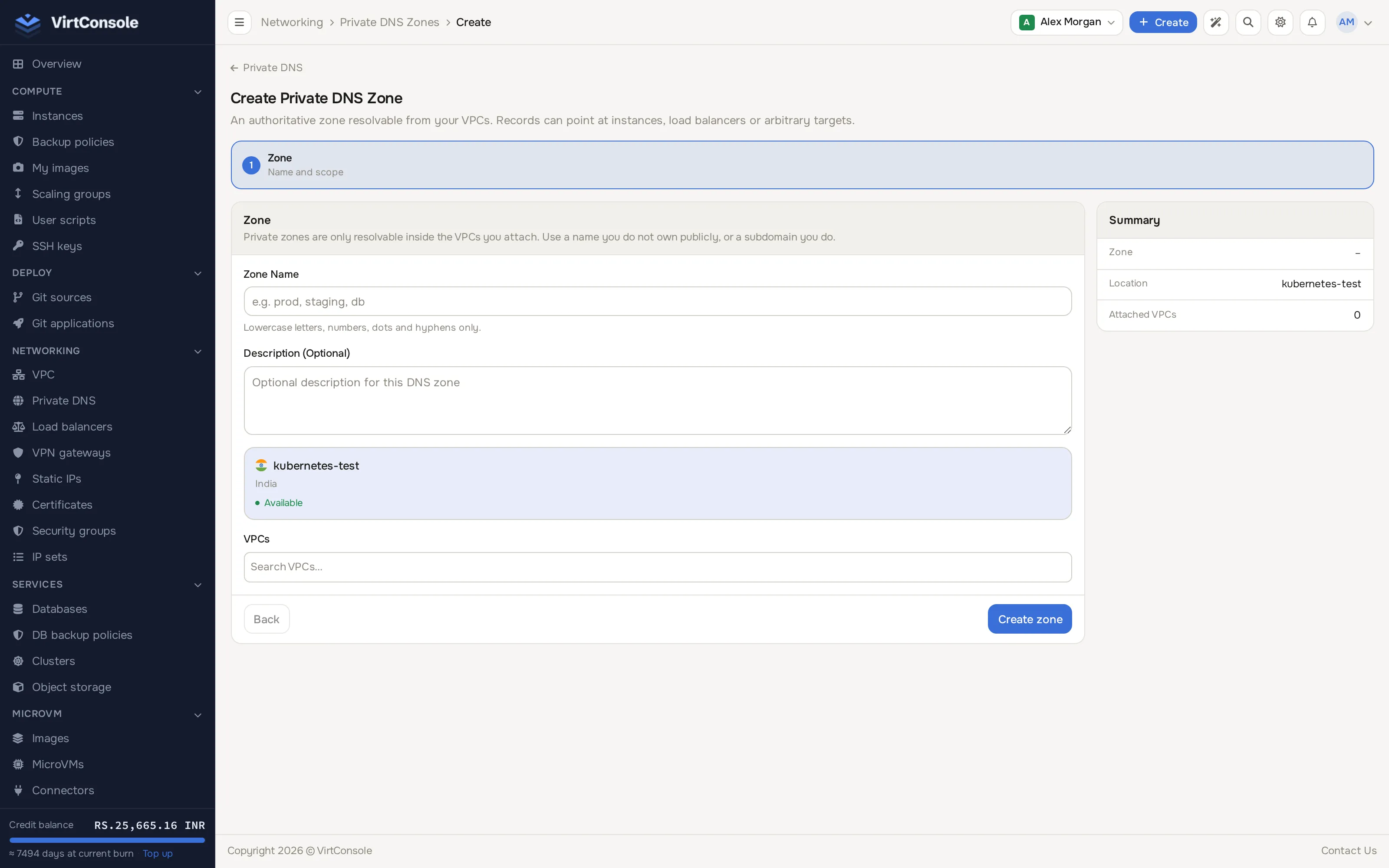
Pick a Location to filter the VPC list.
-
Under VPCs, search and select one or more VPCs to attach.
-
Check the Summary panel and click Create zone.
The zone is active immediately; instances in attached VPCs can resolve its records within seconds.
The zone name cannot be renamed later. The description is editable, and deleting a zone removes all its records and detaches it from all VPCs.
Add a record
Section titled “Add a record”- Open the zone and click Add record in the header (the zone page is a single scrolling page: record sets, then Attached VPCs; there are no tabs).
- Fill in the record set fields:
Fields
| Field | What to enter |
|---|---|
| Hostname | The subdomain, for example web. With the zone name this forms the full name instances query (web.prod). |
| Type | A, AAAA, CNAME, TXT or SRV. |
| Routing Policy | Simple, Weighted, Multivalue or Failover (see below). |
| TTL | Cache lifetime in seconds. Default 300. |
- Fill in the value: an IPv4 for A (
10.0.1.10), an IPv6 for AAAA (2001:db8::10), a hostname for CNAME (web1.prod), free text for TXT, orpriority weight port targetfor SRV (10 60 8080 web1.prod). - For Weighted, set a weight from 1 to 255. For Failover, pick Primary or Secondary.
- Optionally configure a health check (see below).
- Click Add Record.
If a set with the same name and type exists, the record joins it; otherwise a new set is created. Use the pencil to edit a record, the toggle to disable it without deleting it, and Add to this set inside an expanded set to add more records.
Restrictions: a CNAME cannot coexist with other types on the same hostname, and CNAME supports only Simple and Failover routing.
Routing policies
Section titled “Routing policies”- Simple: returns one record. One resource per name.
- Weighted: splits queries by weight. A weight-70 record next to a weight-30 record gets about 70 % of queries. A and AAAA only, up to 10 records. Use it for gradual traffic shifts or A/B tests.
- Multivalue: returns all healthy records; the client picks. Up to 10 records.
- Failover: exactly one Primary and one Secondary. Queries get the Primary while it passes health checks, otherwise the Secondary.
If every record in a set is unhealthy, all of them are returned anyway; some answer is always given.
Health checks
Section titled “Health checks”A record that fails its health check is excluded from DNS answers. Settings: type (HTTP, HTTPS, TCP, ICMP), port, path (HTTP/HTTPS), expected HTTP status, interval (default 30 s), timeout (default 5 s), and the failure/success thresholds. Indicators: green healthy (in answers), red unhealthy (excluded), yellow pending, grey no check configured.
Attach and detach VPCs
Section titled “Attach and detach VPCs”The Attached VPCs card at the bottom of the zone page shows where the zone resolves. Search for a VPC and click Attach VPC to add another. Detaching does not immediately drop the zone for running instances; they keep their existing DNS configuration until reboot or network reconfiguration.
Instances in attached VPCs get the right DNS server automatically, and search domains are set too: with a zone named prod you can query the short name web and it resolves to web.prod.
Common problems
Section titled “Common problems”- Records do not resolve. Confirm the zone is Active, the VPC is attached, the record is enabled (toggle on), and any health check target is reachable.
- A health check stays unhealthy. Confirm the service is up and reachable from inside the VPC, the port and path are right, and security groups are not blocking the probe. See Security groups.
- A change did not take effect on an instance. Resolvers cache up to the TTL. Flush the cache (
sudo systemd-resolve --flush-cacheson Linux) or reboot the instance. - The Private DNS menu item is missing. VPC networking is not enabled in any location for your account. Contact your provider.