

Email templates
Every email the panel sends (welcome messages, invoices, low-balance reminders, suspension notices, and so on) is rendered from a template. Templates ship with sensible defaults; you edit them to change the wording, and you can personalise subjects and messages with variables that expand per recipient.
Where to find it
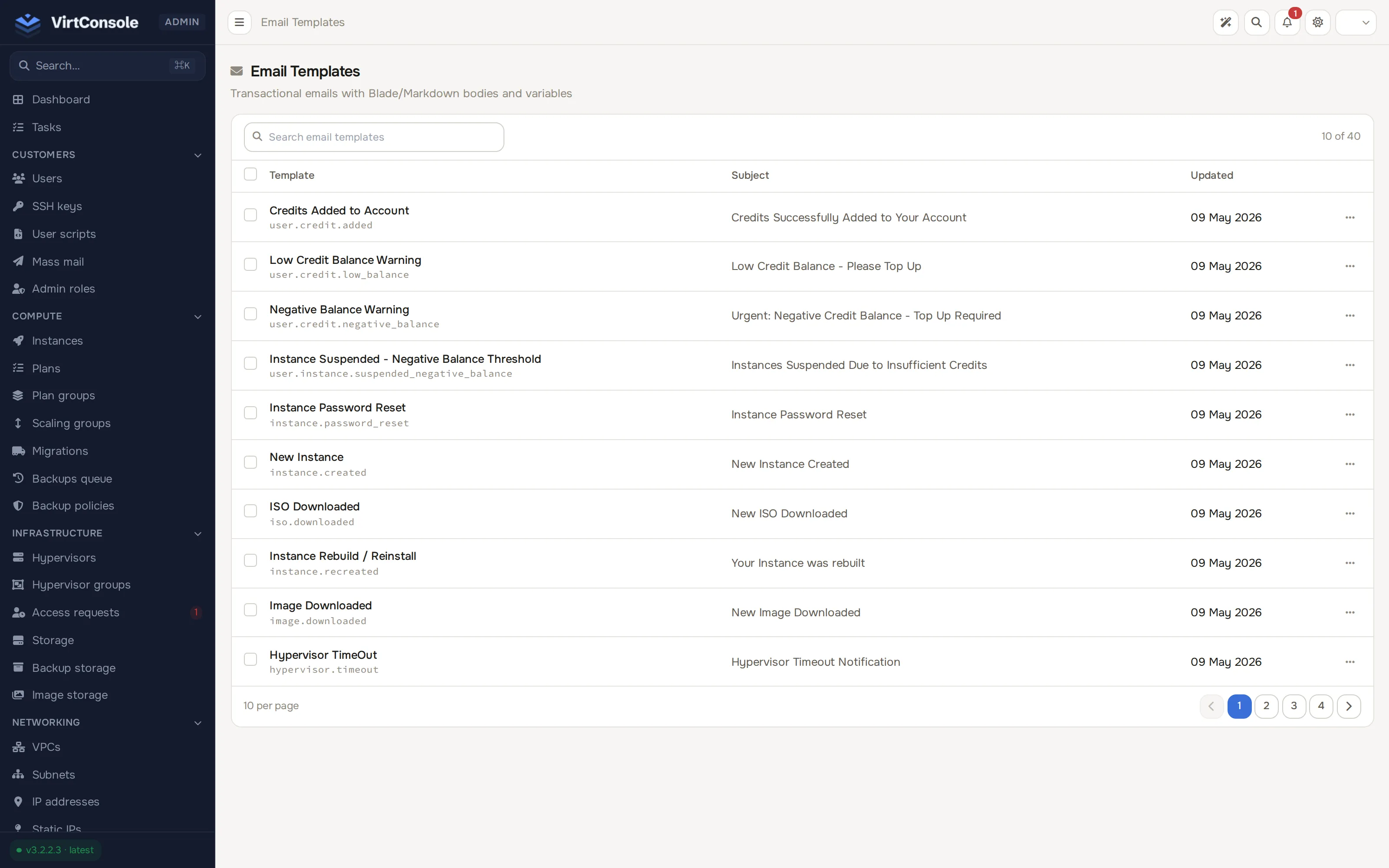
Section titled “Where to find it”In the admin panel go to System > Email templates. The list shows every template’s name with its internal identifier underneath in mono text, its Subject line, and when it was last Updated. Click a row to open the template.
Edit a template
Section titled “Edit a template”The editor has two columns: the template on the left, the variable reference on the right.
- Edit the Subject line and the Message body. The message editor is a rich-text editor.
- To insert a variable, click it in the Available variables list to copy it, then paste it anywhere in the subject or message. Variables use the
{{ variable }}syntax and expand per recipient when the email is sent. - Click Update Template.
The Template Name and Template Identifier are fixed; the identifier is how the panel finds the template, so it cannot be renamed. Templates cannot be created or deleted from this page: the panel manages the set, and you customise the wording.
Verify a change
Section titled “Verify a change”The panel has no per-template preview button. To verify a change, trigger the email for real (for example on a staging account) and then confirm under Logs > Email log: the entry shows the recipient, the subject and the rendered body exactly as delivered. See Logs.
What happens next
Section titled “What happens next”The new wording applies to every email sent from that moment on. Emails already sent are not rewritten; the Email Log keeps the historical rendered bodies.
Common problems
Section titled “Common problems”- A variable shows up literally in a sent email, like
{{ user.name }}. The token was mistyped or is not one of the template’s declared variables. Copy the exact token from the Available variables list. - A customer says they never got an email. The template is rarely the cause. Search the Email Log for their address: a missing entry means the panel never sent the email, and a failed entry shows the delivery error.
- You want the old wording back. Templates are seeded from the defaults at install time. Re-enter the default text by hand; there is no reset button.