

Instance firewall
The per-instance firewall is built from security groups: named sets of allow rules that you attach to the instance. The rules are enforced outside the instance, before traffic ever reaches it.
Key rules
Section titled “Key rules”- With no security groups attached, all traffic is allowed in both directions, except outbound SMTP (TCP port 25), which stays blocked unless your provider has enabled SMTP for your account.
- Once an attached group has at least one ingress (inbound) rule, inbound traffic that matches no rule is dropped. The same logic applies independently to egress (outbound).
- The firewall is stateful: replies to allowed outbound connections are let back in automatically.
- Several groups on one instance combine. Anything allowed by any attached group is allowed.
- An instance can have up to 10 groups attached.
- Changes take effect within about a minute.
Attach a security group to an instance
Section titled “Attach a security group to an instance”- Open the instance manage page (Compute > Instances > Manage) and click Firewall in the tab bar.
- Click Attach Security Group.
- Pick a group from the dropdown and click Attach.
The Firewall tab of an instance.
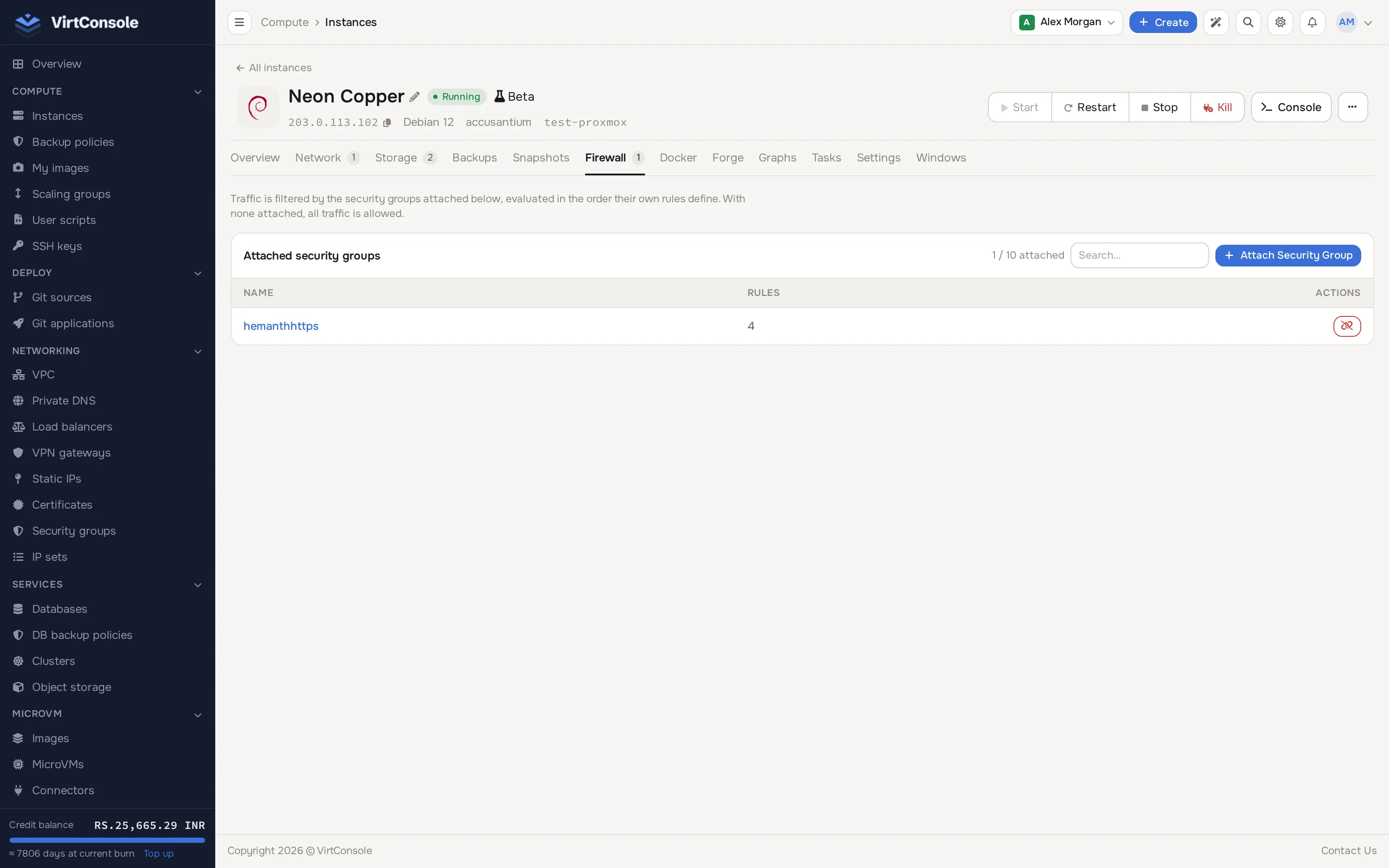
Click the unlink button next to a group to detach it. Detaching the last group returns the instance to allow-all (except outbound SMTP).
Which rules apply
Section titled “Which rules apply”You can attach two kinds of groups:
- Your own groups, created under Networking > Security Groups. You can edit their rules.
- Global groups, published by your provider (for example “Allow Web Traffic”). You can attach and detach them but not edit them.
Creating groups and writing rules (protocols, port ranges, CIDR sources, IP sets and remote groups) is covered in Security groups.
Common problems
Section titled “Common problems”- A rule change does nothing. Give it a minute to propagate, then check the group is actually attached to this instance and that the rule’s IP version matches your test traffic (an IPv4 rule does not affect IPv6).
- Everything is still allowed despite an attached group. The group has no rules in that direction. A direction with zero rules means allow-all for that direction; add at least one ingress rule to start filtering inbound traffic.
- Port 25 outbound stays blocked even with an allow rule. Outbound SMTP is blocked account-wide unless your provider enables it. Contact your provider.