

IP sets
An IP set is a named, reusable list of CIDR ranges. Reference one set from many security group rules instead of pasting the same ranges everywhere. Sets suit lists like office exit IPs or monitoring hosts that appear in many rules or change often.
How it works
Section titled “How it works”- Each set has a fixed IP version, IPv4 or IPv6.
- Bare IPs are normalised to CIDR:
/32for IPv4,/128for IPv6. - When adding a rule, only sets whose IP version matches the rule’s IP Version appear.
- A set with no user is Global: visible to all customers, editable by admins only.
Where to find it
Section titled “Where to find it”In the admin panel go to Networking > IP sets. The list can be filtered by search text, scope (Global / User), and IP version.
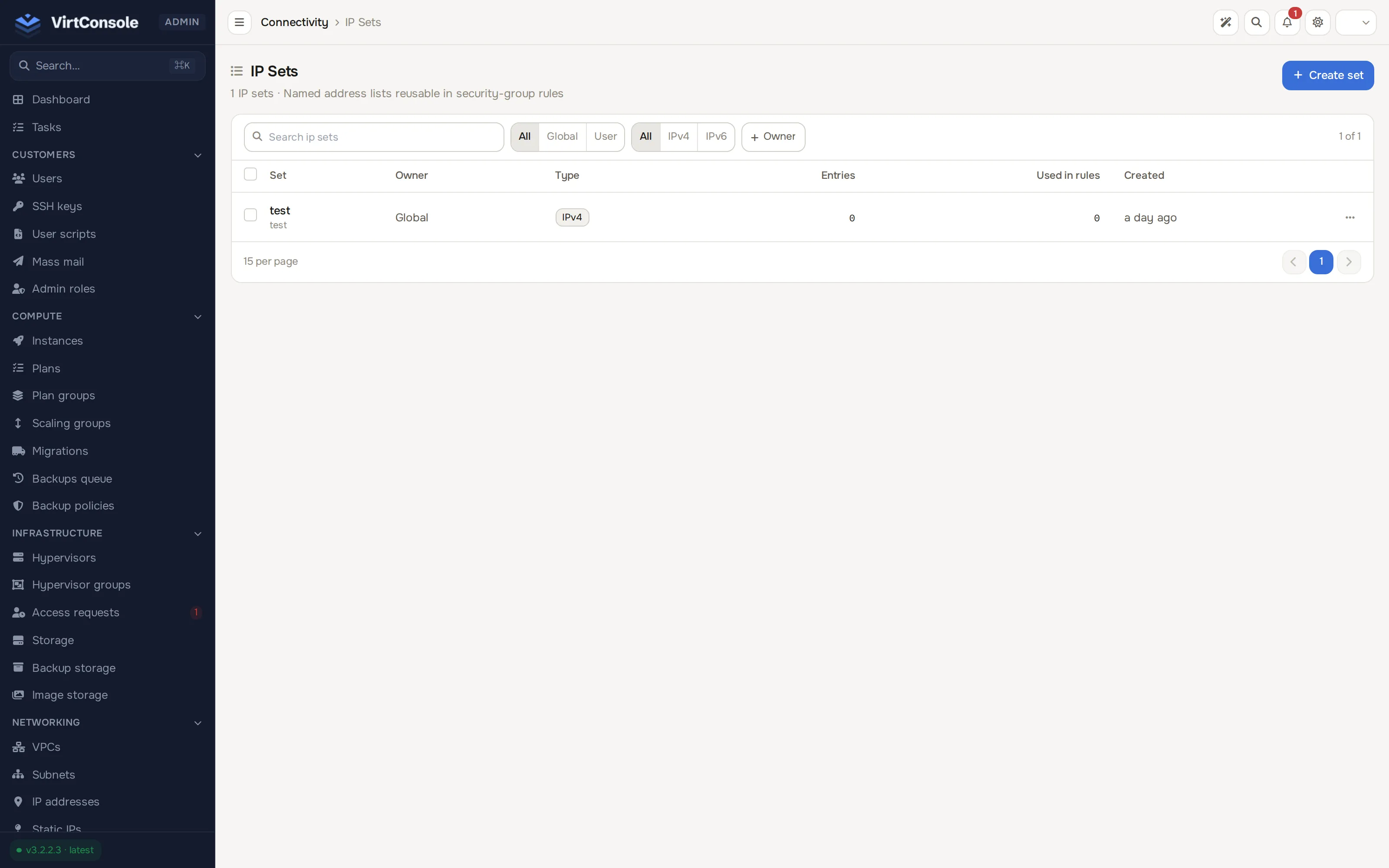
Create an IP set
Section titled “Create an IP set”-
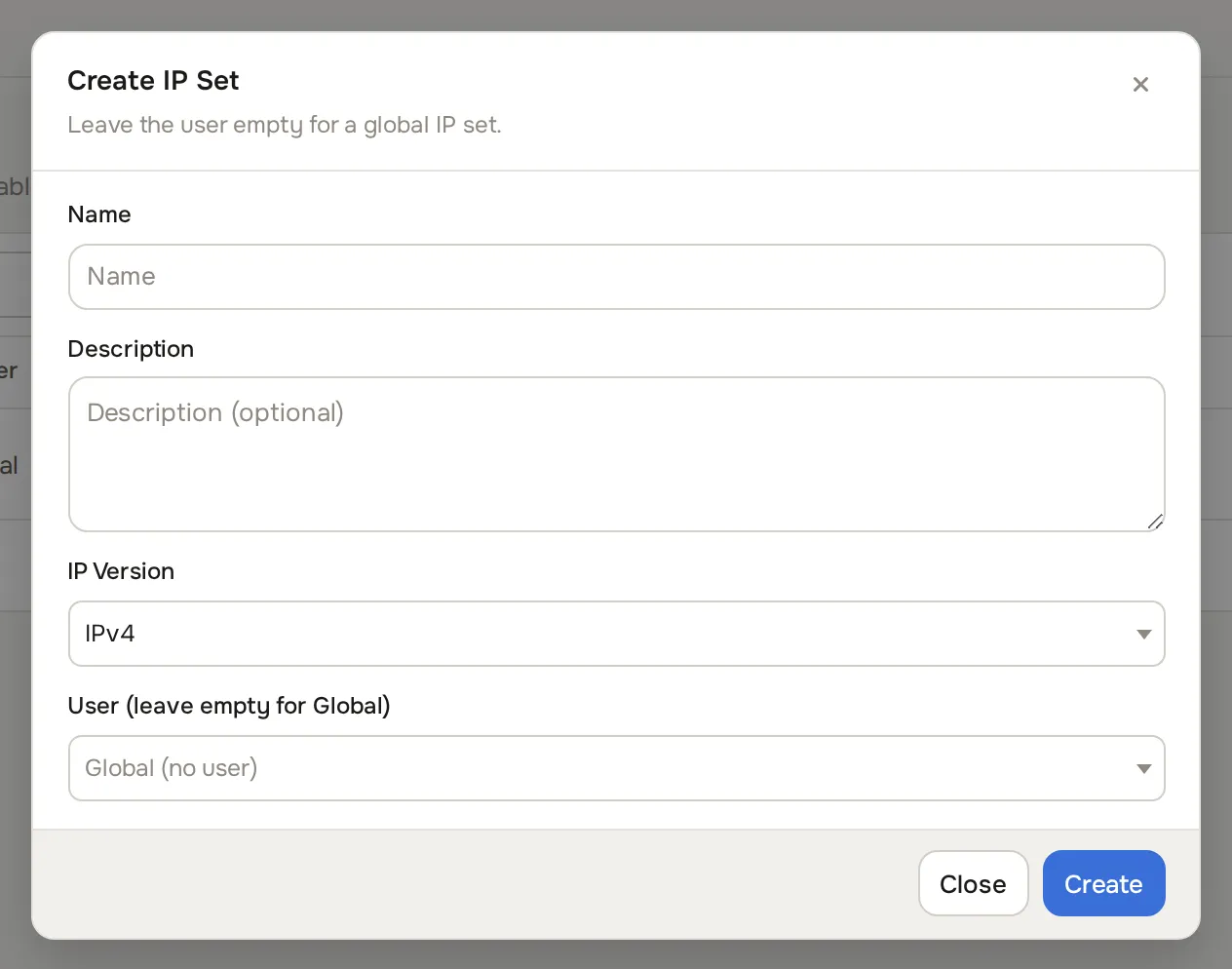
Click Create set. The Create IP Set dialog opens.
-
Fill in the fields:
Fields
| Field | What to enter |
|---|---|
| Name | A label, for example office-ips. |
| Description | Optional. |
| IP Version | IPv4 or IPv6. |
| User (leave empty for Global) | Leave empty for a Global set, or pick the customer who owns it. |
- Click Create.
Add entries
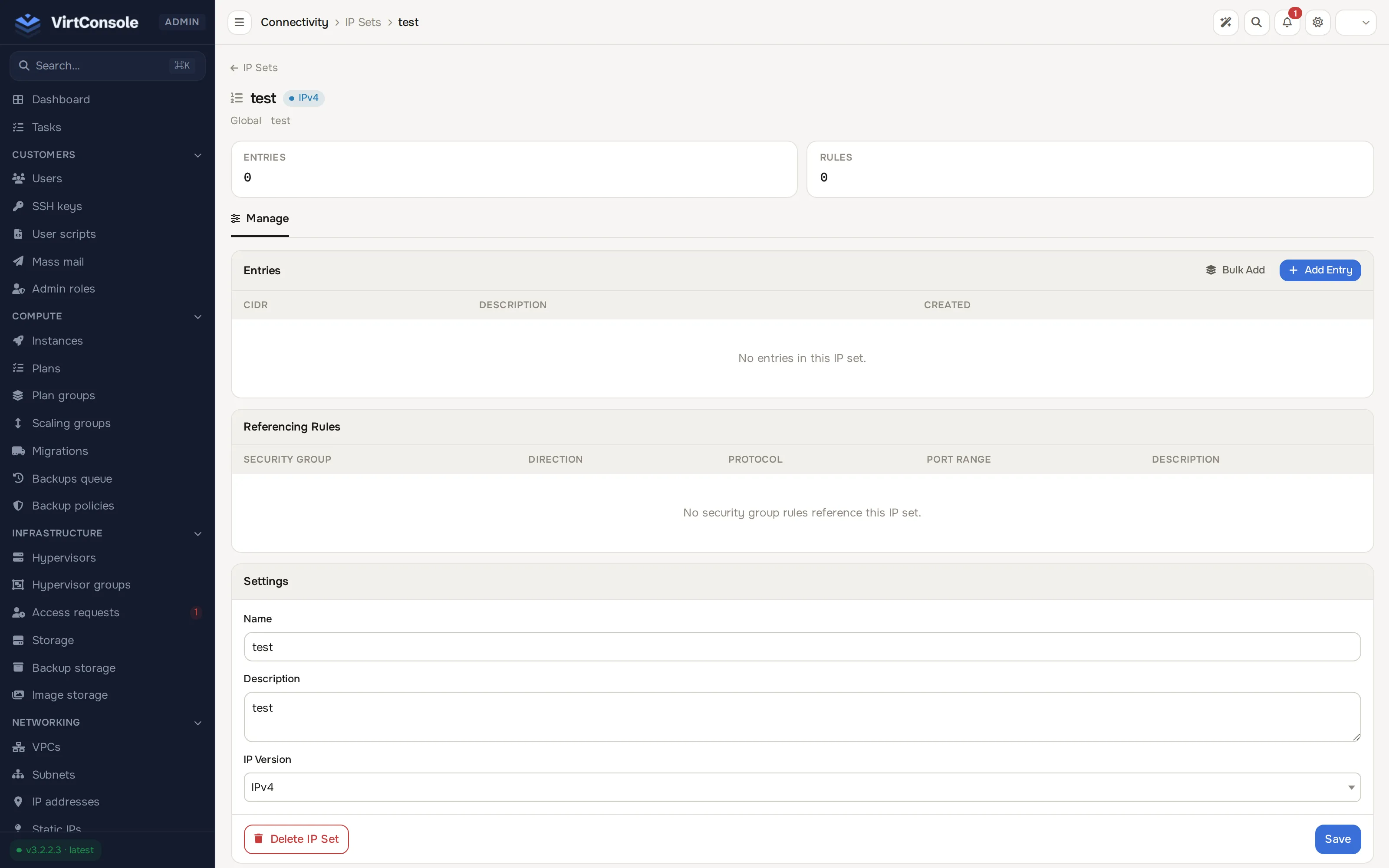
Section titled “Add entries”Open the set from the list. The entries table shows every CIDR in the set.
- One entry. Click Add Entry, enter a CIDR (for example
198.51.100.0/24) and an optional description, then click Add Entry. - Many entries. Click Bulk Add, paste one CIDR per line, then click Add Entries. Duplicates are skipped and invalid lines are reported.
- Remove an entry. Click the trash icon next to it.
You can also rename the set, edit its description, or delete it from this page.
Use a set in a rule
Section titled “Use a set in a rule”On a security group, click Add Rule and pick IP Set as the Source Type, then select the set. The rule then matches every range in the set. See Security groups.
Key rules
Section titled “Key rules”- The IP version locks once the set has entries. The version dropdown is disabled from that point.
- A set referenced by a rule cannot be deleted. Remove or change the referencing rules first.
- Customers can attach Global sets to their instances but cannot edit them.