

API keys and the E2B-compatible API
MicroVM API keys authenticate an E2B-compatible sandbox API, so you can create and control MicroVMs from the E2B SDKs and CLI, or plain HTTP, instead of the panel.
Where to find it
Section titled “Where to find it”In the user panel go to MicroVM > API keys.
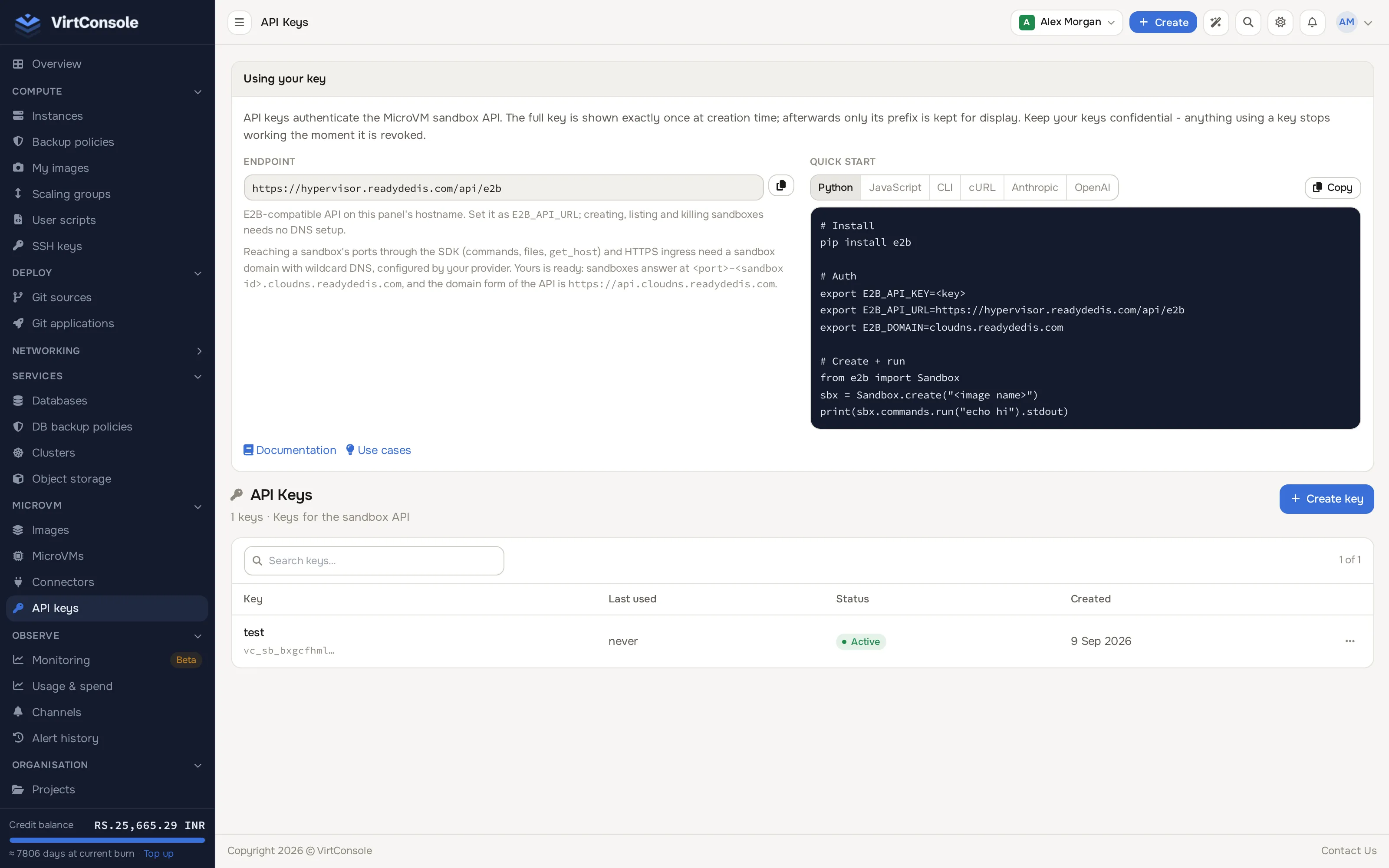
Create a key
Section titled “Create a key”- Click Create key.
- Enter a Key name for the key, then confirm.
The new key’s full value is shown exactly once, in a banner at the top of the page. Copy it now; afterwards the page only ever shows its prefix.
Using your key
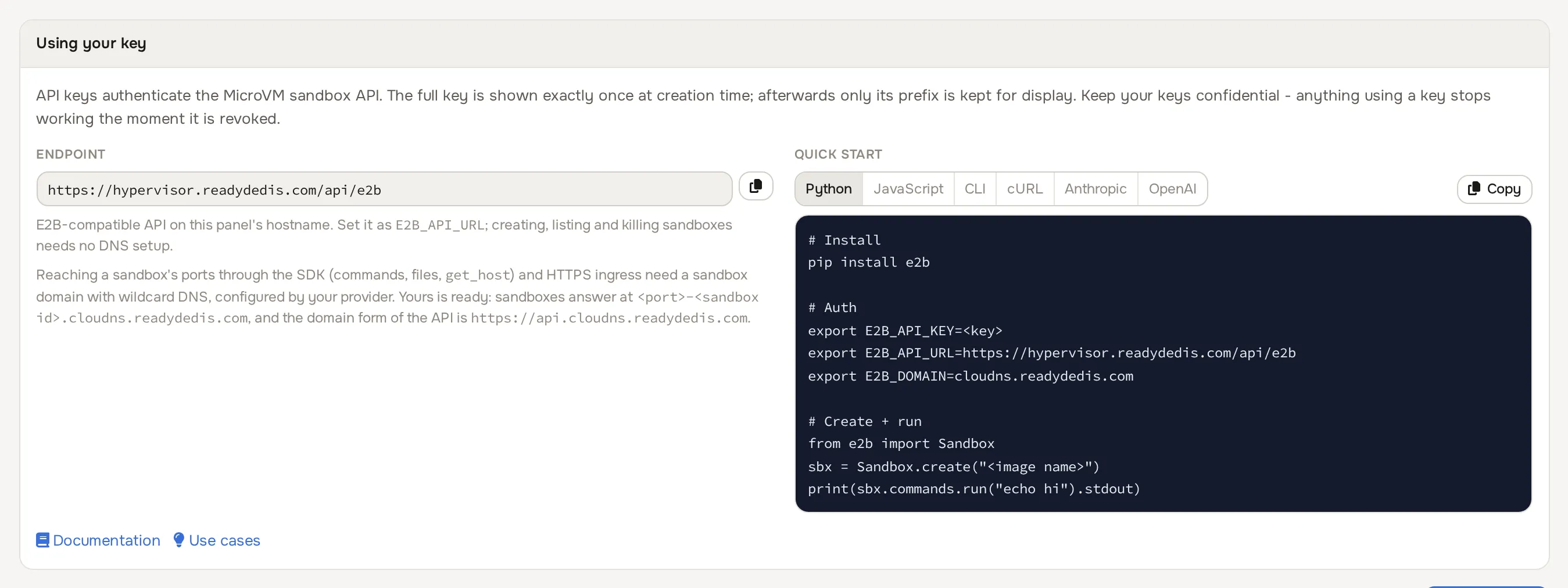
Section titled “Using your key”The Using your key card on the API keys page shows your endpoint and a quick-start snippet for Python, JavaScript, the E2B CLI, or plain cURL.
- Endpoint:
https://<your panel host>/api/e2b. This same-host endpoint needs no DNS setup and is enough for creating, listing and killing sandboxes. Set it asE2B_API_URL. - Domain form: reaching a sandbox’s ports through the SDK (running commands, transferring files,
get_host) and HTTPS ingress into a sandbox both need a sandbox domain with wildcard DNS, set up by your provider for the location you deploy into. When one is configured, the card shows it and the domain form of the API (https://api.<your sandbox domain>); set the domain part asE2B_DOMAIN.
Quick start (Python)
Section titled “Quick start (Python)”pip install e2b
export E2B_API_KEY=<your key>export E2B_API_URL=https://<your panel host>/api/e2bexport E2B_DOMAIN=<your sandbox domain> # only if one is configuredfrom e2b import Sandbox
sbx = Sandbox.create("<image name>")print(sbx.commands.run("echo hi").stdout)The sandbox lands in the first location available to your account. To pick one, pass metadata={"location_id": "<location id>"} to Sandbox.create(); location ids come from the create wizard or the catalog endpoint.
The same pattern works with the JavaScript SDK (npm i e2b) or the E2B CLI (npm i -g @e2b/cli); the panel’s quick-start card shows all three plus a raw cURL example.
Revoke a key
Section titled “Revoke a key”Click Revoke next to a key and confirm. Anything still using that key stops working immediately; this cannot be undone.
List columns
Section titled “List columns”| Column | Meaning |
|---|---|
| Name | The label you gave the key. |
| Key prefix | The first characters of the key, for identification. The rest is never shown again. |
| Status | Active or Revoked. |
| Last used | When the key last authenticated a request, or “never”. |
| Created | When the key was created. |
Beyond the quick start
Section titled “Beyond the quick start”The card’s snippets get you a first sandbox. For a full walkthrough of the E2B SDKs, including running commands and files inside a sandbox, take a look at Sandboxes with agent SDKs, which wires a sandbox into an AI agent’s tool-calling loop for Anthropic, OpenAI, the Vercel AI SDK and LangChain. For more ways to use sandboxes, images, MicroVMs, connectors and API keys, see Use cases.
The REST API
Section titled “The REST API”The E2B-compatible API above (/api/e2b) is authenticated by a MicroVM API key and only understands sandbox lifecycle actions (E2B’s wire shape). Full MicroVM management, including images, connectors and account-wide settings, goes through a separate REST API at https://<your panel host>/api/microvm/..., authenticated by your account’s bearer API token (Account > API Tokens), not the MicroVM API key. Use it to script anything the panel can do that the E2B API does not cover.
Create a MicroVM:
curl -s -X POST https://<your panel host>/api/microvm/vms \ -H "Authorization: Bearer <your account API token>" \ -H "Content-Type: application/json" \ -d '{"location_id": "<location id>", "image_id": "<image id>", "name": "my-worker"}'Read its metrics:
curl -s https://<your panel host>/api/microvm/vm/<microvm id>/metrics \ -H "Authorization: Bearer <your account API token>"Pause it:
curl -s -X POST https://<your panel host>/api/microvm/vm/<microvm id>/pause \ -H "Authorization: Bearer <your account API token>"Common problems
Section titled “Common problems”- Creating or listing sandboxes works, but commands and file transfers fail. Your location has no sandbox domain with wildcard DNS configured. Ask your provider, or stick to the same-host endpoint for lifecycle operations only.
- A request returns unauthorized. The key was revoked, mistyped, or
E2B_API_KEYis not exported in the shell that ran the SDK.