

API tokens
Two kinds of bearer token authenticate machine-to-machine access to the panel, and both are managed from the management server’s shell. Each token is bound to a single source IP and shown exactly once, at creation.
- Admin API tokens authenticate automation against the full admin REST API at
/api/v1/. Anything an administrator can do in the panel can be done with this API. - Billing API tokens authenticate an external billing system (WHMCS, Blesta, HostBill) against the billing API.
For the API surfaces themselves, see API overview.
Admin API tokens
Section titled “Admin API tokens”Every token is a record with a name, an optional description, the source IP it is bound to, an enabled flag, and the admin user it acts as. API calls made with the token run as that user, and the admin audit log records both the acting user and the token. A request carrying the token is rejected unless it arrives from the exact IP the token was created for, so a leaked token is useless from any other machine.
Generate a token
Section titled “Generate a token”SSH into the management server and run:
vcli api:admin-token generateYou are prompted for:
| Prompt | What to enter |
|---|---|
| IP address | The public IP the calls come from (your automation host, CI runner, or integration server). Required and validated. |
| Name | A label for your own reference, for example Ansible-Provisioning. |
| Description | Optional free text. |
| Admin user UUID | The admin account this token acts as. The user must exist and be an admin; the command refuses non-admin users. |
The token is printed once. Copy it into your integration’s secret store immediately. If you lose it, generate a new one; there is no recovery flow.
Use it as a standard bearer token on every request:
curl -H "Authorization: Bearer <your-token>" \ -H "Accept: application/json" \ https://panel.example.com/api/v1/hypervisorsCommon failure responses:
| Response | Meaning |
|---|---|
403 Unauthorized! |
No Authorization: Bearer header was sent. |
401 Unauthorized! |
The token is wrong or disabled, or the request came from an IP other than the one it is bound to. |
403 Unauthorized |
The token’s assigned user is no longer an admin. |
Manage tokens
Section titled “Manage tokens”vcli api:admin-token listvcli api:admin-token enable <token-id>vcli api:admin-token disable <token-id>vcli api:admin-token delete <token-id>list prints each token’s ID, name, description, IP address, enabled state and the user it acts as. The ID column is what you pass to the other commands. Disabled tokens stay in the list but every call using them is rejected. Deleting is permanent.
Billing API tokens
Section titled “Billing API tokens”A billing token is the credential an external billing system attaches to every billing API call. It works the same way: shown once, IP-bound, enable/disable by ID. Active billing tokens are also listed in the panel under System > Settings on the API Tokens tab (Name, Description, Allowed IP), but they are managed from the CLI.
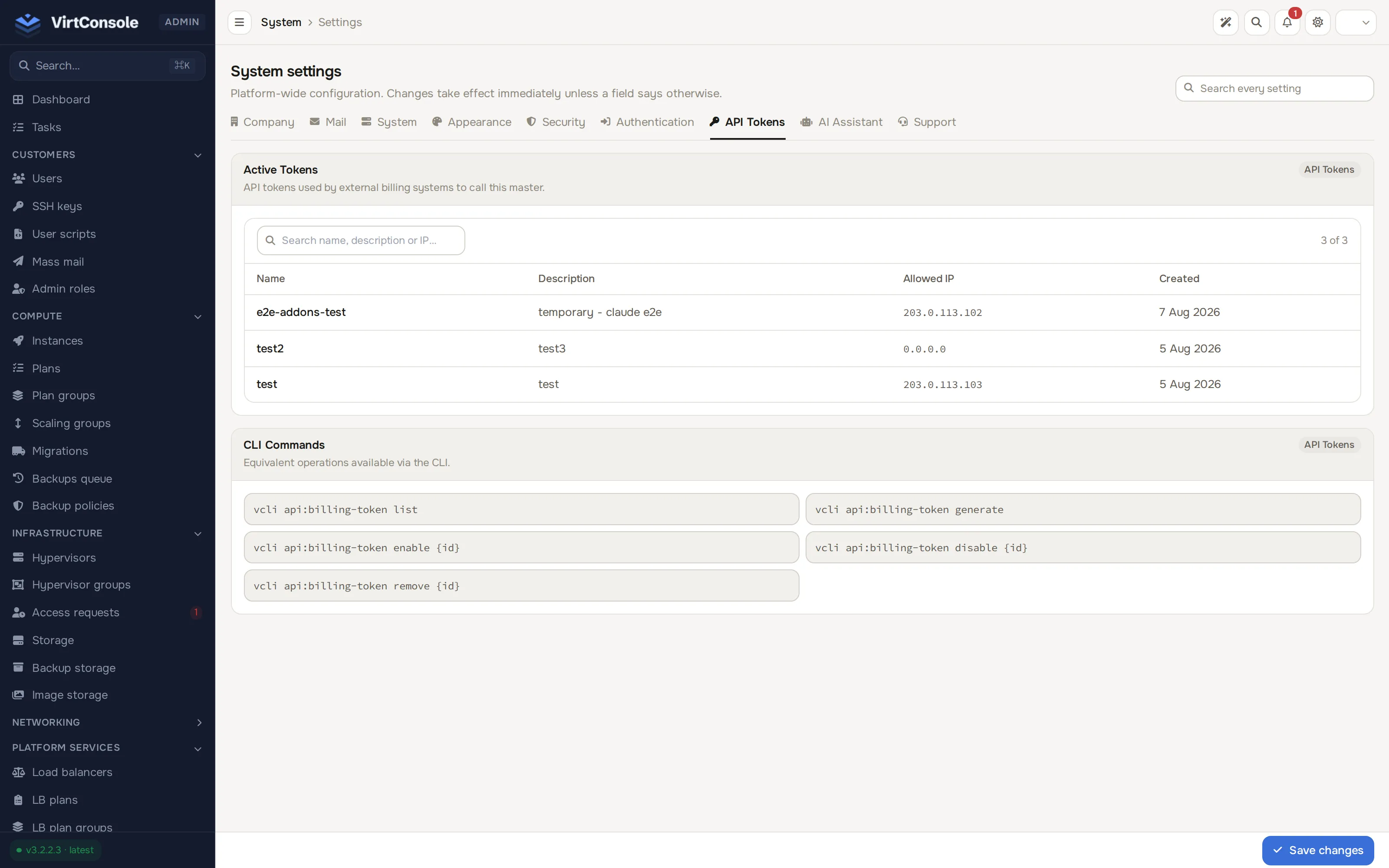
Generate a token
Section titled “Generate a token”vcli api:billing-token generateYou are prompted for the billing system’s public IP address, a Name (for example WHMCS-Production) and an optional Description. The token is printed once with a warning that it will never be shown again. Copy it into the billing system’s configuration immediately.
Manage tokens
Section titled “Manage tokens”vcli api:billing-token listvcli api:billing-token enable <token-id>vcli api:billing-token disable <token-id>vcli api:billing-token remove <token-id>Disabled tokens are kept in the list but every call using them is rejected.
Security best practices
Section titled “Security best practices”- One token per integration, each on its own dedicated account where possible. Never share one token between systems; you lose the ability to revoke or audit them independently.
- Bind to the real source IP and regenerate the token when the calling host moves. The IP check is your strongest protection against a leaked token.
- Store tokens in a secrets manager, never in code or plain-text config committed to a repository.
- Rotate every 6-12 months: generate a new token, swap it into the integration, verify, then delete the old one.
- Disable first, investigate second if you suspect a leak. Disabling is instant and reversible; check the audit log for what the token did before deleting it.
- Prefer the user API for tenant automation. Admin tokens are for platform-level operations. If a customer wants to automate their own resources, point them at their own per-user API credentials instead of issuing an admin token.
Common problems
Section titled “Common problems”401 Unauthorized!on every call. The token is disabled, was mistyped, or the request comes from a different IP than the token is bound to. Runlistand compare the IP column with the caller’s real address.- The billing system connects but provisions nothing. The token is valid but the billing system is calling endpoints it is not configured for. Check its module configuration. See WHMCS.
- You lost the token value. It cannot be recovered. Generate a new token and delete the old one.