

Forge live snapshots
Forge takes a snapshot of a running instance without stopping it. You then make your changes, an OS upgrade, a kernel update, new software, and at the end you either commit (keep everything) or discard (roll the disk and memory back to the exact moment the snapshot was taken, including running processes).
Use Forge before any change you might want to undo.
Before you begin
Section titled “Before you begin”- The instance is running, not suspended.
- No other task is running on the instance, and no other Forge session is active.
Where to find it
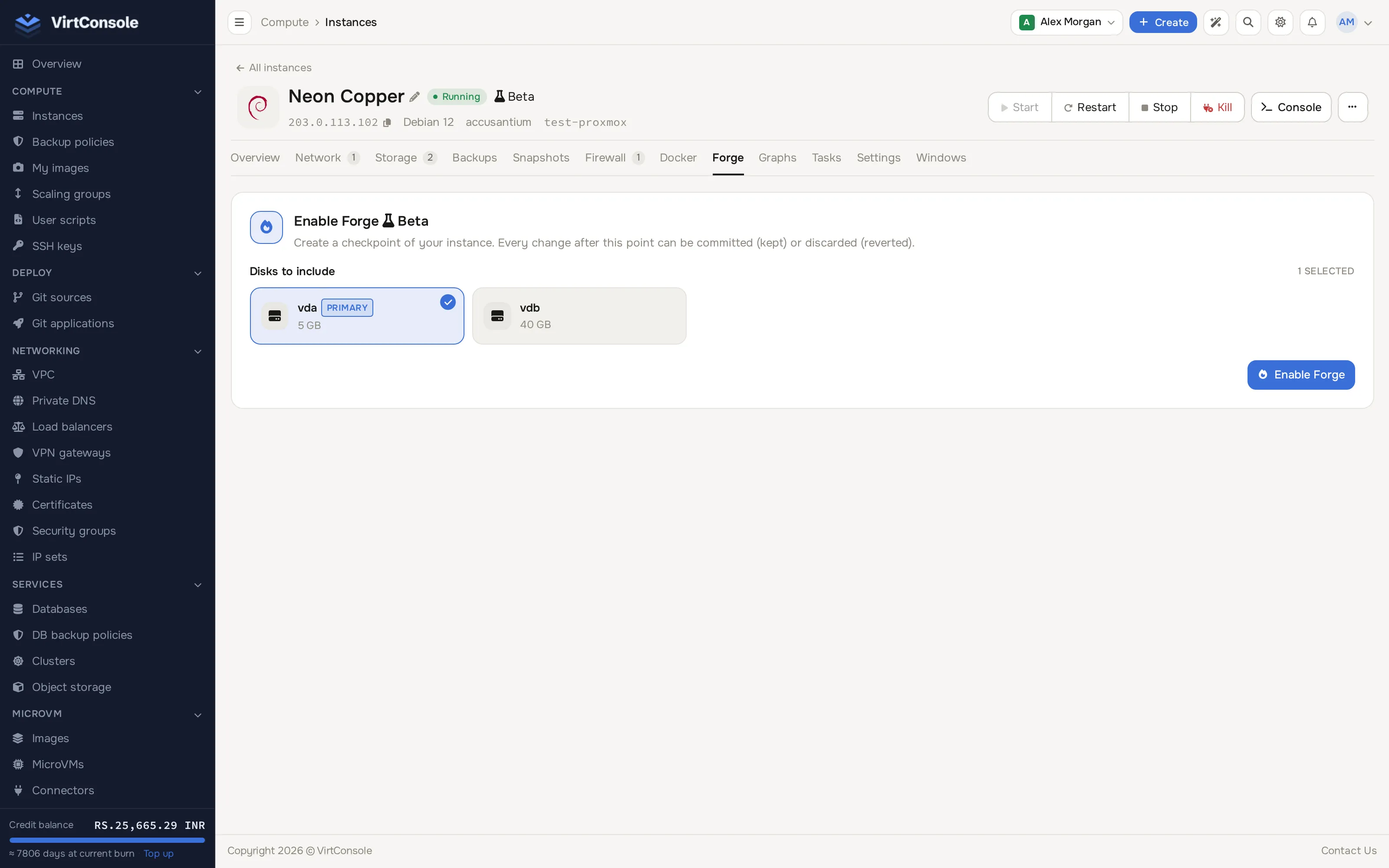
Section titled “Where to find it”Open the instance manage page (Compute > Instances > Manage) and click Forge in the tab bar.
The Forge section of an instance.
Start a session
Section titled “Start a session”- Tick the disks to include. The primary disk is selected by default.
- Click Enable Forge and confirm.
The instance pauses for under a second while the snapshot is taken, then keeps running. From that moment, disk writes go into a separate overlay and the original disk is left untouched.
Commit or discard
Section titled “Commit or discard”While a session is active, the Forge section shows when it started, the disks included, and two buttons:
- Commit Changes: merge everything that happened since activation into the original disk. This is permanent; there is no way back to the pre-Forge state after a commit. The instance keeps running during the merge, which can take several minutes on busy disks.
- Discard Changes: delete the overlay and restore the instance from the saved memory image, so it resumes as if no time had passed. If the memory restore fails, the disk is still rolled back correctly but the instance boots fresh instead of resuming.
Both buttons are disabled while another task runs on the instance.
What is blocked during a session
Section titled “What is blocked during a session”While Forge is active you cannot reinstall, resize, migrate, suspend, add or resize disks, create backups, mount an ISO, create an image, toggle the public interface, or destroy the instance. Commit or discard first. Power actions and the console keep working.
Common problems
Section titled “Common problems”- Enable Forge fails. The instance is not running, is suspended, has another task running, or already has an active session.
- Commit takes a long time. Every block written since activation has to be merged. On a busy database this can take several minutes; watch progress on the instance page.
- A discard booted the instance fresh instead of resuming. The memory restore failed (for example the configuration changed in the meantime). The disk was still rolled back; only the in-memory process state was lost.
- Stuck in Creating, Committing or Discarding. A Forge task crashed mid-step. Contact your provider to clear the stuck state; there is no self-service override.
- I need a blocked operation urgently. There is no override. Commit or discard the session first.