

Images
MicroVM images come in two kinds: platform base images you sync from VirtConsole’s own catalog, and images customers build themselves from a Dockerfile, a container image or a Git repository. This page covers what you manage as the operator.
Where to find it
Section titled “Where to find it”In the admin panel go to MicroVM > Images.
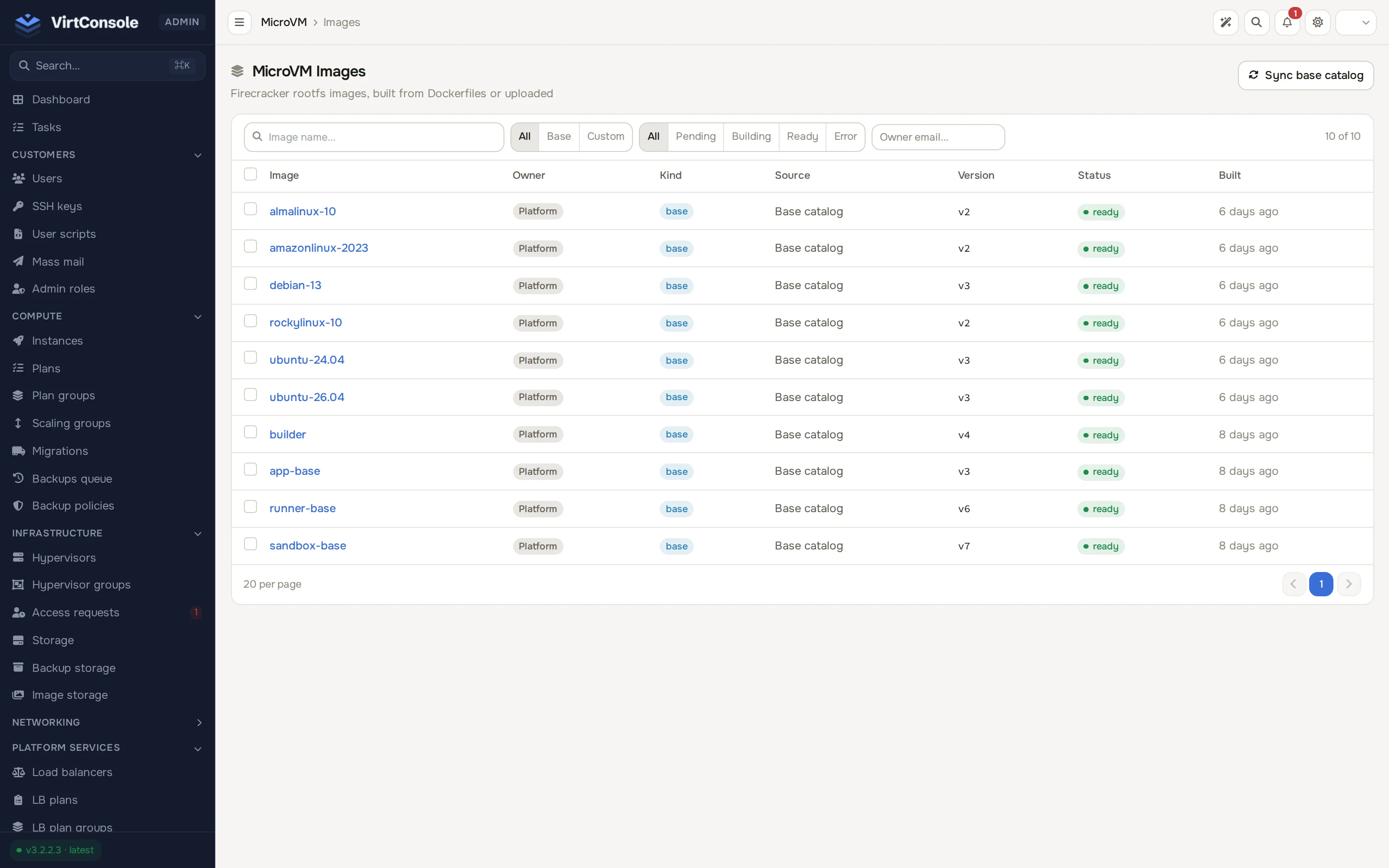
Unlike the customer-facing images page, this list is cross-account: it shows every platform base image and every customer’s own images, with the owning account’s email and an owner filter.
Sync the base image catalog
Section titled “Sync the base image catalog”Click Sync base catalog. This fetches the signed manifest published at packages.virtconsole.com/microvm/manifest.json, verifies its signature, and creates or updates the platform’s base images (sandbox-base, app-base, runner-base, builder) with a ready version each. It never touches a customer’s own images. Do this after a platform release note mentions updated base images, or when the Readiness page’s catalog check warns that the catalog has not changed in over 7 days.
Open an image
Section titled “Open an image”Click an image to open its detail page, which has two tabs: Shell agent and Versions.
Shell agent
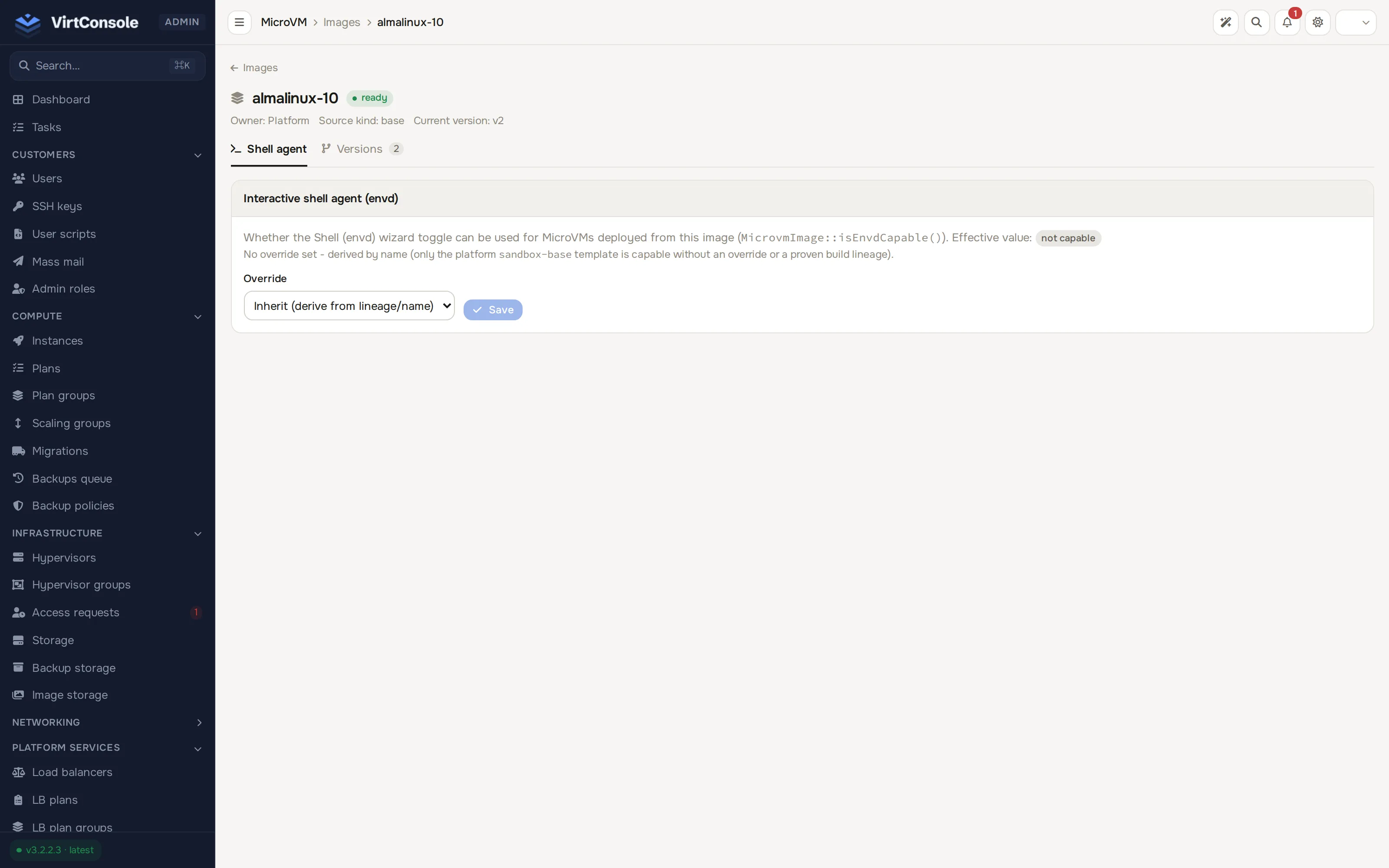
Section titled “Shell agent”This is the tab the page opens on. It controls whether the image includes envd (the agent behind the interactive shell and the E2B SDK’s command/file operations). The card explains the current effective value (capable or not capable) and how it was derived, then offers an Override dropdown:
- Inherit (derive from lineage/name): the platform’s own derivation. A platform base image is capable only if it is
sandbox-base; a customer image is capable if it was built from an envd-capable base image. - Force yes - capable
- Force no - not capable
Pick a value and click Save. Use the override only to correct a case the automatic derivation gets wrong, for example a customer image that reimplements envd itself without inheriting from sandbox-base.
Versions
Section titled “Versions”Lists every build of this image with its version number, status (ready, building, pending or error) and template version. The row for the current version shows a current badge; any other ready version shows a Set as current button that promotes it without waiting for a new build.
For the node that built a version, its exposed ports and its build log, see the customer’s own Images page for that image; the admin Versions tab does not carry those fields.
What happens next
Section titled “What happens next”Promoting a version or changing envd capability takes effect immediately for new MicroVMs; it never touches a MicroVM already running an older version.
Common problems
Section titled “Common problems”- Sync fails. The manifest could not be fetched or its signature did not verify; nothing is written on a failed sync. Check outbound connectivity to
packages.virtconsole.com. - A customer’s shell ingress will not enable even though their Dockerfile is
FROM sandbox-base. Confirm that is really the final stage of a multi-stage Dockerfile; only the finalFROMcounts. Force capability on from this page if the build genuinely carries envd another way.