Web SSH Terminal
Overview
Web SSH gives a user an in-browser terminal to their virtual machine. SSH (Secure Shell) is the standard encrypted remote-login protocol for Linux servers; normally a user installs an SSH client and manages key files to use it. Web SSH skips that: the user clicks a button on the instance page and a terminal opens in a new browser tab.
Concepts
- Instance: one virtual machine.
- QEMU Guest Agent: a small program installed inside the VM that lets the hypervisor send commands into the guest OS. Web SSH uses it to inject a temporary SSH key and start the session.
- VPC: Virtual Private Cloud, a private network that is only visible to the user's own VMs.
Admin: prerequisites
Web SSH is built into the panel; there is no admin enable switch. For it to work on a given instance:
- The instance must be running.
- The instance must have the QEMU Guest Agent installed and running. Cloud-init enabled OS images install it by default; on hand-built images you may need to install
qemu-guest-agent(Linux) or the matching Windows installer. - The instance must be reachable from its hypervisor over either the VPC network or its public network. Web SSH connects from the hypervisor, not from the browser, so any firewall on the path between hypervisor and VM must allow SSH (TCP port 22 by default).
Troubleshooting
"Failed to open SSH session"
The most common causes:
- The VM is not running.
- The QEMU Guest Agent is not installed or not running inside the VM. Verify on Linux with
systemctl status qemu-guest-agent; on Windows verify the VirtIO Serial driver and the guest agent service. - A firewall inside the VM is blocking port 22.
The terminal opens but immediately disconnects
The guest agent could not inject the temporary key, or sshd inside the VM rejected the login. Check sshd logs inside the VM (/var/log/auth.log or journalctl -u ssh).
What end users see
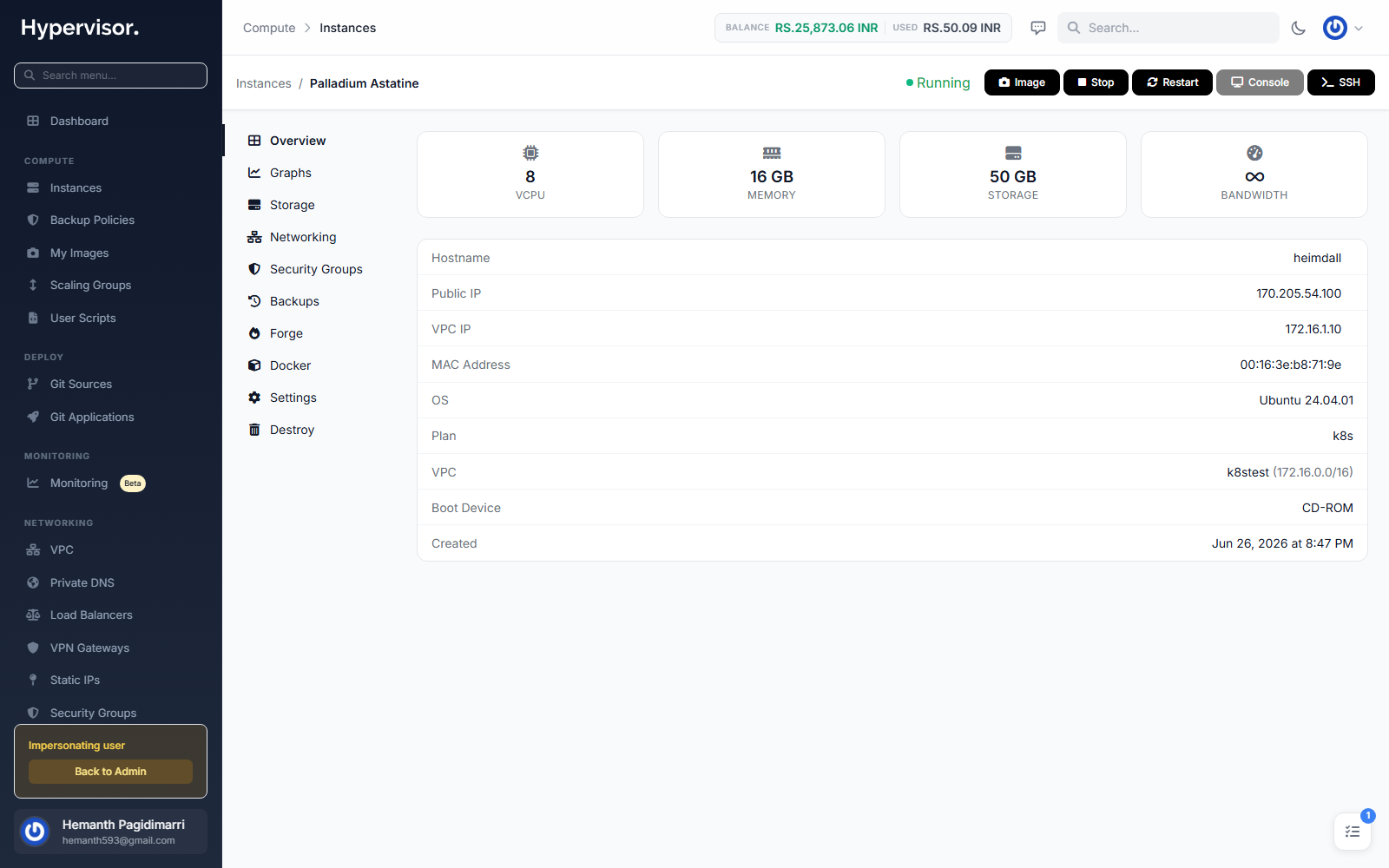
Customers open Web SSH from inside their instance. The instance Manage page has an SSH button; clicking it opens a new browser tab with an in-browser terminal.
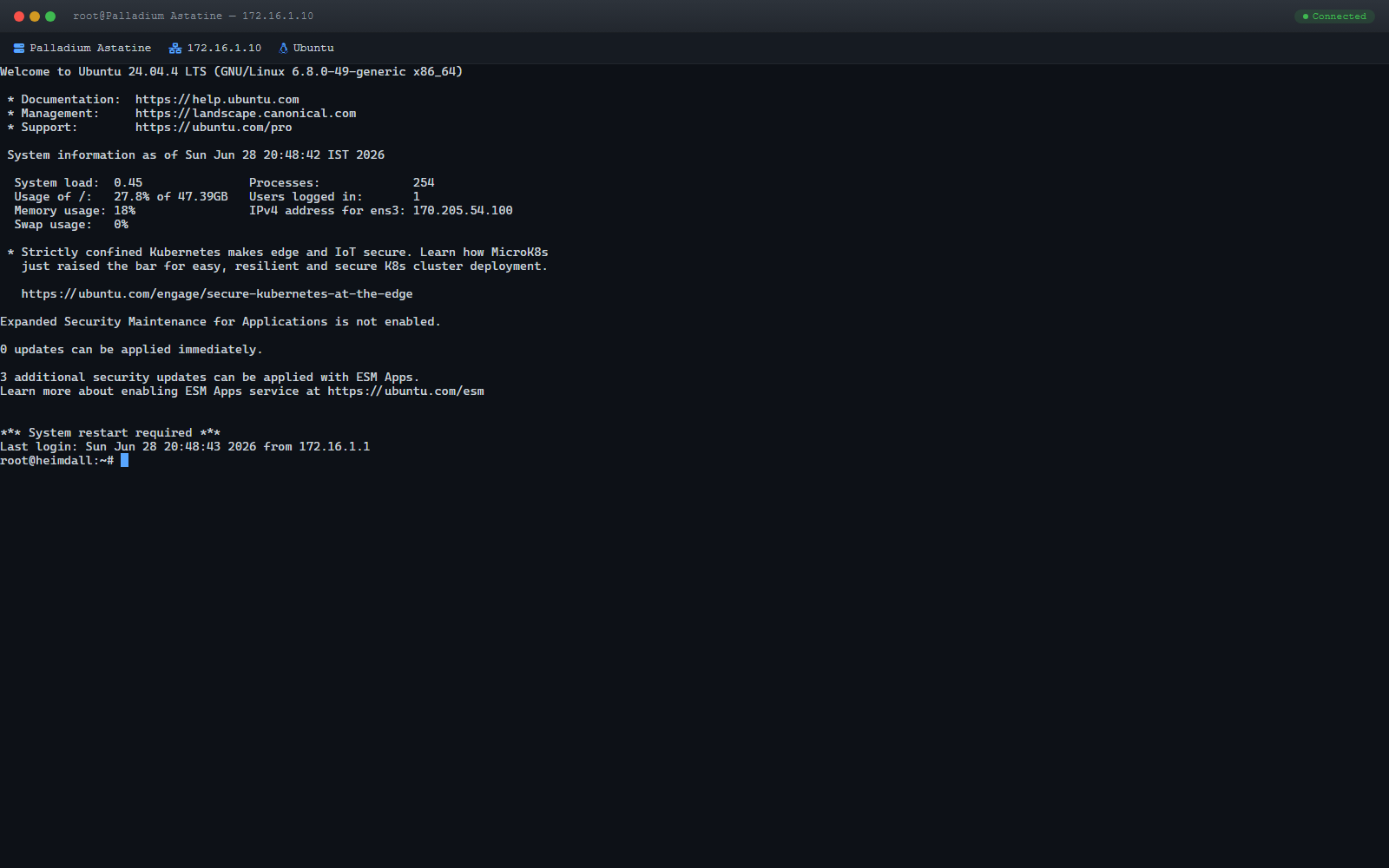
The new tab loads the Web SSH terminal, connects through the platform's WebSocket gateway, and drops the customer at a root shell on the VM. No software install, no client-side key setup, no port-forwarding required.
Session management
- Sessions are created on demand and cleaned up automatically when the tab closes.
- The user can check session status or terminate a session manually from the instance manage page.
Related pages
- User Scripts - automate setup tasks on first boot.
- Docker Manager - install web apps without using the shell.
- Instance Images - make sure your base image includes the QEMU Guest Agent.