Object Storage Setup
Overview
Object Storage in the platform is an S3-compatible service backed by RustFS (an open-source S3-compatible storage server). Customers create buckets, generate access keys, upload and download objects with any standard S3 client (aws s3, s3cmd, mc, SDKs, etc.).
This guide explains:
- The pieces that make up the service (server, plan, bucket, access key).
- How to install VictoriaMetrics for bandwidth accounting.
- How to register a RustFS cluster as an S3 Server in the admin panel.
- How to publish plans, and what customers see.
Concepts
- Object storage - A storage type that stores files (called "objects") with a key and metadata, accessed over HTTP. Not a filesystem and not a block device.
- S3 - The Amazon API standard for object storage. RustFS speaks the same API, so existing S3 tools work.
- S3 Server - In the admin panel, a RustFS cluster registered with the platform. Provides capacity to customers.
- Bucket - A customer-owned namespace inside an S3 server. Like a top-level folder, every object lives inside a bucket.
- Access Key - An HMAC credential pair (access key ID + secret access key) the customer uses to authenticate to the bucket. Like a username and password but for S3 clients.
- S3 Plan - A plan offered to customers that defines bucket size and bandwidth quota. Customers pick a plan when creating a bucket.
- VictoriaMetrics - A time-series database (TSDB). The platform uses it to store bandwidth metrics scraped from RustFS so it can bill or rate-limit per bucket.
- vmauth - The VictoriaMetrics auth proxy, sits in front of the TSDB and adds username/password.
- vmagent - The VictoriaMetrics scraper, pulls metrics from RustFS and ships them to the TSDB.
- mc - The MinIO Client. A command-line tool used to administer an S3 server, including generating the Prometheus metrics token.
Prerequisite
You must already have a RustFS cluster running somewhere reachable from the Master server.
Step 1: Install VictoriaMetrics (Bandwidth Accounting)
VictoriaMetrics stores the per-bucket bandwidth metrics that drive accounting.
Download a build from VictoriaMetrics releases. You want two archives: victoria-metrics-linux-amd64-vXXX.tar.gz and vmutils-linux-amd64-vXXX.tar.gz. This guide uses v1.126.0.
wget https://github.com/VictoriaMetrics/VictoriaMetrics/releases/download/v1.126.0/victoria-metrics-linux-amd64-v1.126.0.tar.gz -O /tmp/vm.tar.gz
tar -zxvf /tmp/vm.tar.gz
cp victoria-metrics-prod /usr/local/bin/victoria-metrics-prod
chmod +x /usr/local/bin/victoria-metrics-prod
Create a systemd unit for it:
# /etc/systemd/system/victoriametrics.service
[Unit]
Description=High-Performance, scalable time series database for Prometheus
After=network.target

[Service]
Type=simple
Restart=on-failure
RestartSec=5
ExecStart=/usr/local/bin/victoria-metrics-prod -storageDataPath=/mnt/victoria_metrics -httpListenAddr=127.0.0.1:8429 -retentionPeriod=3 -search.disableAutoCacheReset
ExecStop=/bin/kill -s SIGTERM
LimitNOFILE=65536
LimitNPROC=32000

[Install]
WantedBy=multi-user.target
The -retentionPeriod flag controls how many months of historical data are kept. Pick a value that matches how far back you need to query.
Step 2: Add an Auth Proxy (vmauth)
VictoriaMetrics itself has no authentication. Front it with vmauth-prod.
wget https://github.com/VictoriaMetrics/VictoriaMetrics/releases/download/v1.126.0/vmutils-linux-amd64-v1.126.0.tar.gz -O /tmp/vmutils.tar.gz
tar -zxvf /tmp/vmutils.tar.gz
cp vmauth-prod /usr/local/bin/
cp vmagent-prod /usr/local/bin/
Create the systemd unit:
# /etc/systemd/system/vmauth.service
[Unit]
Description=Proxy for victoria-metrics
After=network.target

[Service]
Restart=on-failure
RestartSec=5
ExecStart=/usr/local/bin/vmauth-prod -auth.config=/etc/vmauth.yaml -httpListenAddr=0.0.0.0:8428
ExecStop=/bin/kill -s SIGTERM $MAINPID

[Install]
WantedBy=multi-user.target
And the matching auth config:
# /etc/vmauth.yaml
users:
  - username: 'grafana-write'
    password: 'somerandompassword'
    url_prefix: 'http://127.0.0.1:8429'
Step 3: Get the RustFS Metrics Token
RustFS exposes Prometheus-format metrics. The mc admin command generates the bearer token that lets you scrape them:
mc admin prometheus generate <ALIAS> bucket --json
<ALIAS> is the name you used when you ran mc alias set for the cluster. The command returns a JSON object containing a bearer token. Save it, you need it for the scrape config in the next step.
Step 4: Set Up Scraping (vmagent)
vmagent runs Prometheus-style scrapes against RustFS and ships the samples to VictoriaMetrics through vmauth.
You can run vmagent-prod on the RustFS cluster itself, on the same host as VictoriaMetrics, or on any host that can reach both.
# /etc/systemd/system/vmagent.service
[Unit]
Description=Proxy for prometheus style scraping
After=network.target

[Service]
Restart=always
RuntimeMaxSec=1d
RestartSec=5
ExecStart=/usr/local/bin/vmagent-prod -promscrape.configCheckInterval=10s \
-httpListenAddr=127.0.0.1:8430 \
-promscrape.config=/etc/scrape.yaml \
-remoteWrite.url=http://<vmauth or victoriametrics ip>:8428/api/v1/write \
-httpAuth.username "grafana-write" \
-httpAuth.password "somerandompassword"
ExecStop=/bin/kill -s SIGTERM $MAINPID

[Install]
WantedBy=multi-user.target
And the scrape config (paste the bearer token from Step 3):
# /etc/scrape.yaml
scrape_configs:
  - job_name: rustfs-job
    bearer_token: eyJhbGciOiJIUzUxMiIsInR5cCI6IkpXVCJ9.eyJpc3MiOiJwcm9tZXRoZXVzIiwic3ViIjoiYWRtaf4iLGJleHAiOjQ5MTA4NTg3ODl9.gagR4U2KfvRj6zPUYqVIDXkh9ND6dsJem7XhcqY_WJgdmpzTuS7RL8Xj62mEvuPlDnU0cdk2u-_TihoMZWbi1Q
    metrics_path: /minio/v2/metrics/cluster
    scheme: http
    static_configs:
      - targets: ['<your-rustfs-cluster>:<port>']
    relabel_configs:
      - source_labels: [__address__]
        target_label: __param_target
      - source_labels: [__param_target]
        target_label: instance
Step 5: Install the mc Client on the Master
The Master uses the MinIO Client (mc) to talk to RustFS:
curl https://dl.min.io/client/mc/release/linux-amd64/mc -o /usr/local/bin/mc
chmod +x /usr/local/bin/mc
mc --help
Admin: Registering the S3 Server
Open the admin sidebar and go to S3 Servers.
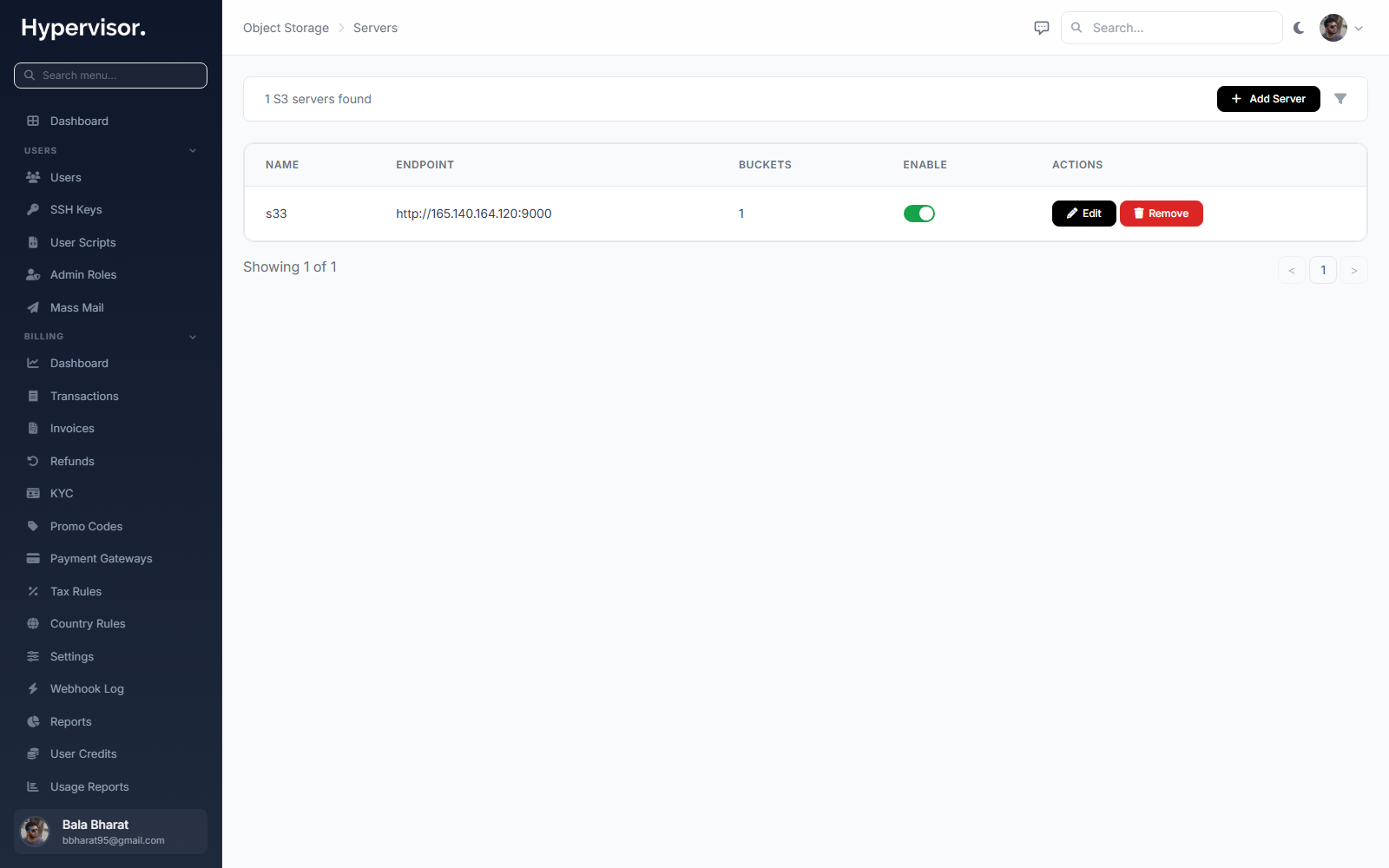
Click Add Server to open the create form.
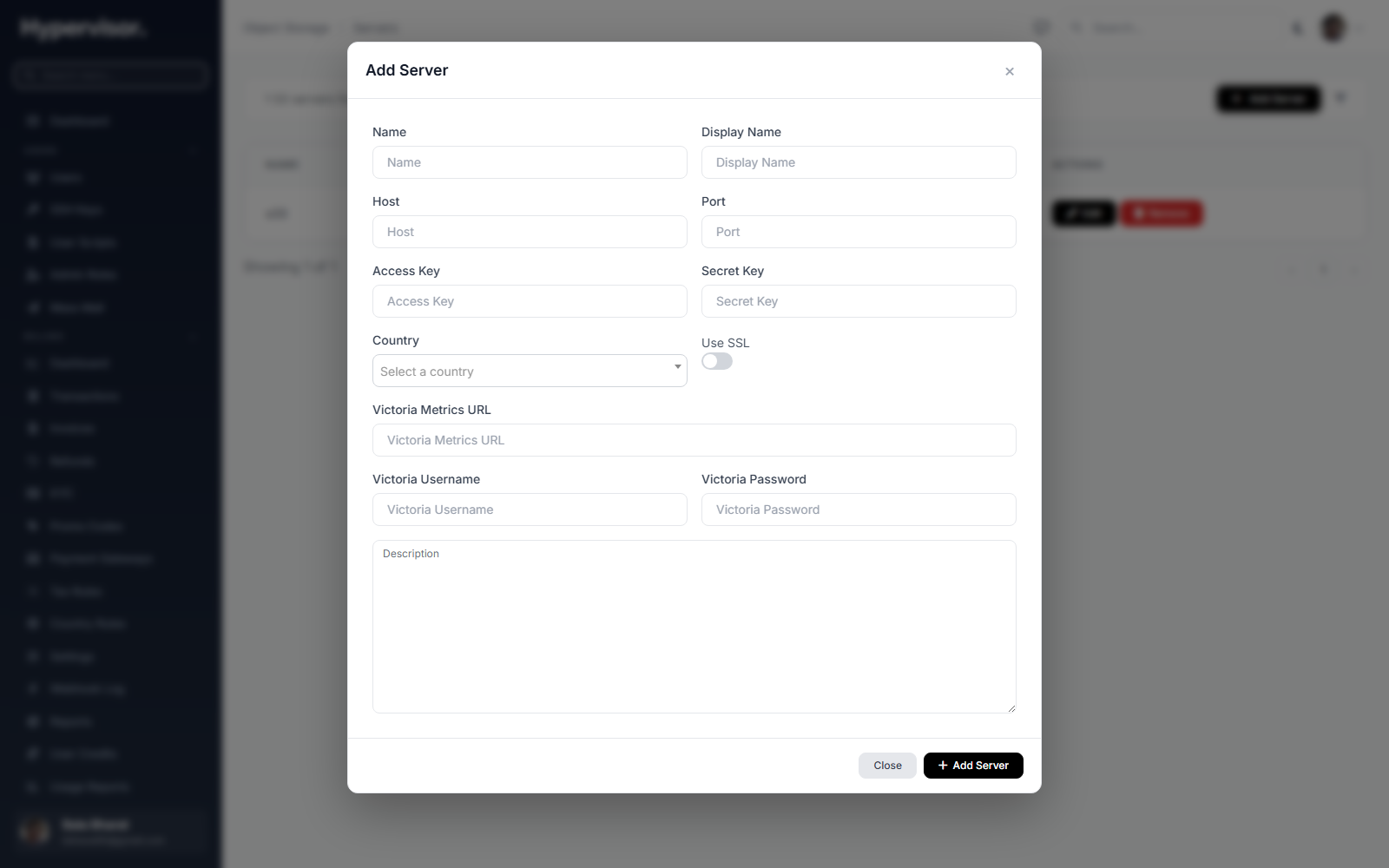
Fill in:
- Host - Hostname or IP of the RustFS cluster.
- Port - 80 or 443 if a reverse proxy (such as nginx) sits in front of RustFS, or the direct RustFS API port (9000 by default).
- Use SSL - Turn on if the endpoint serves HTTPS.
- Access Key - Admin username (or any user with admin rights) on the RustFS cluster.
- Secret Key - Password for that user.
- VictoriaMetrics URL - The vmauth address, for example
http://<your-victoriametrics-ip>:8428/. - VictoriaMetrics Username - The username configured in
vmauth.yaml(in this guide,grafana-write). - VictoriaMetrics Password - The matching password.
The remaining fields are descriptive. Save the form.
Admin: Creating S3 Plans
An S3 Plan is what customers see and pick when they create a bucket. It defines bucket capacity and bandwidth quota.
Open S3 Plans in the admin sidebar.
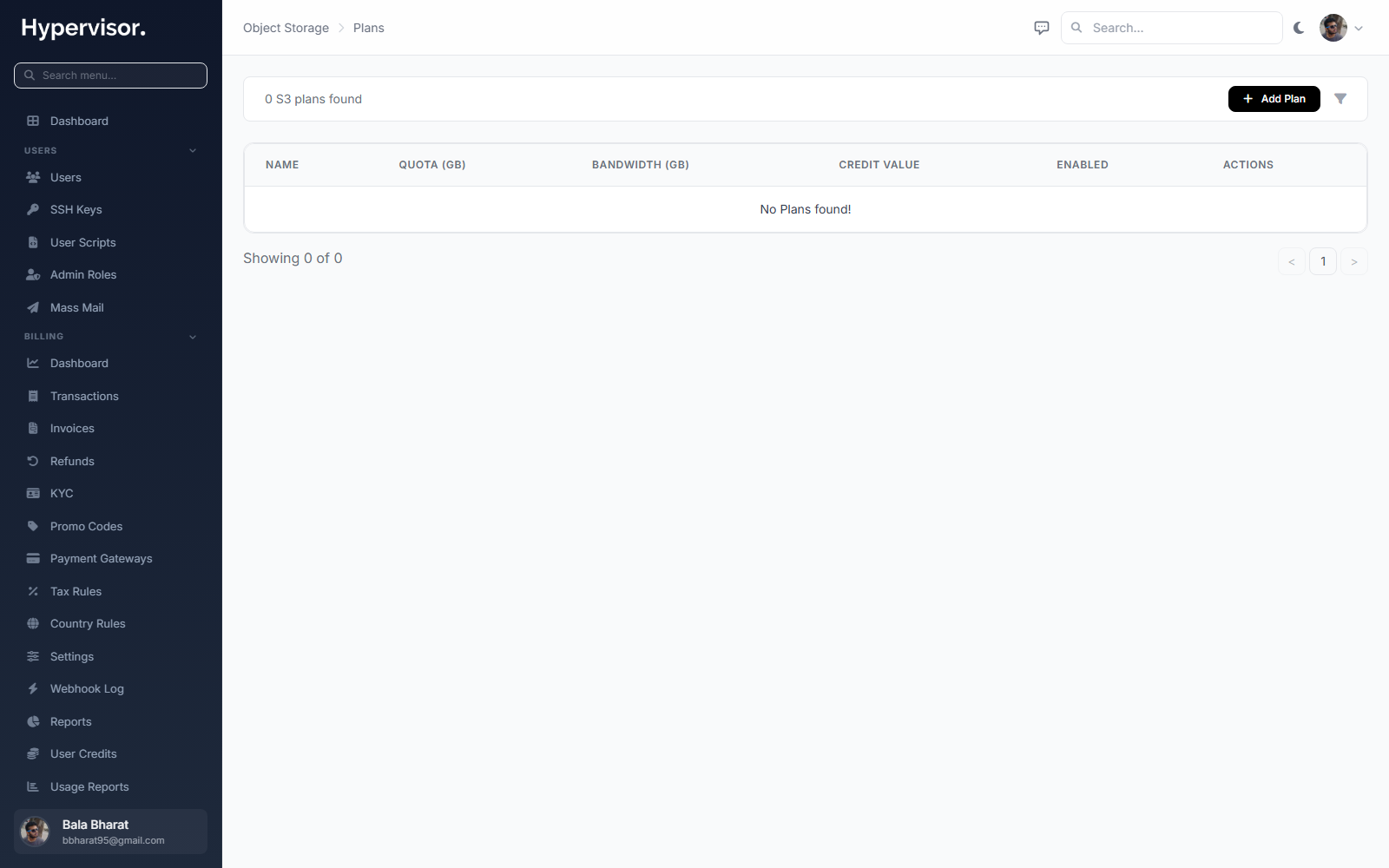
Click Add Plan to open the create form.
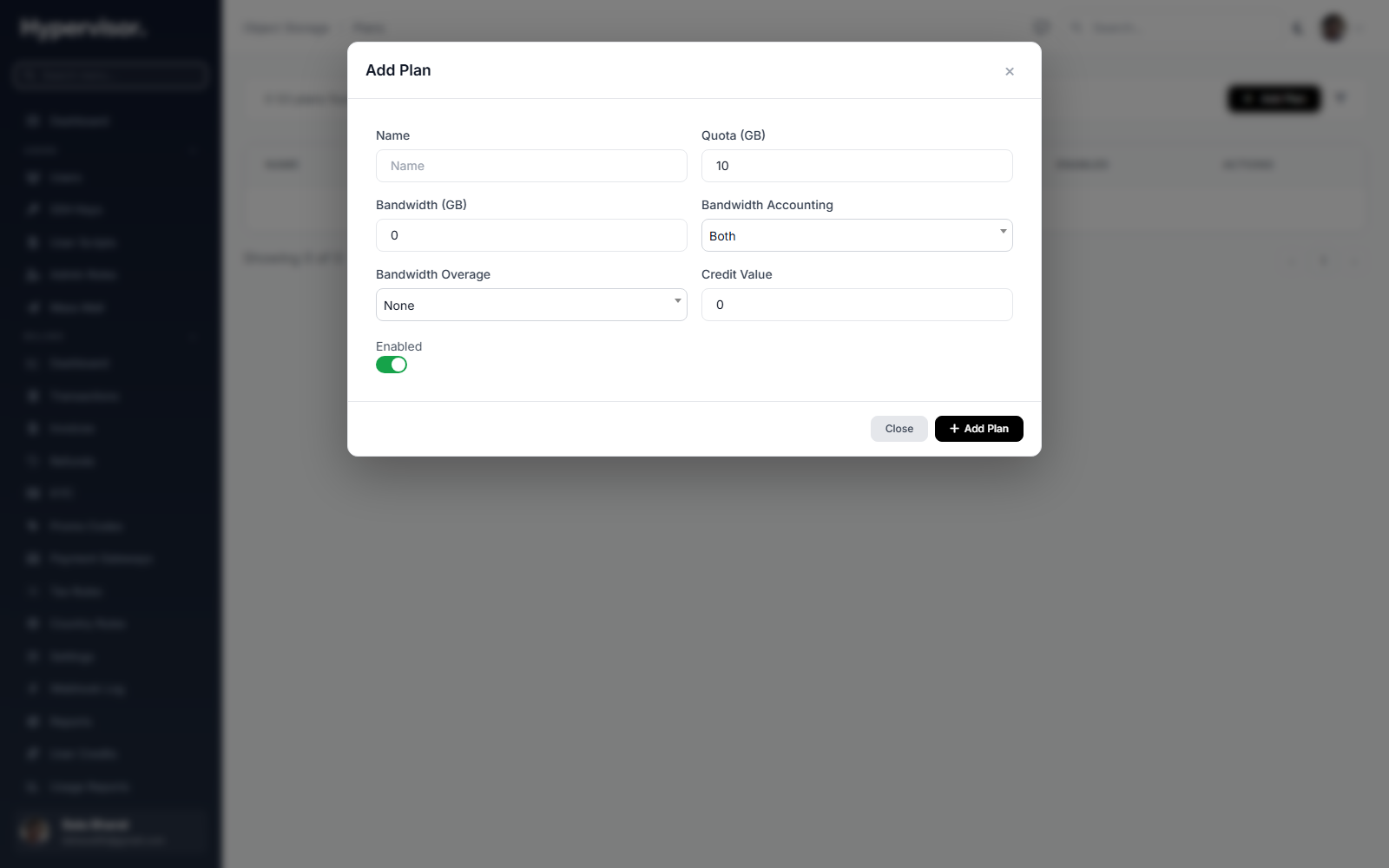
Set:
- Plan name.
- The S3 server backing it.
- Storage cap (e.g. 100 GB).
- Bandwidth quota.
- Price (credit value).
Enable the plan to make it visible to customers.
Admin: Monitoring Buckets and Access Keys
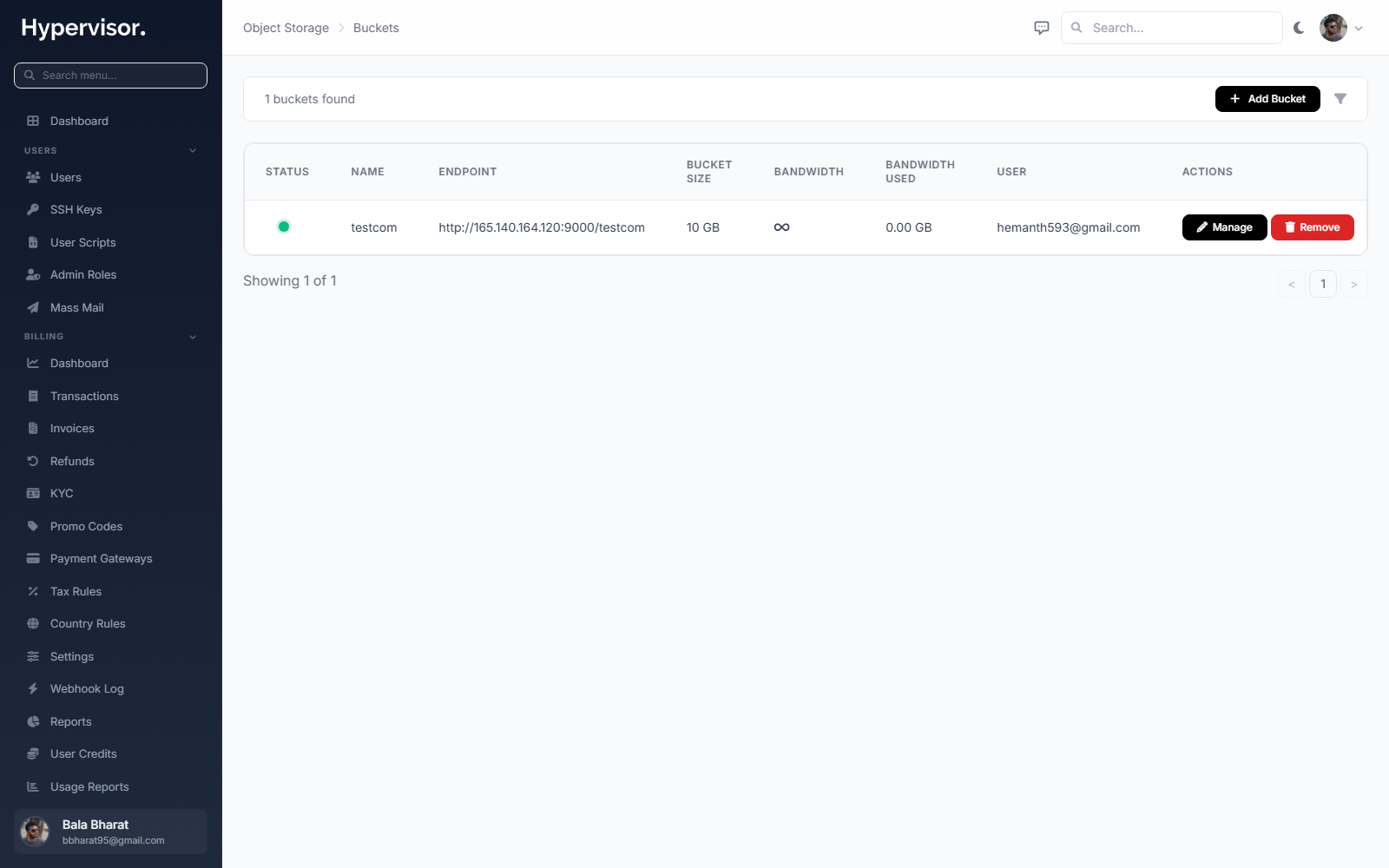
The admin Buckets page lists every bucket the platform has provisioned, with owner, size, bandwidth used, and status.
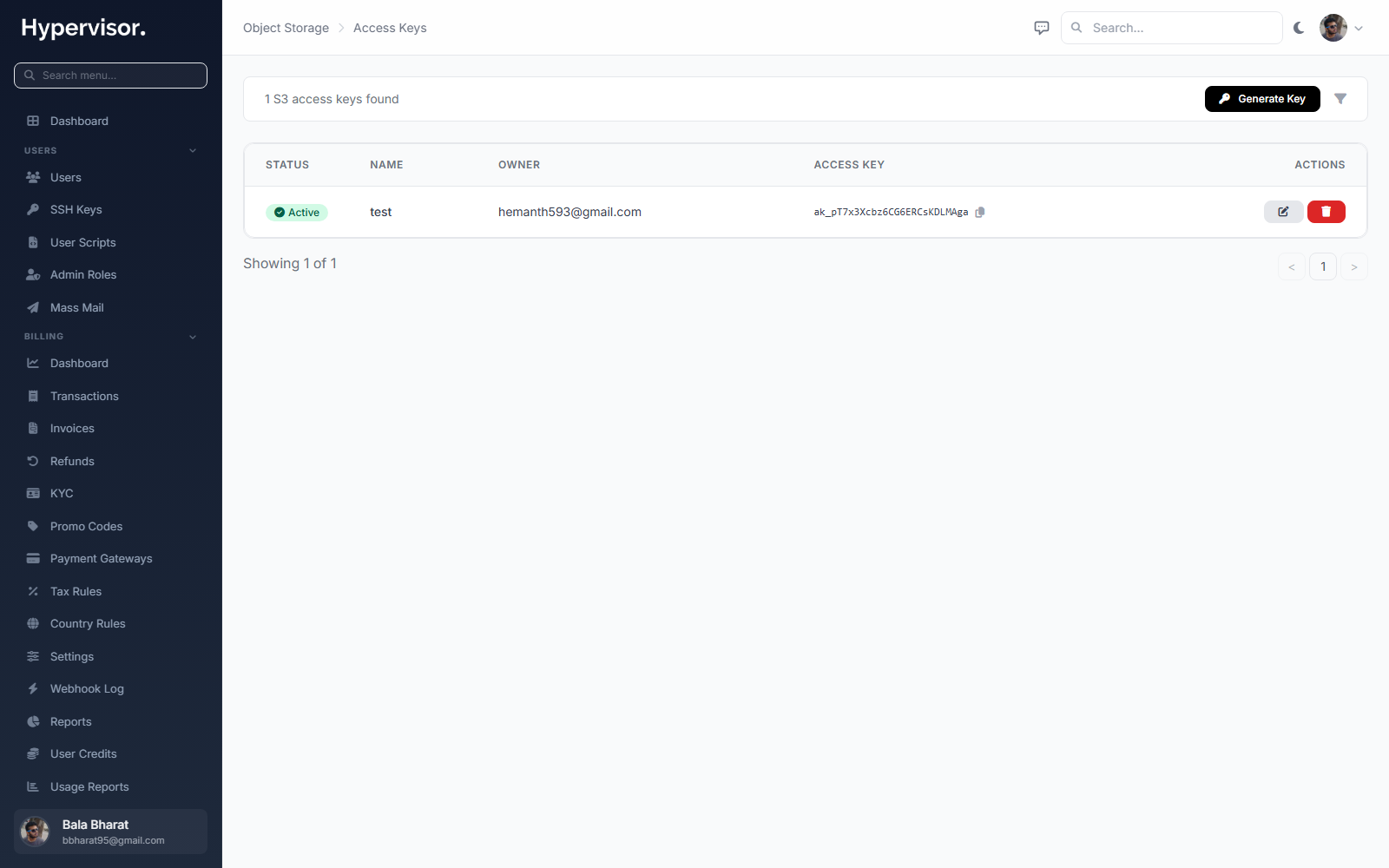
The admin Access Keys page lists every HMAC credential pair issued for any bucket.
Both pages let you suspend or delete an item if needed.
What End Users See
End users open Storage then S3 Buckets in their sidebar. They can:
- Create a bucket by picking a plan.
- Generate one or more access keys for the bucket. Each key has an access key ID and a secret access key, the same credentials any S3 client expects.
- View per-bucket storage used and bandwidth used.
- Delete a bucket (after emptying it) or revoke an access key.
The customer then points their S3 client (e.g. aws s3 cp, mc, rclone, an SDK in code) at the endpoint URL with the access key and secret. Anything that works against AWS S3 will work here.
Troubleshooting
"Cannot reach VictoriaMetrics"
Check the URL on the S3 Server matches the vmauth listen address. Confirm the username and password match the entry in /etc/vmauth.yaml.
Bandwidth values are not updating
- Confirm
vmagentis running (systemctl status vmagent). - Check that the bearer token in
/etc/scrape.yamlis still valid (regenerate withmc admin prometheus generate ...if RustFS was reset). - Confirm the host running
vmagentcan reach the RustFS cluster on the configured port.
Customers cannot create buckets
- Confirm at least one S3 Plan is enabled.
- Confirm the S3 Server attached to that plan is reachable and healthy.
Related pages
- Instance Backups - You can use any S3-compatible storage (including the one set up here) as a backup destination.
- Database Backup Policies - Same idea, for managed databases.