Instance Backups
Overview
An instance backup is a copy of a virtual machine's disk written to a separate storage location, so the instance can be restored if its disk is lost or corrupted.
This page covers the pieces administrators configure to make backups work:
- Backup Storage - The destination. NFS share, S3-compatible bucket, SFTP server, FTP server, an rclone remote, or a local mount point on the hypervisor. This is where backup files actually live.
- Backup Plan - A schedule plus retention attached to a hypervisor or an instance. Defines when backups run and how many to keep.
- Backup Queue - The system view that lists in-flight and pending backup jobs.
For per-instance, user-facing backup policies (which are separate from hypervisor-level backup plans), see Instance Backup Policies.
Concepts
- Hypervisor - A physical host running KVM/QEMU that runs the virtual machines.
- Instance - A virtual machine running on a hypervisor.
- Backup Storage - The destination where backup files are written. Configured by the admin.
- Backup Plan - Schedule (daily/weekly/monthly counts) + retention attached to a hypervisor or instance.
- Backup Queue - List of pending and in-progress backup jobs the system is processing.
- Full backup - Complete copy of the disk.
- Incremental backup - Copy of only the blocks changed since the last backup. Smaller than a full backup. To restore, you need the full plus every incremental that came after it.
- Chain - One full backup plus all of its incrementals.
- qcow2 - A disk image file format used by QEMU. Backup files are stored in qcow2.
- External snapshot - A trick QEMU uses on a running VM to "freeze" the current disk and send all new writes to a small overlay file. The frozen disk can then be read safely while the VM keeps running. The overlay is merged back when the backup finishes.
- Dirty bitmap - A small in-memory map that records which blocks of the disk have changed since the last backup. Used to make incrementals fast.
- qemu-nbd - A QEMU tool that exposes a disk image over a Unix socket so it can be read like a normal block device.
- rclone - An open-source tool that streams data to and from many cloud storage backends (S3, B2, Azure Blob, Google Drive, and 40+ others).
- S3-compatible - Storage that speaks the Amazon S3 API. Includes AWS S3 itself plus RustFS, Wasabi, Backblaze B2 (S3 mode), DigitalOcean Spaces, and others.
- Ceph RBD - A distributed block storage system. Backups of RBD disks use Ceph-native tools (
rbd export).
How a Backup Runs
On a running VM the pipeline is:
- External snapshot - QEMU freezes the current disk file. New writes go to a thin overlay.
- NBD mount -
qemu-nbdexposes the frozen base disk over a Unix socket, read-only. For incrementals, a dirty bitmap is attached so only changed blocks are read. - Stream -
qemu-img convertreads from the NBD socket and writes a qcow2 file on stdout. For an incremental, only the changed blocks are written (a sparse qcow2 file). - Upload - For remote destinations, rclone pipes that stream straight to the storage backend. For local destinations, the file is written to the mount path. Nothing is staged on local disk first.
- Bitmap clear - After success, the dirty bitmap is reset so the next incremental starts from this point.
- Commit and pivot - The overlay is merged back into the base disk with
virsh block-commit --active --pivot. The VM switches its active disk back to the base file with a millisecond-scale pause.
Stopped VMs skip steps 1 and 6, the pipeline just reads the disk directly. Ceph RBD disks use rbd export (full) and rbd export-diff (incremental) piped through rclone.
Prerequisites
Before any backup can run:
- The hypervisor must have backup enabled and assigned to a backup storage entry.
- At least one backup storage entry must exist (configured by an admin).
- The hypervisor must have these tools installed (the
hypervisor:deploycommand installs them automatically):rclonefor remote transfers.qemu-utilsandqemu-imgfor the streaming pipeline.libnbd-bin(Debian/Ubuntu) orlibnbd(RHEL family) for reading dirty bitmaps.
Admin: Configuring Backup Storage
Open the admin sidebar and go to Backup Storages.
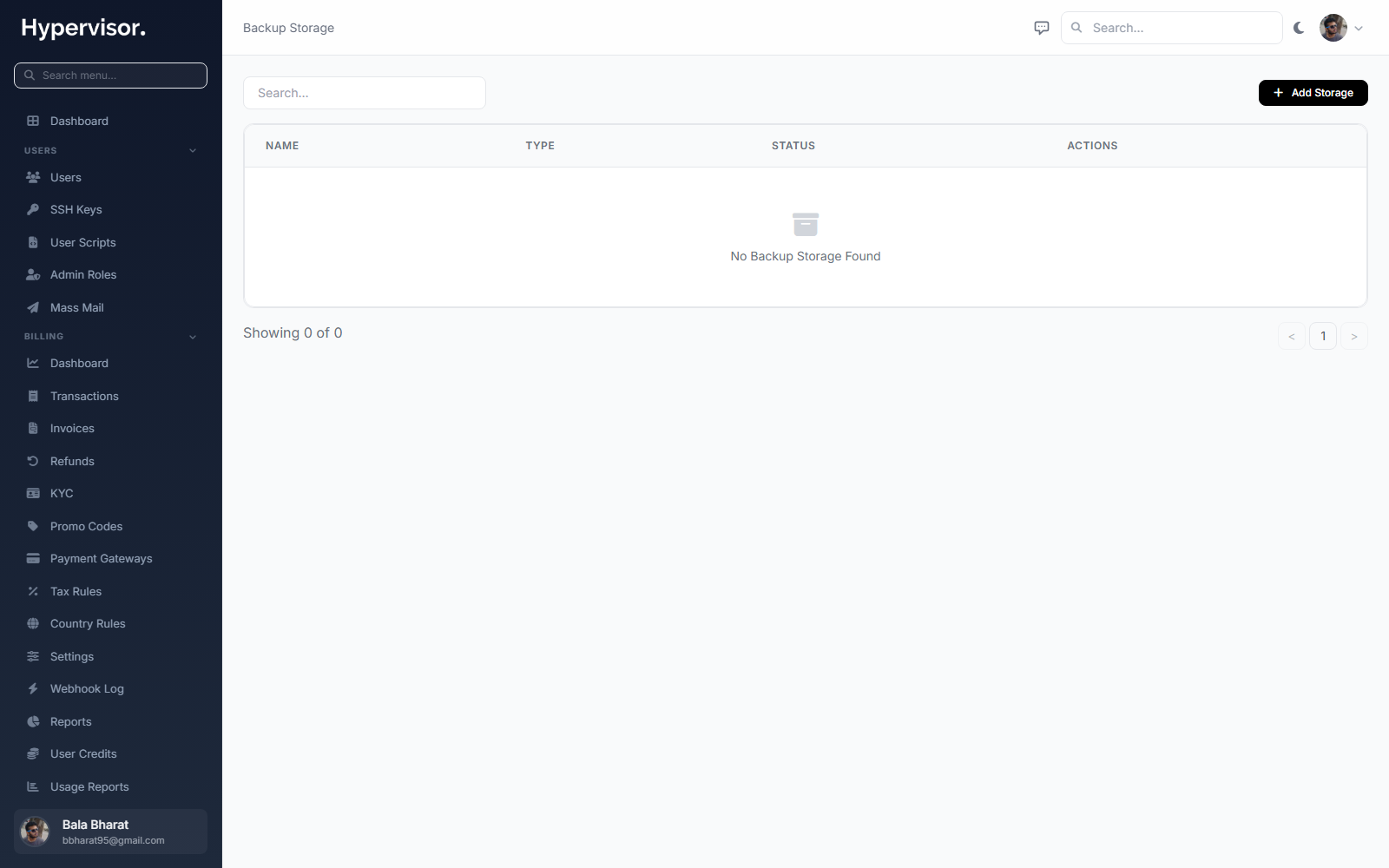
Click Add Storage to create a new destination.
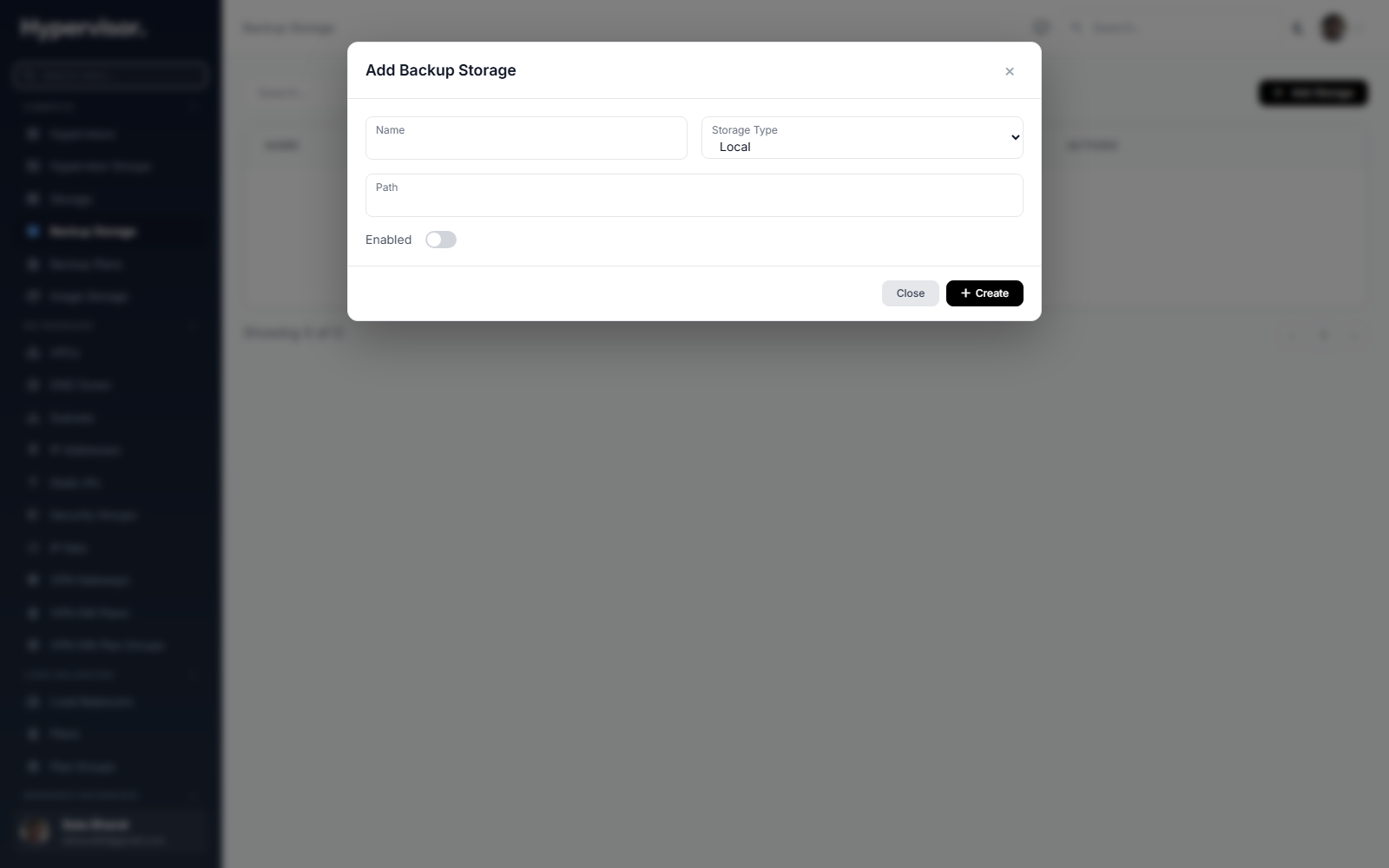
Storage Types
| Type | When to use it |
|---|---|
| Local | A path mounted on the hypervisor itself (NFS, SMB, or a local disk). Backward compatible with older setups. |
| S3 | Any storage that speaks the S3 API: AWS S3, RustFS, Wasabi, Backblaze B2 (S3 mode), DigitalOcean Spaces. |
| SFTP | An SSH/SFTP server. Password authentication. |
| FTP | A plain FTP server. Password authentication. |
| Rclone | Point at a pre-configured rclone remote by name. Use this when you need a backend the built-in types don't expose (e.g. native B2, Azure Blob, Google Cloud Storage). |
Fields
Local:
| Field | What it means |
|---|---|
| Name | Label, for example "Local NFS Backup". |
| Path | Absolute mount path on the hypervisor (e.g. /mnt/backup). |
| Enabled | Toggle the storage on or off. |
S3:
| Field | What it means |
|---|---|
| Name | Label. |
| Endpoint | Full HTTPS URL of the S3 endpoint (e.g. https://s3.us-east-1.amazonaws.com). |
| Bucket | Target bucket (the namespace inside the S3 account). |
| Region | Bucket region (e.g. us-east-1). |
| Access Key | IAM key with read/write/delete on the bucket. |
| Secret Key | Matching secret. |
| Path Prefix | Optional folder inside the bucket (e.g. backups/production). |
SFTP / FTP:
| Field | What it means |
|---|---|
| Name | Label. |
| Host | Server hostname or IP. |
| Port | 22 for SFTP, 21 for FTP. |
| Username | Login username. |
| Password | Stored encrypted in the database. |
| Path Prefix | Optional subdirectory on the remote (e.g. /backups). |
Rclone:
| Field | What it means |
|---|---|
| Name | Label. |
| Remote Name | The name of the rclone remote already configured on every hypervisor with rclone config. |
| Path Prefix | Optional subdirectory inside the remote. |
For the Rclone type, you must run rclone config on every hypervisor before this storage will work. The platform does not push rclone configs to slaves automatically.
Credential encryption
All configuration fields (access keys, passwords, rclone settings) are stored using Laravel's encrypted array cast. They are only decrypted on a hypervisor when a backup actually needs them.
Admin: Configuring Backup Plans
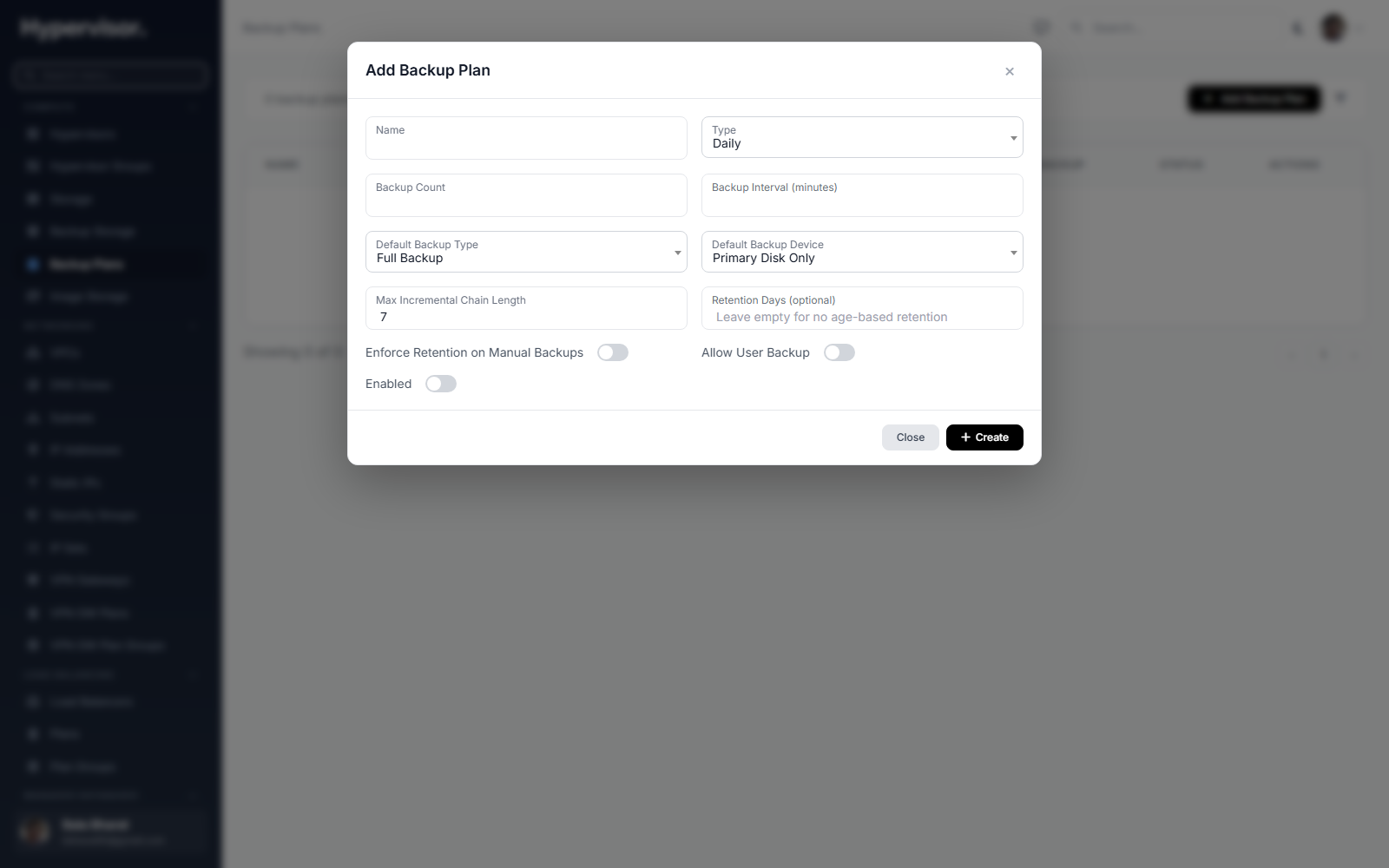
A Backup Plan is the schedule and retention (how many daily, weekly, monthly copies to keep) attached to a hypervisor. When an instance has backups enabled, the hypervisor's plan controls when those backups run.
Open the admin sidebar and go to Backup Plans.
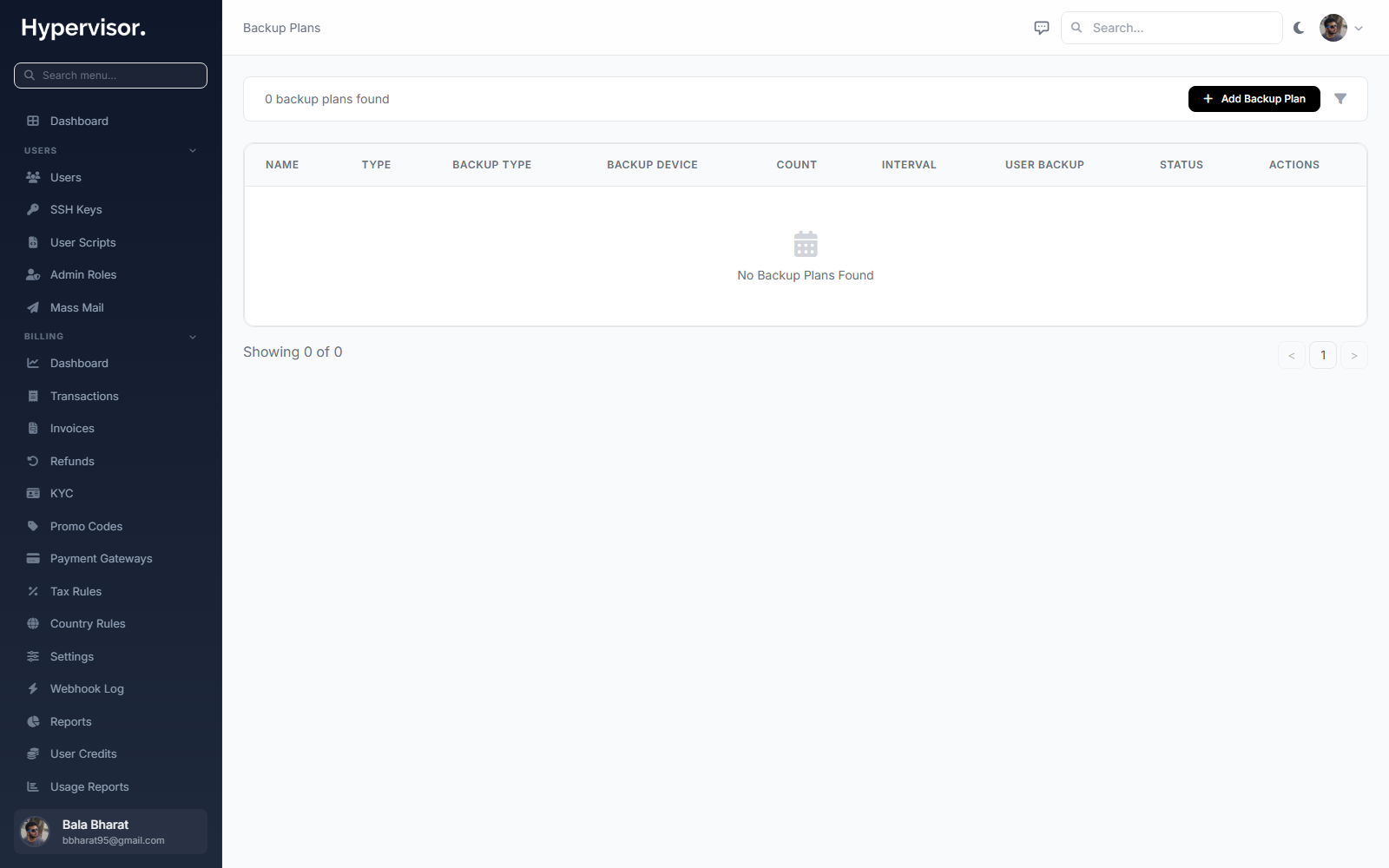
Click Add Plan to define schedule and retention values, then assign the plan to one or more hypervisors from the hypervisor detail page.
Admin: Monitoring the Backup Queue
The Backup Queue page shows every backup job the system has pending, running, or recently finished.
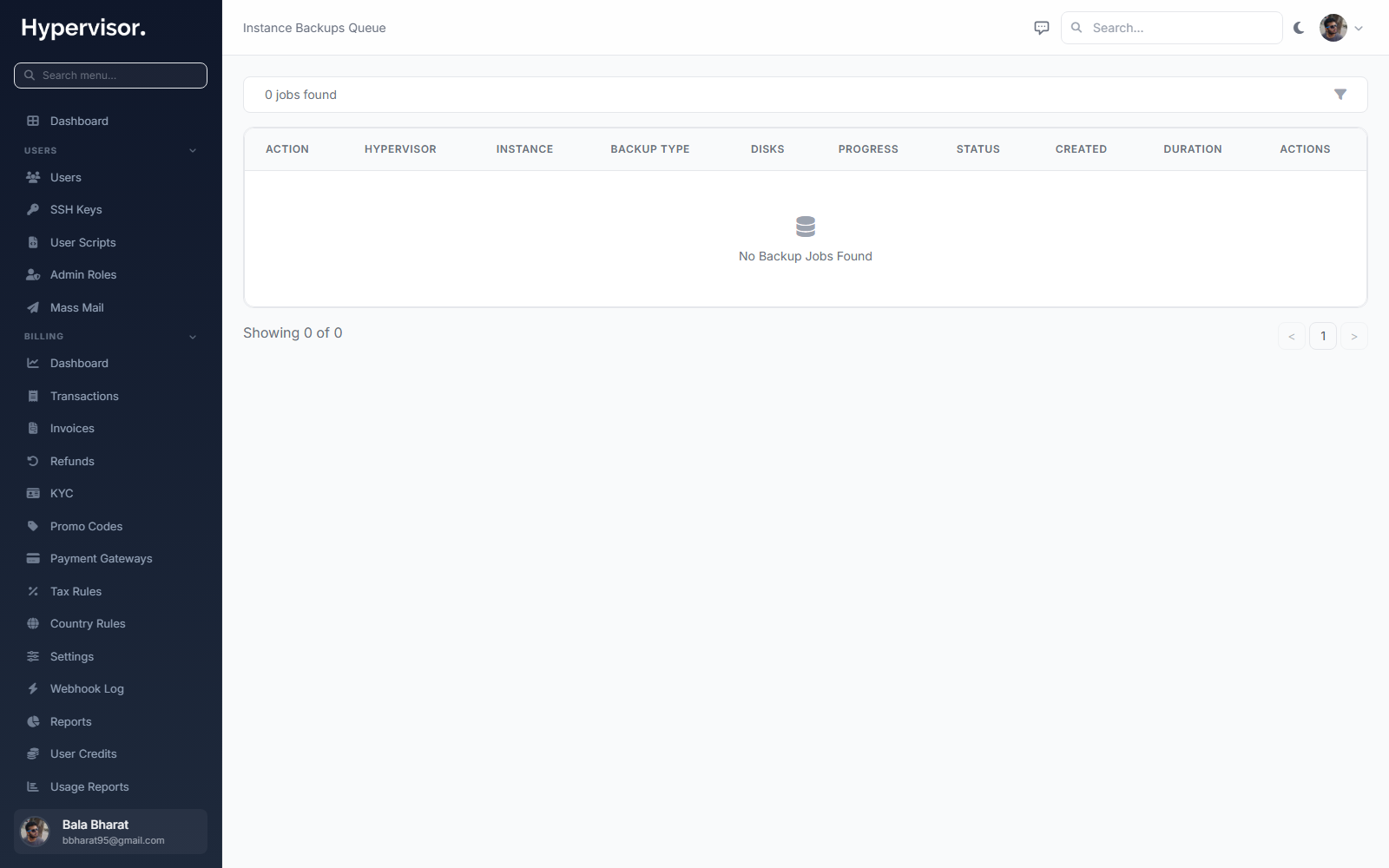
Use this page to see:
- Jobs waiting to start.
- Jobs in progress, with the current percentage.
- Recently completed or failed jobs and their error messages.
Manual Backups
You can run a one-off backup from the instance manage page.
User panel
- Open the instance.
- Open the Backups tab.
- Click Create Backup.
- Choose:
- Backup Type: Full, or Incremental (needs a prior full backup with an active dirty bitmap).
- Backup Device: only the primary (boot) disk, or all attached disks.
- Click Start Backup.
The job is queued right away. Progress shows in the Backup Queue subtab with the current percentage and transfer rate.
Admin panel
Same flow on the admin instance manage page. Admins can trigger backups regardless of the user's backup policy attachment as long as the hypervisor has a valid backup storage.
Automated Backups via Policies
For scheduled, automated backups attached to individual instances, see Instance Backup Policies. Briefly, you create a policy with a schedule and retention, then attach instances to it. The scheduler queues backups when each instance's window arrives.
Policies work with any backup storage type, the instance inherits the destination from its hypervisor.
Restoring Backups
From the instance Backups tab, click the Restore icon next to the backup you want.
The restore flow:
- Powers off the VM (a consistent disk state requires this).
- Streams the backup from the destination back onto the VM disk:
- Full backup: a single
qemu-img convert(for remote storage,rclone catis piped intoqemu-img convert). - Incremental backup: rebuilds the chain - restores the full first, then applies each incremental via
qemu-img rebaseandqemu-img commit.
- Full backup: a single
- Starts the VM after the restore finishes.
Progress and errors appear in the Tasks tab of the instance.
Restore overwrites the current disk. Any changes made since the backup was taken are lost. Take a fresh backup first if you want to keep current state.
Incremental Chains
An incremental backup contains only blocks that changed since the last backup. Incrementals reference a parent, forming a chain:
full (base) <- incremental 1 <- incremental 2 <- incremental 3
To restore an incremental, the system restores the full first, then applies each incremental in order. This is automatic, you pick the incremental and the system walks the chain.
Chain length is controlled by the backup policy's max_incremental_chain. When the chain reaches that length, the next scheduled backup is a new full backup that starts a fresh chain.
Deleting Backups
Click Delete next to a backup in the list. Deletion:
- Removes the file from the destination (
rclone deletefile, orunlinkfor local). - Cleans up the Ceph RBD snapshot if the backup is Ceph-backed.
- Removes the backup record from the database.
A full backup cannot be deleted while incrementals in its chain still exist. Delete the incrementals first (or let retention do it), then the full becomes deletable.
Ceph RBD Backups
For instances stored on Ceph RBD (a distributed block storage system), the pipeline uses rbd export for full backups and rbd export-diff for incrementals instead of qemu-nbd. The output still pipes through rclone for remote destinations, so S3/SFTP/FTP backups work the same way.
RBD snapshots are created automatically before each backup and kept in a rolling window (last 2 snapshots retained) so the next incremental has a baseline.
What End Users See
End users see a Backups tab on each of their instances. They can:
- View the list of backups for the instance and their status.
- Start a manual backup (full or incremental, primary disk or all disks).
- Restore any backup (overwrites the disk).
- Delete a backup.
They cannot configure backup storage or backup plans, those are admin-only.
Troubleshooting
"Hypervisor backup not enabled" The hypervisor has no enabled backup storage assigned. Configure backup storage on the Backup Storages page and assign it to the hypervisor.
"Bitmap not found, falling back to full backup" The dirty bitmap was missing or cleared. The system runs a full backup instead. The next incremental will work normally.
"NBD socket did not appear"
qemu-nbd failed to start. Read the task log. Usually a missing or corrupt base image, or a permissions issue.
"rclone rcat: failed to upload" Network or authentication failure. Check the credentials, endpoint, and that the hypervisor can reach the destination over the network.
"Block commit failed" The overlay could not be merged back into the base image. The VM keeps running on the overlay (no data loss). Investigate the disk state and contact support, do not run another backup until it is fixed.
Related pages
- Instance Backup Policies - Automated, per-instance schedules.
- Object Storage - Set up the in-platform S3 service that can host backups.
- Database Backup Policies - Backups for managed databases.